WimprFlow
Local-first voice dictation for macOS
AI: local or online
not yet reviewed by publik. It is live now; the founder has not reviewed this version yet.

Where WimprFlow’s AI runs, and what it costs
Prices are for one typical use: one request of about 1,500 words sent and 375 words back. A higher quality score is better.
On your computer
- Price
- Free per use. Your computer does the work.
- Runs with
- whisper.cpp, llama.cpp, Whisper
- Memory
- Llama 3.1 8B is a 4.9 GB download at 4-bit. gpt-oss 20B runs on systems with as little as 16GB memory. Faster with Apple silicon or a graphics card.
- Quality
- Llama 3.1 8B: 7
publik API
- Price
- $0.0100 per use, $10.00 per 1,000 usespublik-balanced, the default level
- Quality
- MiMo-V2.6-Pro: 46
- Setup
- Not built into WimprFlow yet. A publik API key works wherever WimprFlow takes an OpenAI-compatible address.
Your own key
- Price
- $0.0013 per use, $1.31 per 1,000 usesMiMo-V2.6-Pro at OpenRouter’s list price, before its fee for buying usage
- Quality
- MiMo-V2.6-Pro: 46
- Setup
- Open a provider account, add a card, paste the key into WimprFlow.
Quality and price, side by side
| Model | Quality | Per 1,000 uses |
|---|---|---|
| On your computer (Ollama, 4-bit download size) | ||
| Granite 4.2 3B2.2 GB | 9 | $0 |
| Phi-4 Mini2.5 GB | 6 | $0 |
| Llama 3.1 8B4.9 GB | 7 | $0 |
| gpt-oss 20B14 GB | 9 | $0 |
| Gemma 4 31B20 GB | 19* | $0 |
| Qwen3.5 35B-A3B24 GB | 19* | $0 |
| publik API | ||
| publik-fastGLM-5.3 Flash | 42 | $1.00 |
| publik-balancedMiMo-V2.6-Pro · WimprFlow | 46 | $10.00 |
| publik-smartGPT-6 Sol | 48 | $18.00 |
Quality: Artificial Analysis Intelligence Index v4.3.2, read 2026-09-22 (publik API models 2026-09-25); * = estimated by Artificial Analysis. Sizes: the Ollama library, read 2026-09-22.
What you pay for
- On your computer: nothing per use. You pay in disk space, memory and electricity, at lower quality.
- publik API: publik’s published price for each use, in dollars, from your publik balance. It is above the model’s cost; the difference runs publik and pays the app’s builder.
- Your own key: the provider’s price, billed to an account you keep with the provider.
How to install WimprFlow
Every step written out. No terminal experience needed. Pick your setup.
README
Open in GitHubWhimprFlow
A local-first voice dictation app for macOS. Tap a key, speak, and clean text lands wherever your cursor is. Speech is transcribed on-device with Whisper and cleaned up by a local LLM (filler removal, self-corrections, spoken punctuation, lists), with optional cloud cleanup.
This is a heavily extended fork of Blueturboguy07/WhimprFlow (MIT). Not affiliated with, endorsed by, or connected to Wispr Flow or any other product.
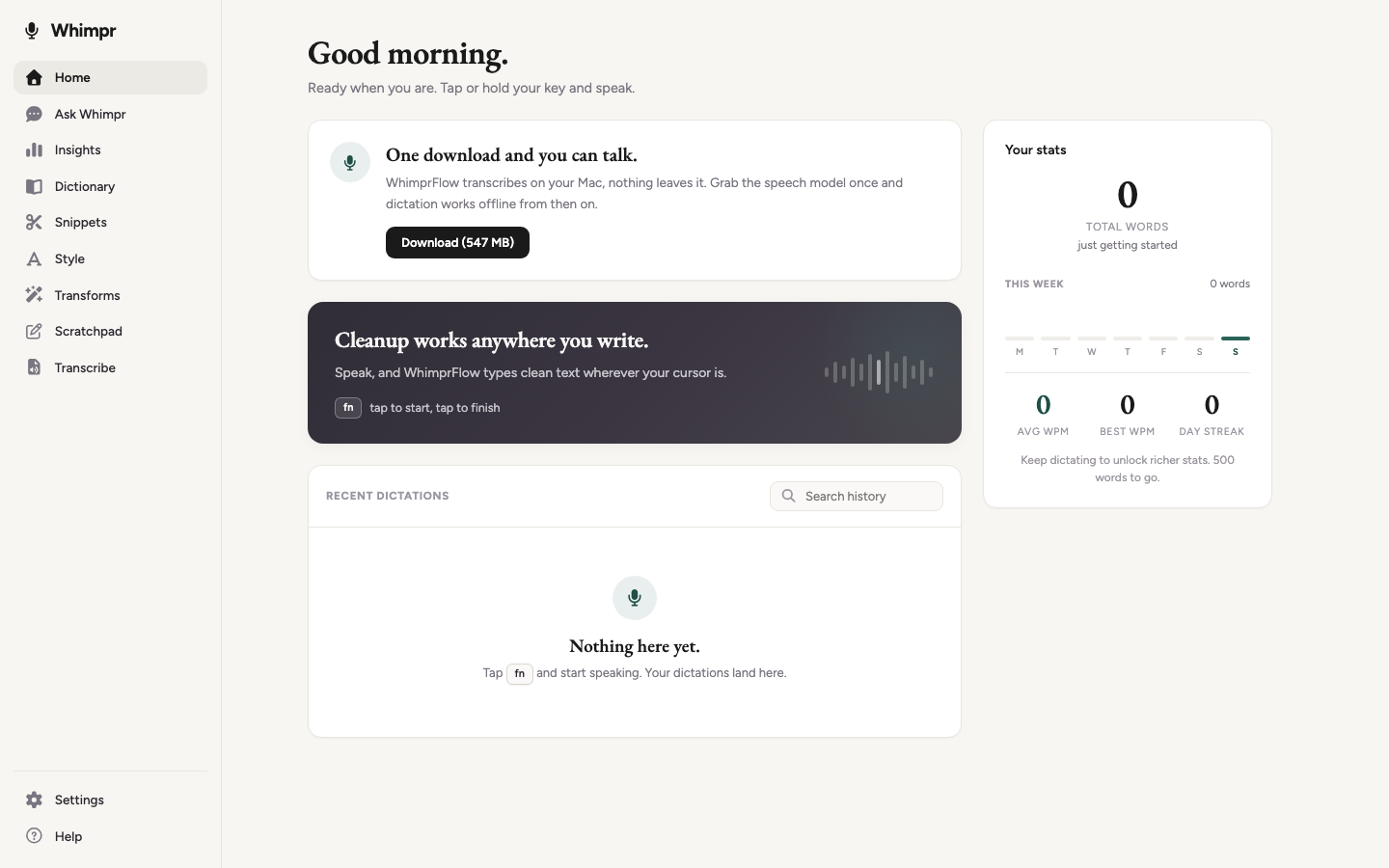
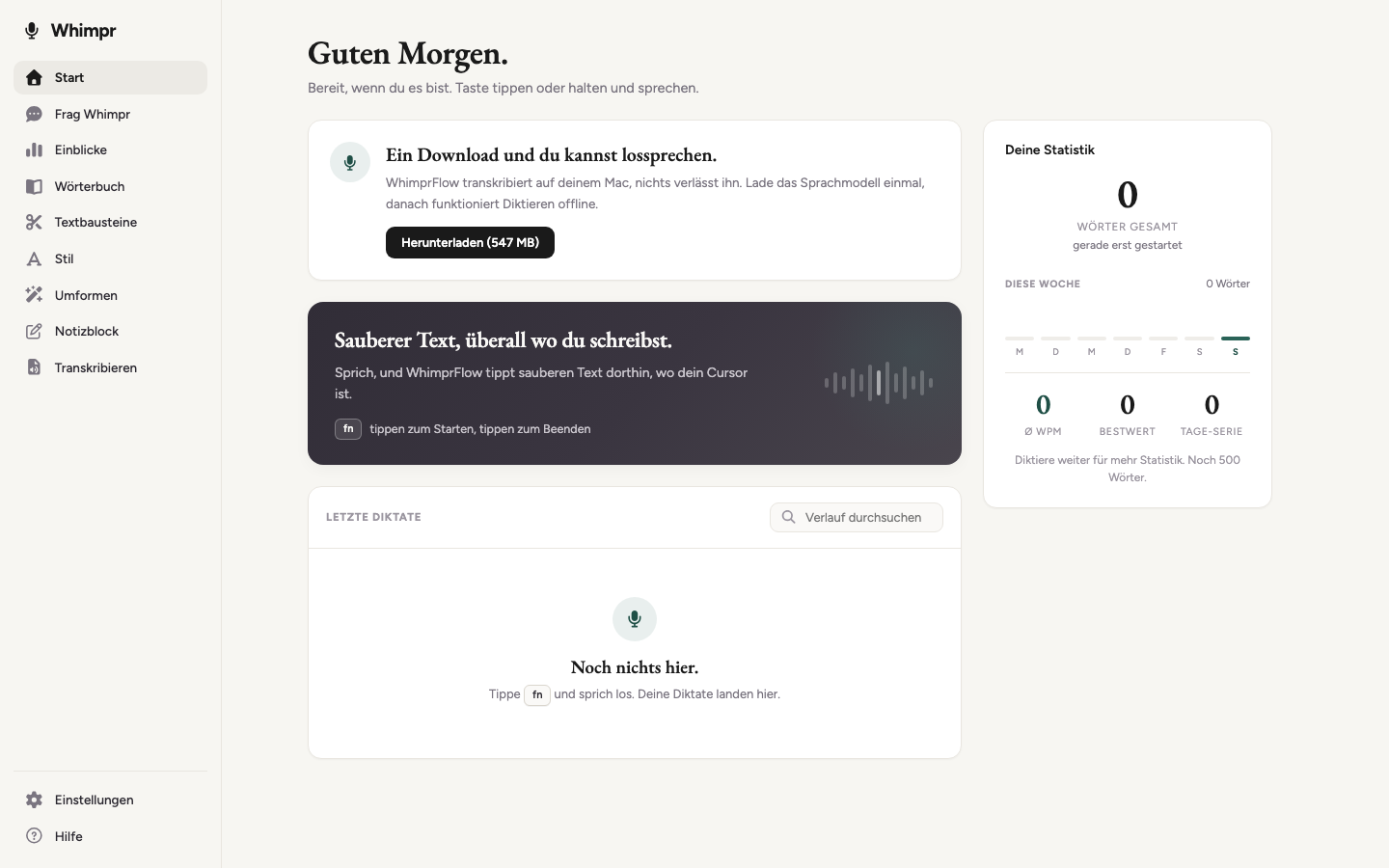
The whole app ships in English and German and follows your macOS language.
What it does
- On-device ASR: Whisper (whisper.cpp, Metal), multilingual with auto language detection. German and English work great, including mixed use.
- Local LLM cleanup: Qwen (llama.cpp) removes fillers ("um", "ähm"), resolves spoken self-corrections ("Dienstag, nee warte, Donnerstag"), converts spoken punctuation ("Punkt", "question mark"), formats lists. Persistent KV cache: the prompt prefix is prefilled once, so cleanup is fast.
- Optional cloud cleanup: OpenAI, Anthropic, or any OpenAI-compatible API (Mistral, OpenRouter, Groq) via a custom base URL. Keys live in the macOS keychain, never in files. Only the transcript text is sent, never audio.
- The pill: a small floating bar above the Dock. Tap your dictation key (Fn) to toggle recording, hold it for push-to-talk, Esc cancels. Hover the pill for a mic button. Drag it anywhere; it snaps to screen edges and corners, and turns vertical on the side edges.
- Context awareness: reads the text around your cursor (Accessibility API) so cleanup understands names and what you are replying to. Follow-up dictations within 90 seconds carry the previous one as context. Everything stays on your Mac; toggle in Settings.
- Snippets: say a trigger phrase ("my email address"), get the stored replacement.
- Style: formal / casual / very casual output per app category (personal chat, work chat, email, other), detected from the app you dictate into.
- Transforms: select text anywhere, press Alt+1/2/3, and the selection is rewritten in place (polish, prompt-engineer, organize). Prompts and shortcuts are editable.
- Scratchpad: a quiet autosaving page in the hub for long-form dictation.
- Quality-of-life: personal dictionary with auto-learn, usage stats and streaks, silence-hallucination filter, smart spacing when dictating mid-text, pauses Spotify/Music while recording, menu-bar-only app with autostart.
Privacy
ASR and default cleanup run on-device. Cloud cleanup is opt-in and sends only the transcript text to the provider you choose. Context awareness reads the focused text field locally and never leaves your Mac. API keys are stored in the macOS keychain.
License
MIT, see LICENSE. Based on Blueturboguy07/WhimprFlow.