Publik Code
A desktop coding agent powered by your Publik balance or your own API key.
not yet reviewed by publik. It is live now; the founder has not reviewed this version yet.
by 
How to install Publik Code
Every step written out. No terminal experience needed. Pick your setup.
README
Open in GitHub
An open-source coding workspace for the projects on your laptop.
Choose a model provider. Open a folder. Make something worth shipping.



Watch the demo · Get started · Developer guide · View on Publik ↗
Developer preview: connect your own OpenAI-compatible API today. Publik account linking is implemented, but its app-token setup and live verification are still pending. Current validation status →
See it in action
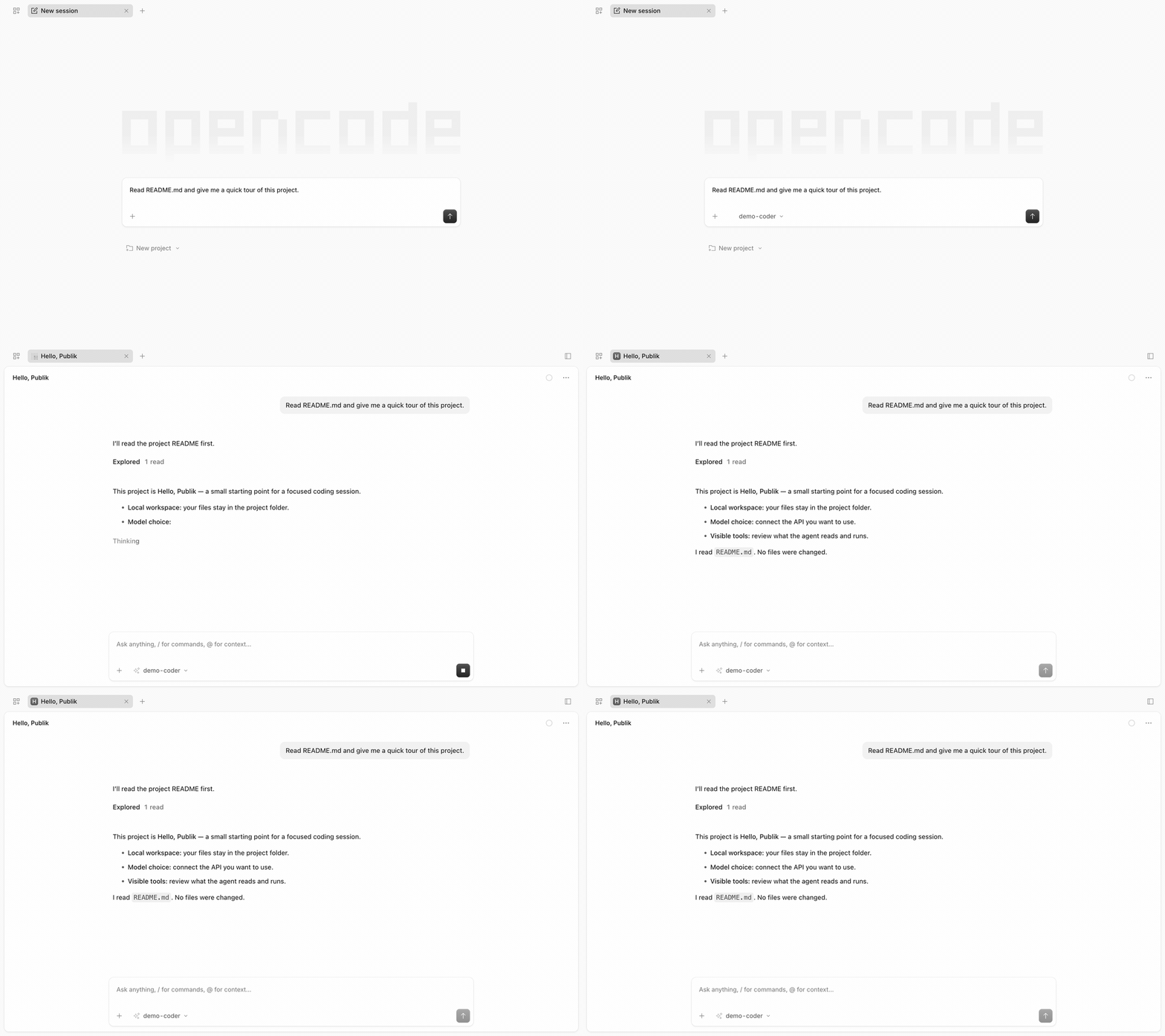
Recorded in the real desktop app with a deterministic local mock provider. The engine reads a real demo file; this is not a live Publik model call. View the still image.
A familiar workflow, with your choice of models
| Work on your laptop | Choose how you connect | Stay in control |
|---|---|---|
| Open a local project and keep your sessions on your computer. | Bring an OpenAI-compatible API, or use the Publik connection once setup is complete. | Inspect tool activity and approve edits and commands before they run. |
Publik Code pairs a small desktop launcher with OpenCode’s existing coding engine and interface. File tools, streaming responses, conversations, and the working session come from OpenCode. Our layer handles the desktop window, provider setup, project selection, and Publik balance/error integration.
From project to progress
- Connect your AI. Add your own API base URL, key, and model ID. Keep the key for this session or save it with OS-backed encryption.
- Open a folder. Select a project you trust. The bundled OpenCode engine starts locally.
- Give it a task. Explore the code, ask for a change, and review the tools the agent wants to run.
Your files are local; prompts and relevant project content go to the provider you select. Tool approvals are a user control, not an operating-system sandbox.
Take a closer look at the desktop
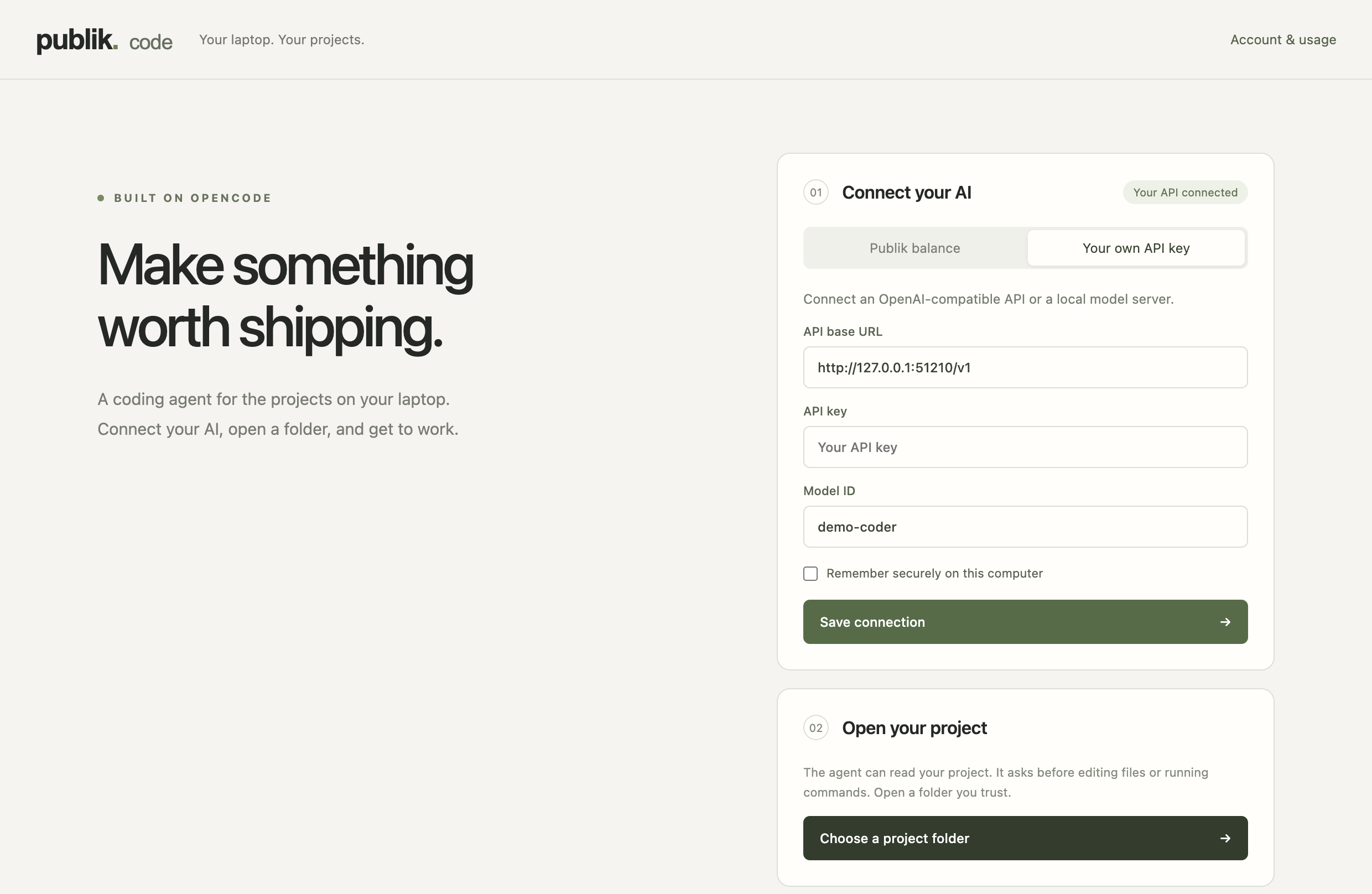
A calm place to choose your provider and open a project. The screenshot uses a local demonstration server and contains no real API credentials.
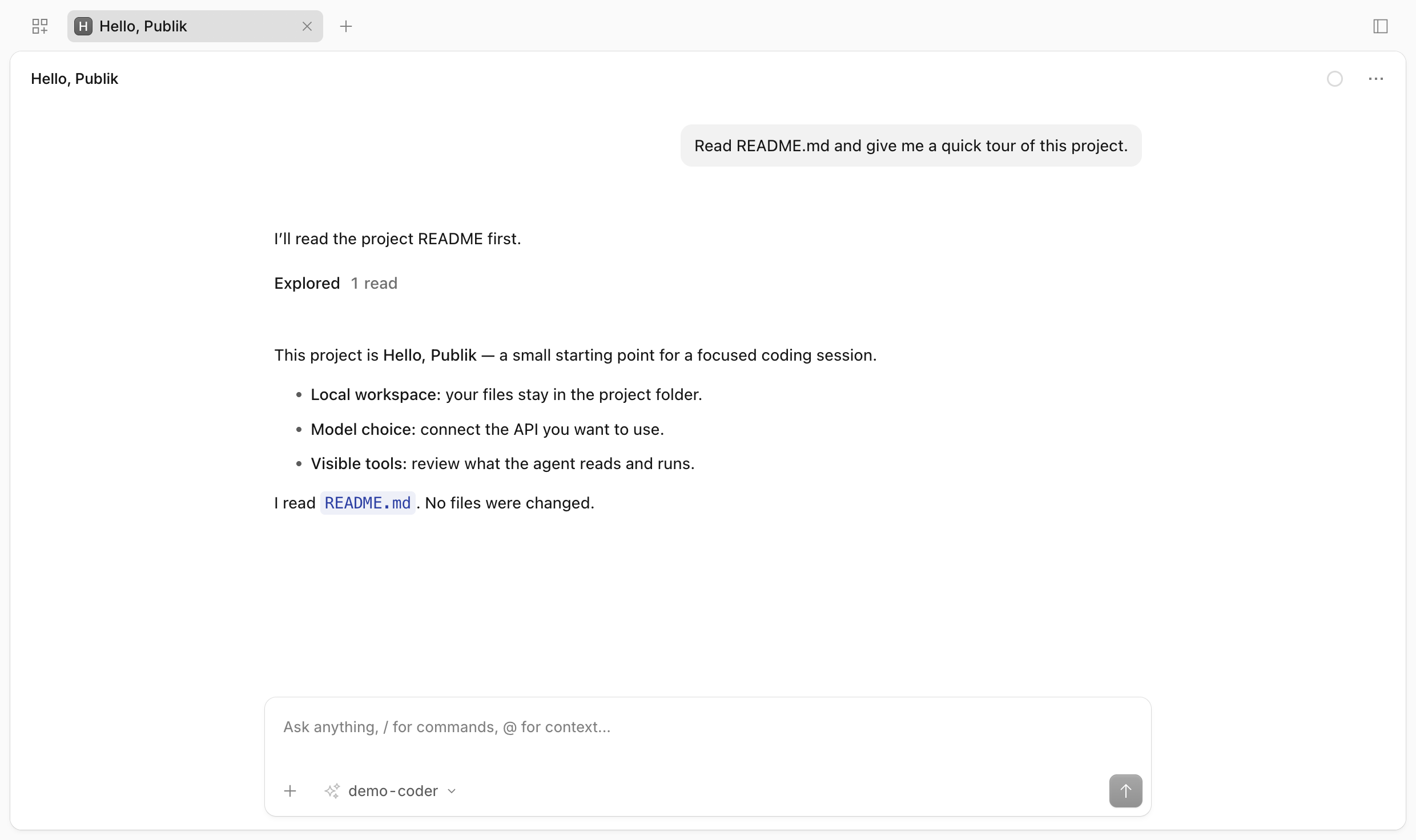
The OpenCode workspace, embedded in Publik Code. Account & usage takes you back to the launcher without closing the workspace.
Two ways to connect
| Your own API | Publik balance | |
|---|---|---|
| Setup | Enter an API base URL, key, and model ID. | Link the computer to your Publik account in your browser. |
| Models | Models exposed by your OpenAI-compatible provider. | publik-fast, publik-balanced, publik-smart. |
| Billing | Through your chosen provider. | Through your Publik balance. |
| Availability | Available in this preview. | Integration implemented; app token and live proof pending. |
A saved own-key connection takes precedence. Stop the workspace before switching providers. The actual upstream key stays in the main process/local credential storage; OpenCode receives a temporary credential for the authenticated local adapter.
Built with good open-source tools
 OpenCode Coding engine & interface |
 Electron Desktop application |
 TypeScript Integration layer |
 Node.js Local runtime tools |
 Git Your project workflow |
Explore the coding-agent ecosystem
If you’re exploring tools like Cursor or Claude Code, here are other projects worth knowing. These are reference links, not Publik Code integrations or endorsements.
 Cursor |
 Claude Code |
 GitHub Copilot |
 Windsurf |
 Gemini CLI |
 Codex |
For builders
npm run typecheck       # Check the TypeScript
npm test                # Focused adapter and lifecycle tests
npm run test:smoke      # Real OpenCode + local mock model + actual file tool
npm run test:desktop    # Desktop connection, workspace, and shutdown checks
Read the developer guide for architecture, credential handling, Publik setup, and packaging. See validation notes for what has—and has not—been tested. Re-record the demo; it never calls a paid model.
Open source, with attribution
MIT licensed. Built on OpenCode, with gratitude to its maintainers and contributors. Publik Code is an independent project and is not affiliated with the OpenCode team or the other products shown above.