Oatmeal
Open-source meeting recorder with local transcription and AI notes
AI: publik API or your key
not yet reviewed by publik. It is live now; the founder has not reviewed this version yet.
Where Oatmeal’s AI runs, and what it costs
Prices are for one typical use: one request of about 1,500 words sent and 375 words back. A higher quality score is better.
On your computer
Not checked yet: publik has not read whether Oatmeal can run its AI on your computer.
publik API
- Price
- $0.0100 per use, $10.00 per 1,000 usespublik-balanced, the default level
- Quality
- MiMo-V2.6-Pro: 46
- Setup
- Built in. No key to paste; linking your publik account gives $0.05 of free use, once.
Your own key
- Price
- $0.0013 per use, $1.31 per 1,000 usesMiMo-V2.6-Pro at OpenRouter’s list price, before its fee for buying usage
- Quality
- MiMo-V2.6-Pro: 46
- Setup
- Open a provider account, add a card, paste the key into Oatmeal.
Quality and price, side by side
| Model | Quality | Per 1,000 uses |
|---|---|---|
| On your computer (Ollama, 4-bit download size) | ||
| Granite 4.2 3B2.2 GB | 9 | $0 |
| Phi-4 Mini2.5 GB | 6 | $0 |
| Llama 3.1 8B4.9 GB | 7 | $0 |
| gpt-oss 20B14 GB | 9 | $0 |
| Gemma 4 31B20 GB | 19* | $0 |
| Qwen3.5 35B-A3B24 GB | 19* | $0 |
| publik API | ||
| publik-fastGLM-5.3 Flash | 42 | $1.00 |
| publik-balancedMiMo-V2.6-Pro · Oatmeal | 46 | $10.00 |
| publik-smartGPT-6 Sol | 48 | $18.00 |
Quality: Artificial Analysis Intelligence Index v4.3.2, read 2026-09-22 (publik API models 2026-09-25); * = estimated by Artificial Analysis. Sizes: the Ollama library, read 2026-09-22.
What you pay for
- On your computer: nothing per use. You pay in disk space, memory and electricity, at lower quality.
- publik API: publik’s published price for each use, in dollars, from your publik balance. It is above the model’s cost; the difference runs publik and pays the app’s builder.
- Your own key: the provider’s price, billed to an account you keep with the provider.
How to install Oatmeal
Every step written out. No terminal experience needed. Pick your setup.
README
Open in GitHub
Oatmeal
A little more present.
An open-source meeting notebook with local transcription and your choice of AI.
Listen, jot down a thought, and leave with the details that matter.



Try Oatmeal · Watch the demo · On Publik ↗ · Road to release
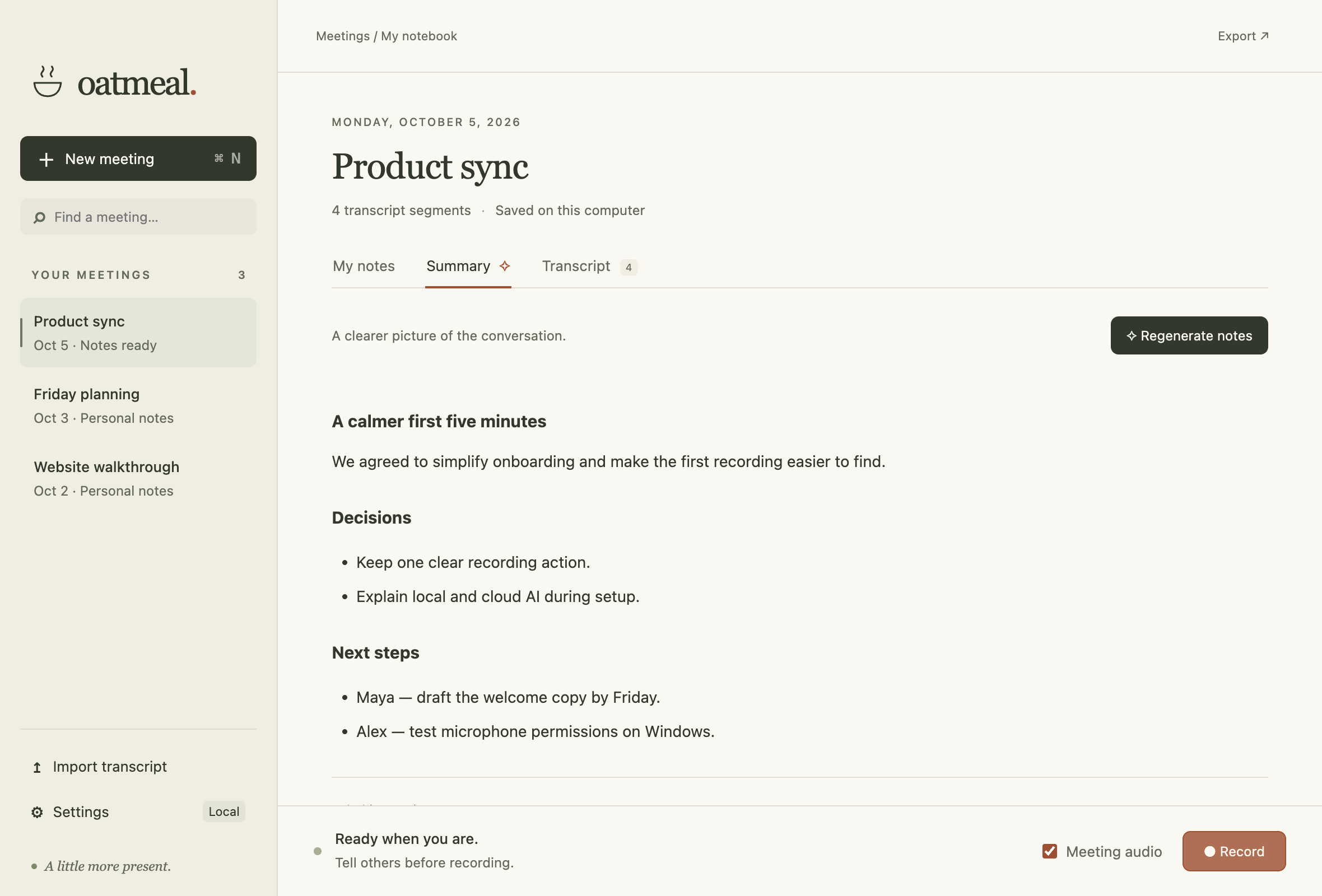
The actual desktop preview. Example meeting with fictional content.
A notebook that listens
Your meeting is the main event. Oatmeal keeps a local transcript while you take the few notes that matter, then helps you find the decisions, commitments, and next steps.
Capture the conversation. Record your microphone and optional meeting audio. Whisper transcribes on your computer. No bot joins the call.
Add your perspective. Write in a clean notebook while the conversation flows. Notes save automatically.
Keep what matters. Make a summary, ask about the meeting, search your library, or export everything as Markdown.
A meeting in ten seconds
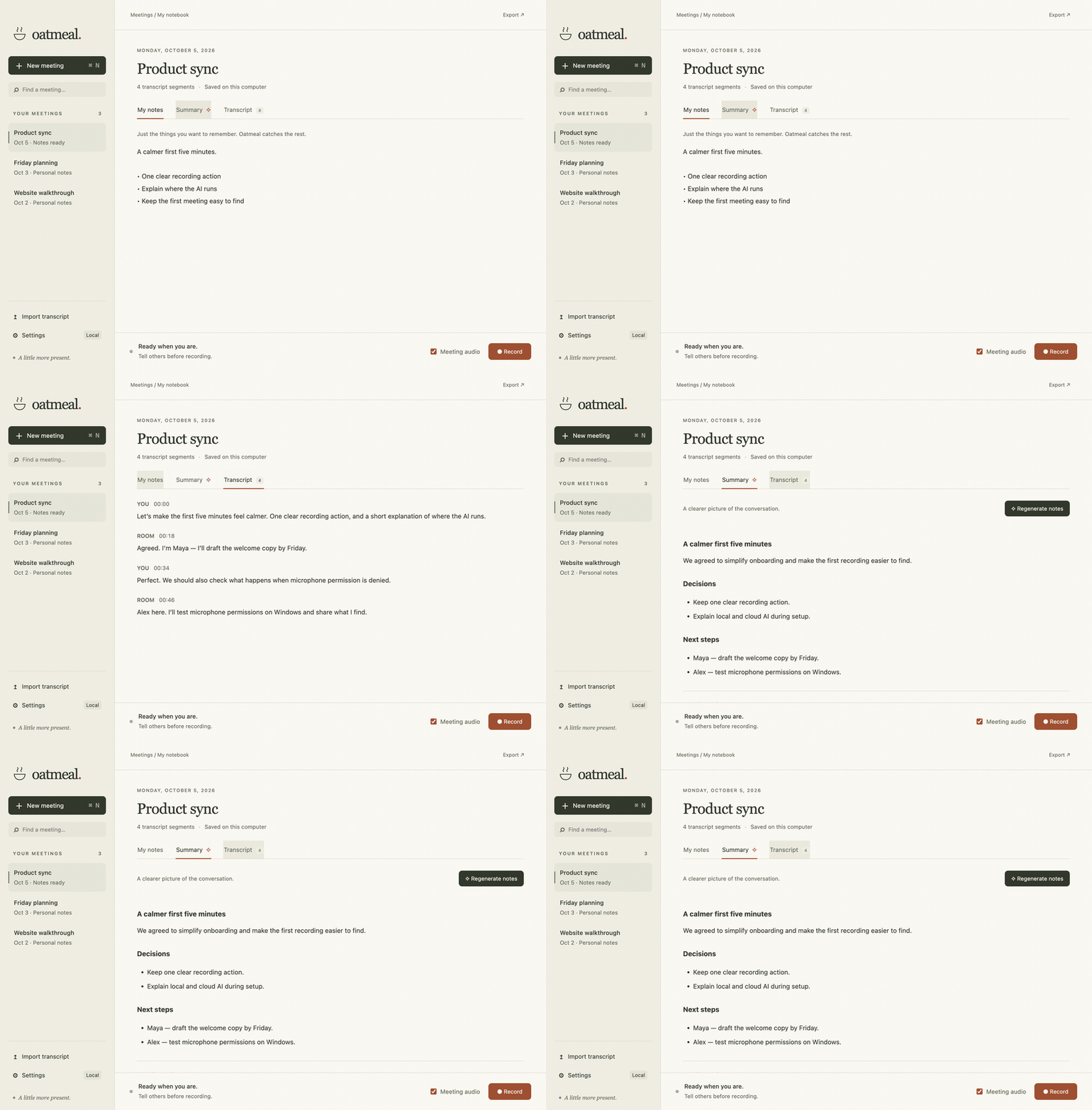
UI walkthrough with fictional notes, transcript, and a prepared summary. Generation and recording are not shown.
Your meetings, your choice
Audio is transcribed locally. Choose where the text goes when you ask for AI help.
 Claude |
 OpenRouter |
 Ollama |
 Local models |
| Option | How it works |
|---|---|
| On this computer | Download Whisper for speech and Qwen for text. Work offline after the downloads, with no account or usage bill. Small local text models select original meeting excerpts to preserve facts. |
| ChatGPT subscription | Sign in through the official Codex runtime. Your plan’s Codex limits apply. |
| Claude subscription | Sign in through the official Claude Agent SDK. Eligibility and usage follow your Claude plan. |
| Your API key | Connect OpenAI, Claude, Grok, or OpenRouter. Keys saved in Settings use operating-system encryption. |
| Publik API | Choose Fast, Balanced, or Smart. Link an account and use a shared Publik balance; the app shows costs and account links. A fresh install starts at $0.00. |
| Ollama | Connect to an existing local Ollama server and choose your model. |
Cloud requests require confirmation. Raw audio stays on your computer. Cloud providers receive meeting text only when you ask them for AI help. Read the privacy and account details →
Try Oatmeal
The desktop app is a development preview in PR #2. Apple Silicon development builds have been tested. Windows and Intel Mac packaging are configured, with platform validation still pending. Signed public installers are not available yet.
With Node.js 22+, run:
git clone --branch codex/desktop-app https://github.com/VedSoni-dev/oatmeal.git
cd oatmeal
npm ci
npm start
Oatmeal opens in its own desktop window. No coding agent or separate local model server is needed.
- Set up your models. Open Settings and download a speech model. Choose local text, a subscription, Publik, or your own API key.
- Start a meeting. Give it a name, press Record, and let participants know you’re taking notes. Turn on Meeting audio to include the other side of a call.
- Make it useful. Add a few notes, stop recording, and choose Summary → Generate notes. Export when you’re ready.
Build a Mac or Windows installer
Run on the matching operating system and architecture:
npm run build:mac   # .app, .dmg, .zip — macOS 14.2+
npm run build:win   # NSIS installer — Windows 10/11 x64
Local builds are development artifacts. See signing and release setup before distributing them. Real subscription sign-in, platform audio permissions, and long meetings still need release validation; verification status records what was actually tested.
Bring your coding agent
The original browser recorder and Markdown workflow are still here. Work with meeting files in Cursor, Claude Code, Codex, or another MCP client.
 Cursor MCP + Markdown |
Claude Code Skills + MCP |
 Codex MCP + Markdown |
The MCP server exposes list_meetings, search_meetings, and get_meeting for Markdown files. Export desktop meetings into the folder you configure for MCP; it does not automatically read the desktop database. Agent setup guide →
Built to stay yours
- Plain Markdown exports. Take your notes and transcripts to another tool whenever you want.
- Local storage. Meetings stay in your application data folder. Pending audio is saved temporarily for recovery, then deleted after transcription succeeds.
- Recoverable recordings. Interrupted transcription can resume from saved audio chunks.
- Open source. Inspect the code, change the prompts, add a provider, or build your own version.
Meeting files are not encrypted by the app. System-audio capture depends on the OS, permissions, and chosen source. You/Room separates audio lanes, not individual remote speakers.
Make it better

Bug reports, thoughtful design feedback, and pull requests are welcome. Include your OS, provider, and steps to reproduce; keep meeting content and credentials out of public issues.
On the desktop preview branch:
npm test
npm run test:desktop
Desktop guide · Architecture · Release checklist · Report an issue
MIT © Vedant Soni. An independent Granola alternative. WhimprFlow inspired the platform and release patterns. Product names and logos identify the tools and services described; they belong to their respective owners and do not imply endorsement. Asset credits