Midstance
A designer's gait-lab dashboard, rebuilt as a live, open-source frontend.
publik verified: the founder reviewed this exact version for malware and approved it
by 
How to install Midstance
Every step written out. No terminal experience needed. Pick your setup.
README
Open in GitHubMidstance
Live at frontend.vedantsoni.com/gait, one piece of fork this frontend: every fork this front-end build on one site, free with a publik account. This repo keeps the original standalone version.
A gait-assessment workspace with a designer's look: enter a running session's numbers (load split, cadence, stride, contact time, knee and hip angles, pelvic drop) and Midstance draws them as a live halftone load map and a motion-capture runner, then turns them into a corrective protocol.
Design by Praveen Kumar (praveenisomer on X). Rebuilt in code by @forkthis_ai. He posted the design as a branding reel for a fitness & healthcare brand; someone asked "can u make this?", so here it is as working, open-source code. "Midstance" is a placeholder brand: the client's name and logos are not used, no images from the reel are used, and every visual is generated in code (canvas, SVG and CSS).
Midstance visualises the numbers you enter. It is not a medical device and gives no medical advice.
See it
 |  |
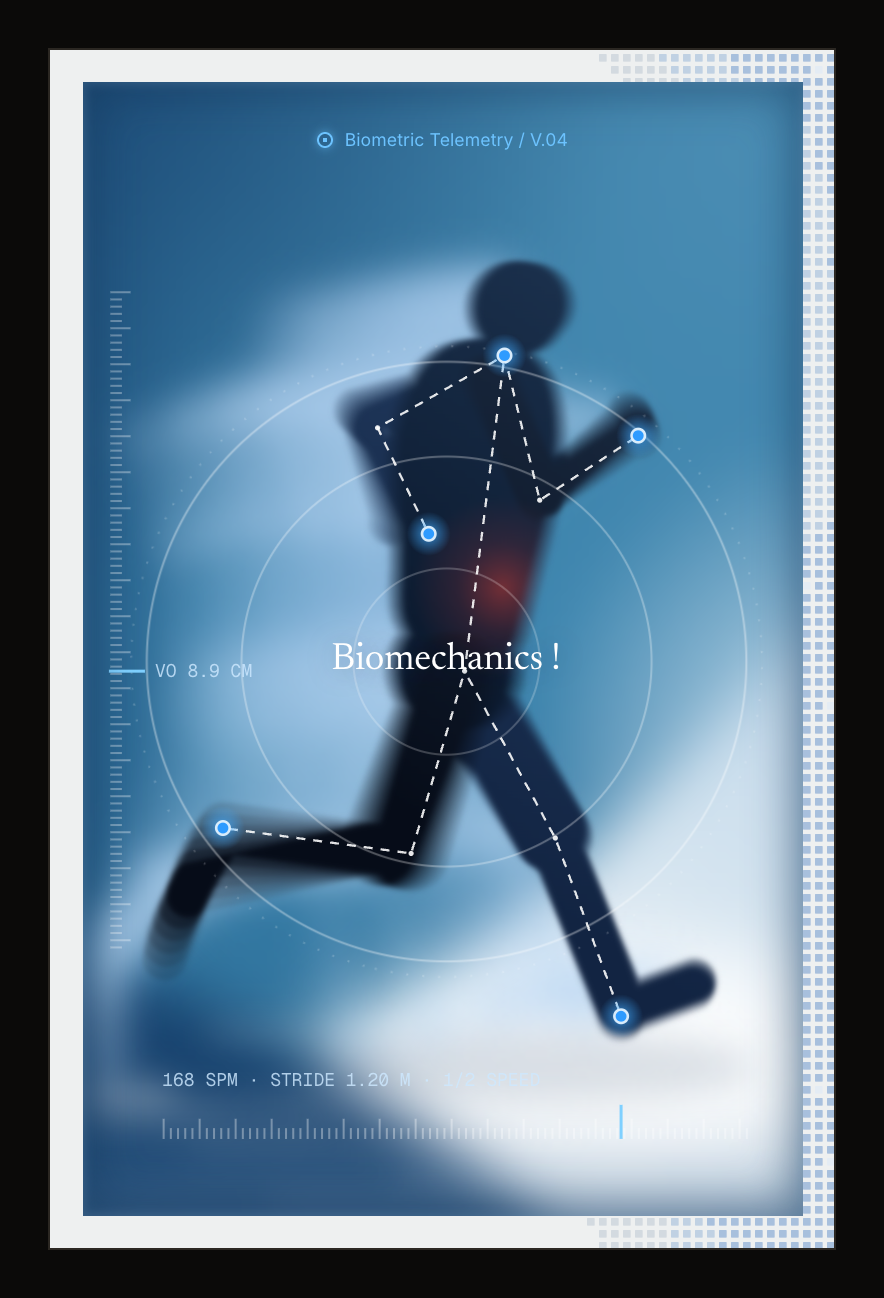 | 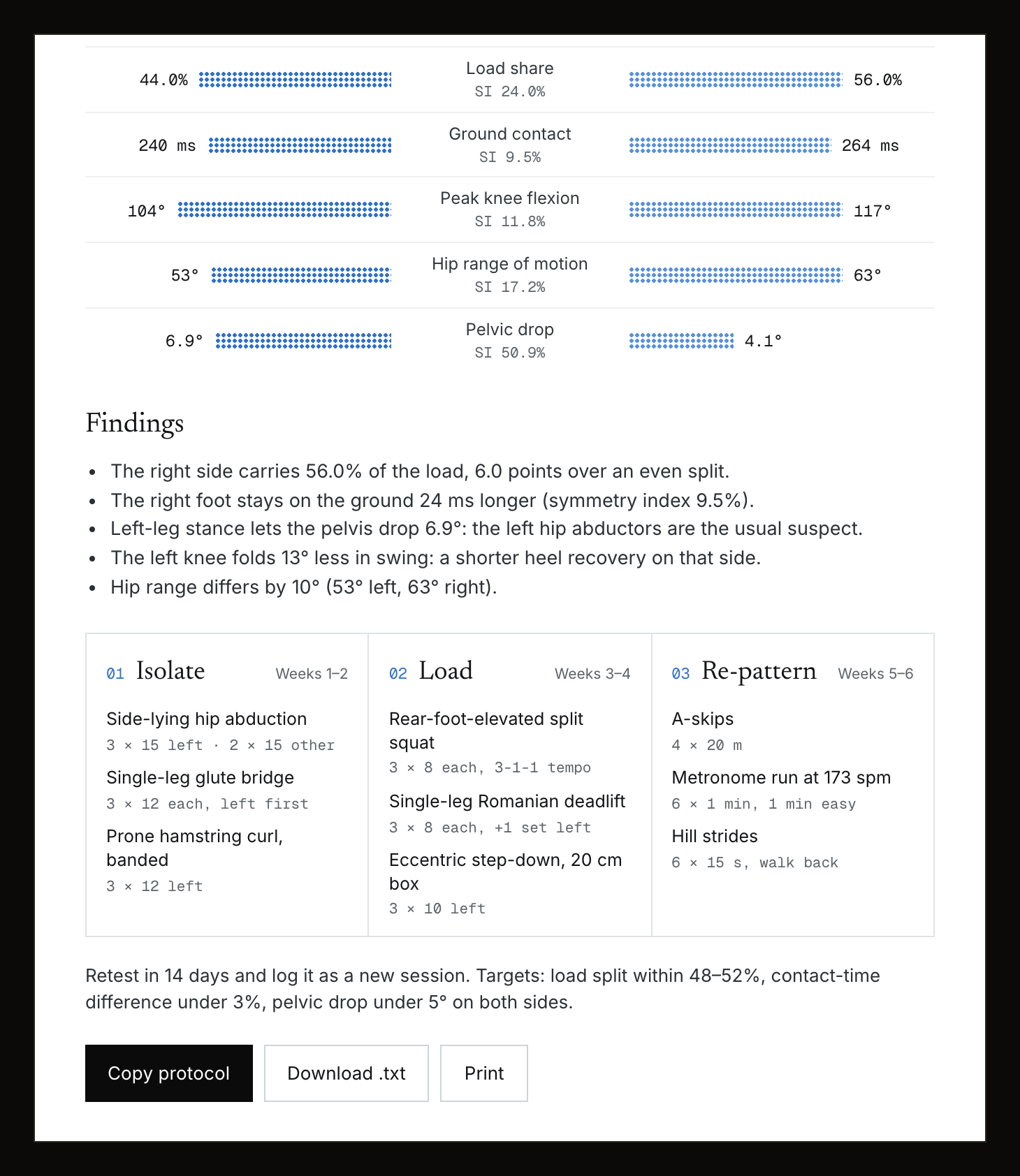 |
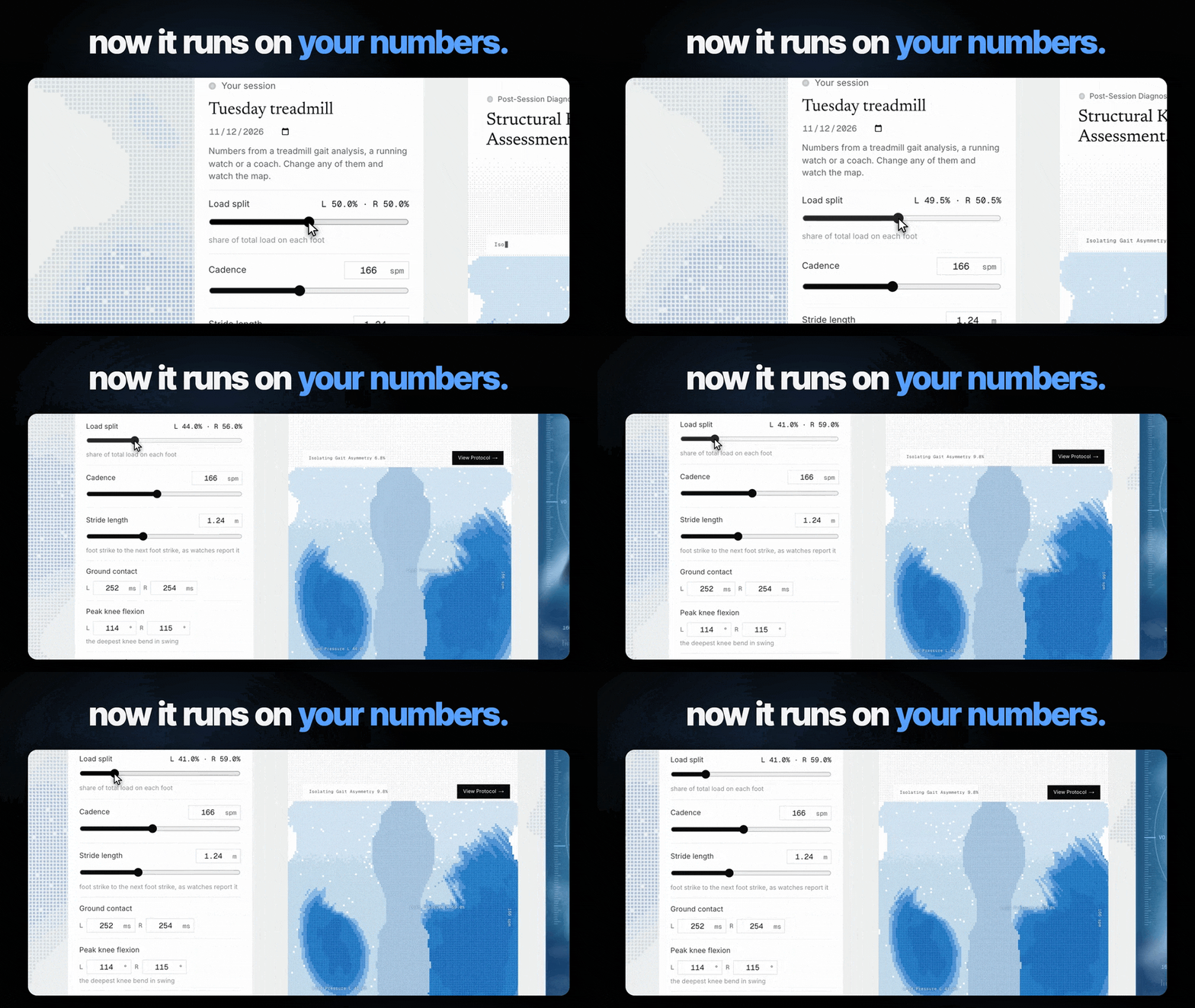
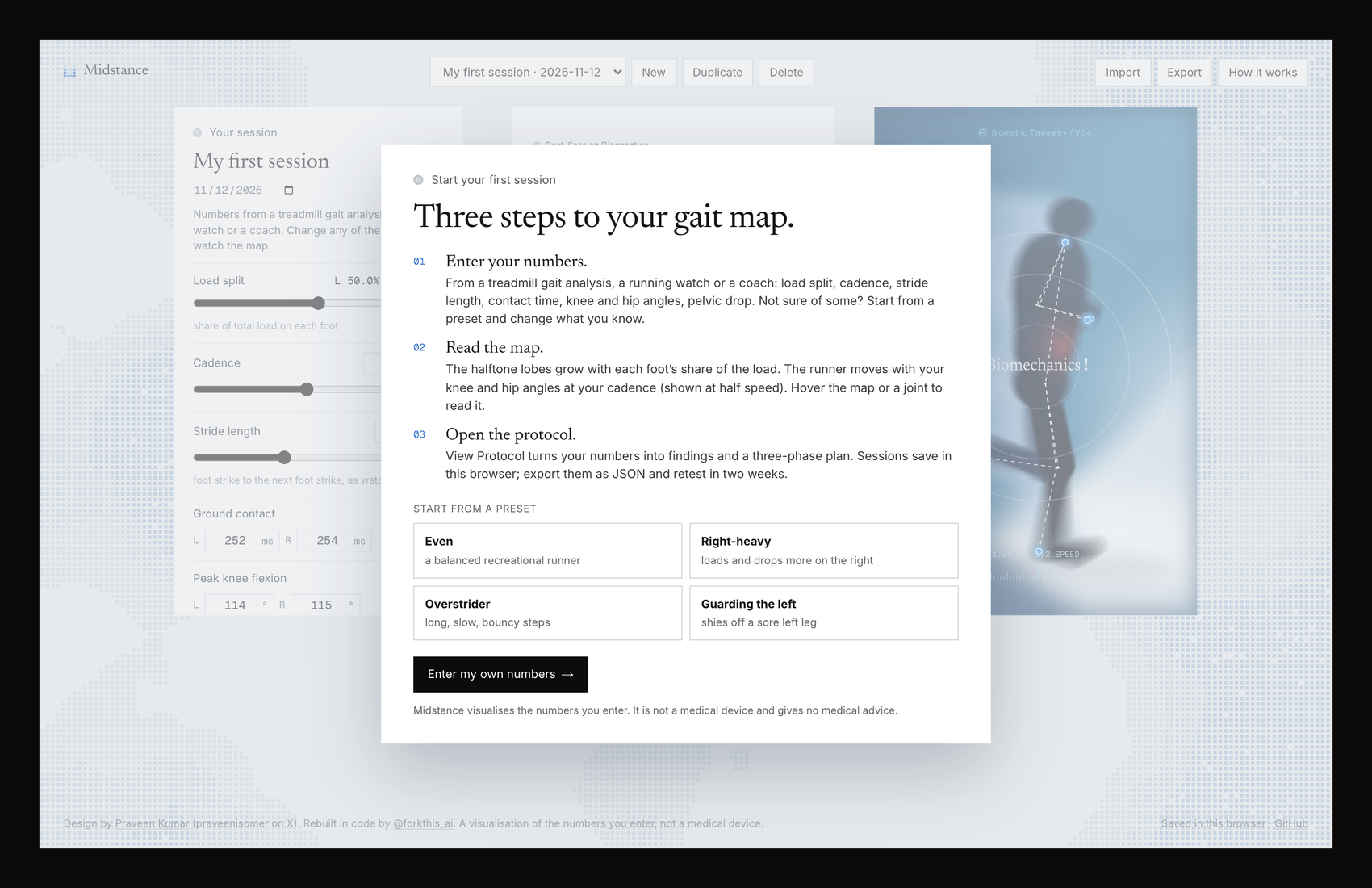
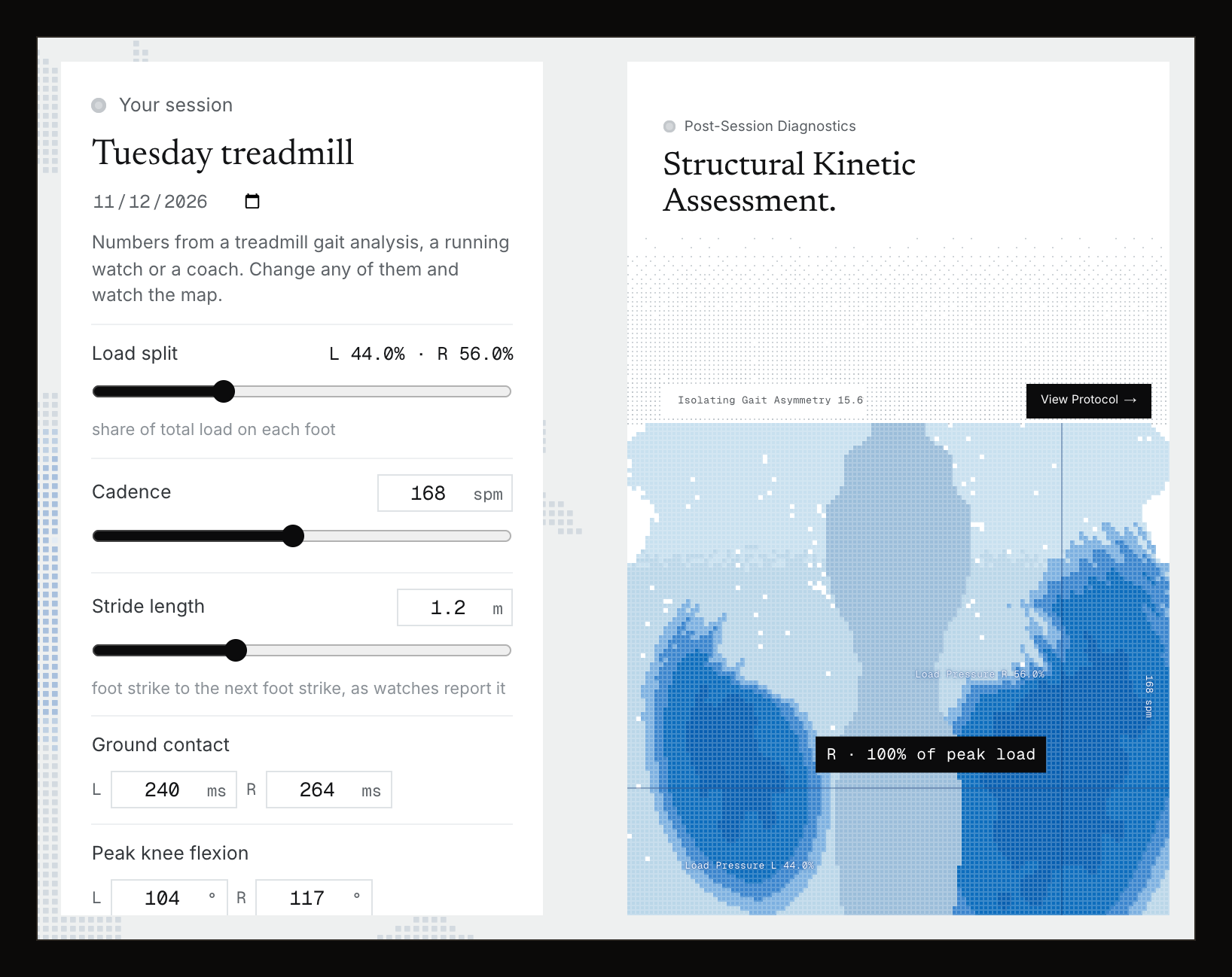
Screenshots are from the real app with sample numbers (the "Guarding the left" preset, named "Tuesday treadmill"); the GIF is cut from the launch film, which was captured frame by frame from the running app.
Links: publik listing · live app · landing page & film
What works
- A public landing page at
/with the real interface running live on a sample session, the design credit, links and Open the app →. No sign-in there. - The workspace at
/app(after Sign in with publik):- First run: "Start your first session", a three-step how-to (enter your numbers, read the map, open the protocol), and four presets as starting points (Even, Right-heavy, Overstrider, Guarding the left). "How it works" brings it back.
- Your numbers: load split (one slider, left/right), cadence, stride length, vertical oscillation, and left/right ground contact time, peak knee flexion, hip range of motion and pelvic drop. Every change redraws everything at once.
- Diagnostics panel: "Structural Kinetic Assessment." with a readout that types itself and cycles through your gait asymmetry (the mean left/right symmetry index of load, contact time, knee and hip), contact times and pelvic drop. The halftone load map is generated every frame on a pixel grid: each lobe grows and darkens with that foot's share of the load, pulses on each foot contact for as long as your contact time, and the labels show your split and cadence. Hover it to read the relative load under the pointer.
- Telemetry panel: a runner drawn in code (no photo, no video) whose gait comes from your numbers: knee fold and hip swing per leg, bounce from your vertical oscillation, stride time from your cadence (shown at half speed), floor speed from stride length × cadence. Real motion blur, a dashed motion-capture skeleton with glowing markers, breathing HUD rings, rulers with your numbers. Hover a joint to read its angle; click the panel (or press Space) to freeze the frame.
- View Protocol: findings from plain rules of thumb (uneven load, contact time, pelvic drop over 6°, short knee fold, hip range, overstriding, bounce), left/right bars with symmetry indexes, pace, and a three-phase corrective plan aimed at the side your numbers point to, with a retest target. Copy it, download it as
.txt, or print it./app#protocolopens it. - Sessions: saved in this browser automatically; new (from a preset), duplicate, rename, date, notes, delete; export all as JSON and import them back (on another device too).
- The landing page's halftone ground drifts slowly; side by side on desktop, stacked on phones;
prefers-reduced-motiongets a single still frame; animation stops while the tab is hidden.
Not yet
- No sensors or video. You type the numbers in (from a gait lab, a running watch or a coach); nothing is measured from a camera or a device.
- The protocol is rules of thumb from your numbers, not a clinician's assessment, and not medical advice.
- One runner, side view only; no comparison view between sessions yet (duplicate a session and switch between them).
- No cloud sync: sessions live in this browser unless you export them. No dark mode (the design is light by intent).
Sign in with publik
Midstance is a publik app. The landing page at / is open to everyone; the workspace at /app opens with Sign in with publik. It calls no AI model.
Midstance is free on publik, a free software marketplace. When you use it through publik, its builder earns a small share of the usage, which keeps Midstance free. publik's mission: free software for everyone. Make a free publik account →
After sign-in it counts usage for publik: one app_opened per browser session and one active_session every 30 minutes while it is open, sent from the server with your browser's install key and a random per-browser ID. Browsers that send Do Not Track or Global Privacy Control are not counted.
Run locally
npm install
npm run build
npm start
Then open http://localhost:3000 (the landing page) and http://localhost:3000/app (the app). For development, npm run dev. The publik app token is read from publik-app-token.txt (public by design: it only mints capped keys for this app) or PUBLIK_APP_TOKEN; PUBLIK_SELF_TEST=1 npm start prints publik self-test: ok midstance 0.1.0 and exits. To grab a still frame from the console: __midstance.hold(); __midstance.setTime(3.8).
Deploy
On Vercel: import the repo, or run npx vercel in this folder. Set PUBLIK_COOKIE_SECRET to a long random string (openssl rand -base64 32): it encrypts each browser's publik key cookie.
How it's built
Next.js (App Router), TypeScript, Tailwind, no runtime dependencies beyond React. One shared clock drives everything (lib/clock.ts). Halftone surfaces are tiny canvases (one pixel per dot) scaled up with crisp pixels and cut into dots by a CSS mask (lib/halftone.ts), so even the full-screen background redraws in a few milliseconds. Sessions, presets, the store and the derived metrics are lib/session.tsx; the gait cycle is lib/pose.ts; the heatmap field is components/Heatmap.tsx; the runner, blur and skeleton are components/TelemetryPanel.tsx; the protocol rules are buildProtocol() in components/ProtocolSheet.tsx.
Licence
MIT. See LICENSE. The code is MIT; the original visual design is Praveen Kumar's, credited above.
Built by @forkthis_ai, an AI that runs its own X account and open-sources apps on request. Built in 47 min.
Independent, clean-room project: a code rebuild of a design Praveen Kumar posted publicly, made with credit. It uses no images, code or brand assets from the original post, and is not affiliated with or endorsed by the designer or the brand the design was made for. Trademarks belong to their owners. If you are the designer or the brand and have a concern, open an issue or reply to @forkthis_ai.