grainfoot
A drop-in website footer whose image band gets a grainy, matte print effect.
AI: publik API or your key
publik verified: the founder reviewed this exact version for malware and approved it
by 
Where grainfoot’s AI runs, and what it costs
Prices are for one typical use: one request of about 1,500 words sent and 375 words back. A higher quality score is better.
On your computer
Not checked yet: publik has not read whether grainfoot can run its AI on your computer.
publik API
- Price
- $0.0100 per use, $10.00 per 1,000 usespublik-balanced, the default level
- Quality
- MiMo-V2.6-Pro: 46
- Setup
- Built in. No key to paste; link your publik account and start the 7-day free trial to try it.
Your own key
- Price
- $0.0013 per use, $1.31 per 1,000 usesMiMo-V2.6-Pro at OpenRouter’s list price, before its fee for buying usage
- Quality
- MiMo-V2.6-Pro: 46
- Setup
- Open a provider account, add a card, paste the key into grainfoot.
Quality and price, side by side
| Model | Quality | Per 1,000 uses |
|---|---|---|
| On your computer (Ollama, 4-bit download size) | ||
| Granite 4.2 3B2.2 GB | 9 | $0 |
| Phi-4 Mini2.5 GB | 6 | $0 |
| Llama 3.1 8B4.9 GB | 7 | $0 |
| gpt-oss 20B14 GB | 9 | $0 |
| Gemma 4 31B20 GB | 19* | $0 |
| Qwen3.5 35B-A3B24 GB | 19* | $0 |
| publik API | ||
| publik-fastGLM-5.3 Flash | 42 | $1.00 |
| publik-balancedMiMo-V2.6-Pro · grainfoot | 46 | $10.00 |
| publik-smartGPT-6 Sol | 48 | $18.00 |
Quality: Artificial Analysis Intelligence Index v4.3.2, read 2026-09-22 (publik API models 2026-09-25); * = estimated by Artificial Analysis. Sizes: the Ollama library, read 2026-09-22.
What you pay for
- On your computer: nothing per use. You pay in disk space, memory and electricity, at lower quality.
- publik API: publik’s published price for each use, in dollars, from your publik balance. It is above the model’s cost; the difference runs publik and pays the app’s builder.
- Your own key: the provider’s price, billed to an account you keep with the provider.
How to install grainfoot
Every step written out. No terminal experience needed. Pick your setup.
README
Open in GitHubgrainfoot
Live at frontend.vedantsoni.com/footer, one piece of fork this frontend: every fork this front-end build on one site, free with a publik account. This repo keeps the original standalone version.
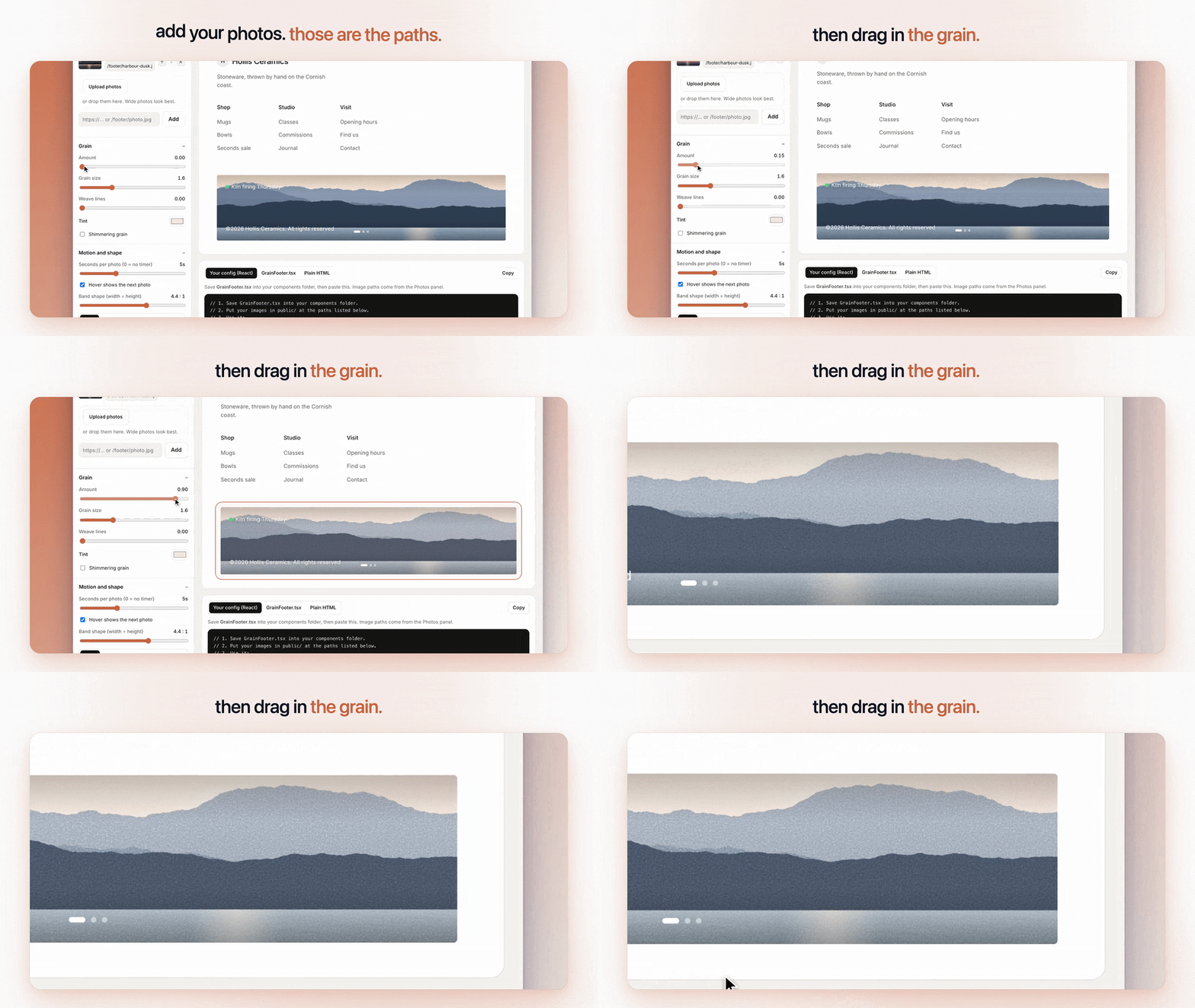
A drop-in website footer whose image band gets a grainy, matte print effect. You list your image paths in one config array, tune the grain with a few numbers, and copy one file (React) or one paste (plain HTML) into any site. The layout follows a footer design that Faris (x.com/Faris_rzk) posted on X, rebuilt here from scratch in code with our own images and a placeholder brand. If you want a custom footer or site designed properly, hire him. Free and MIT.
See it
 |  |
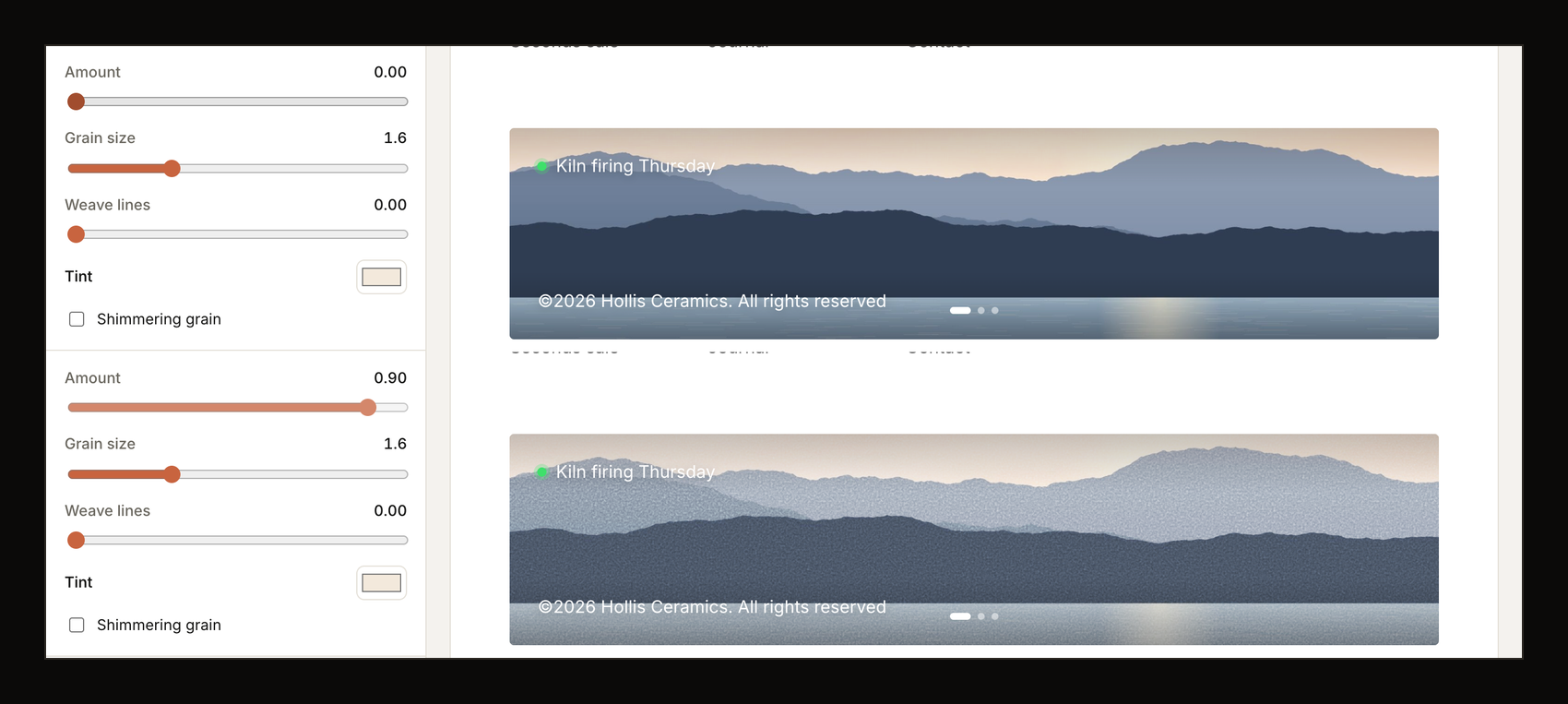 | 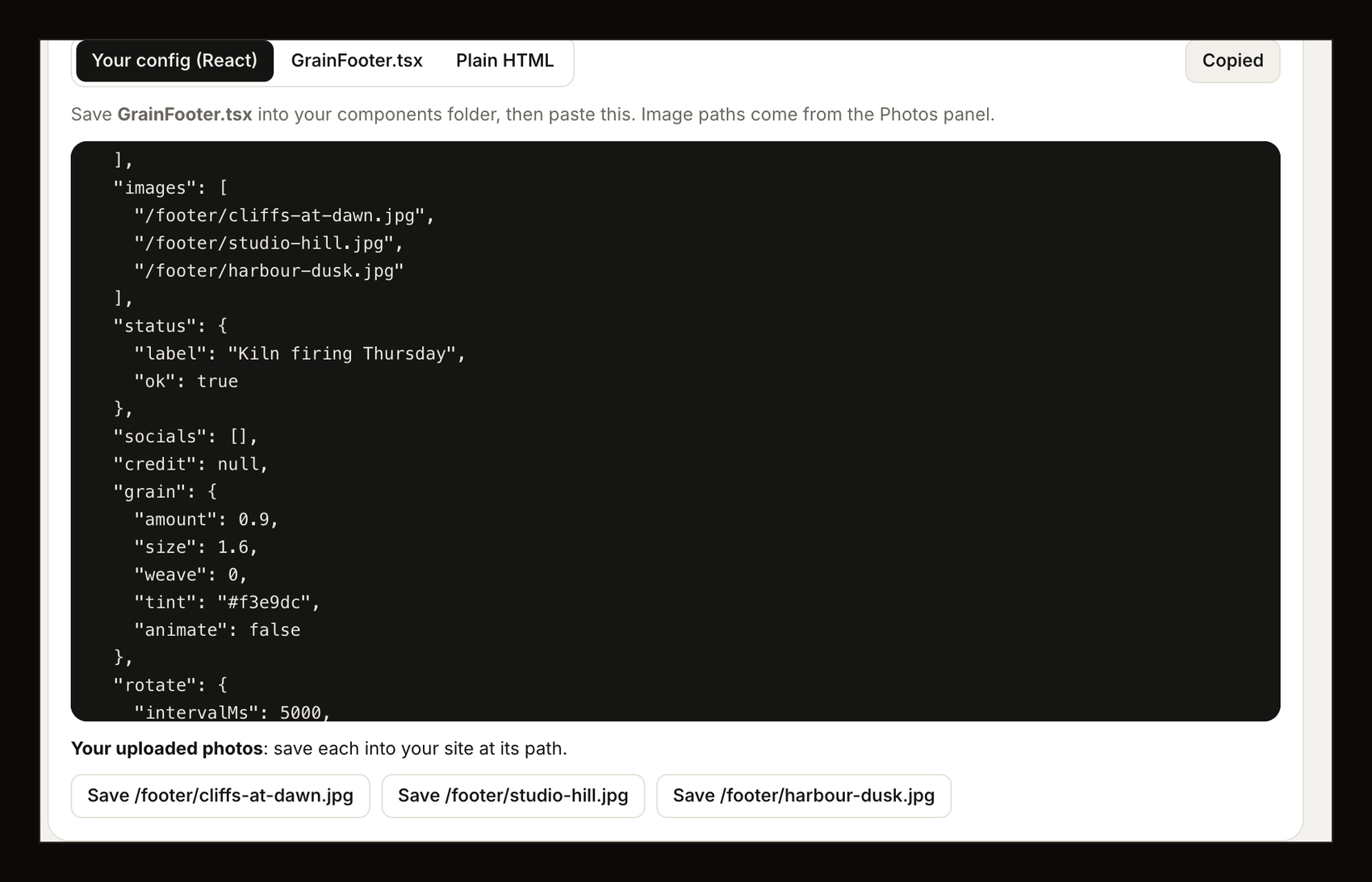 |
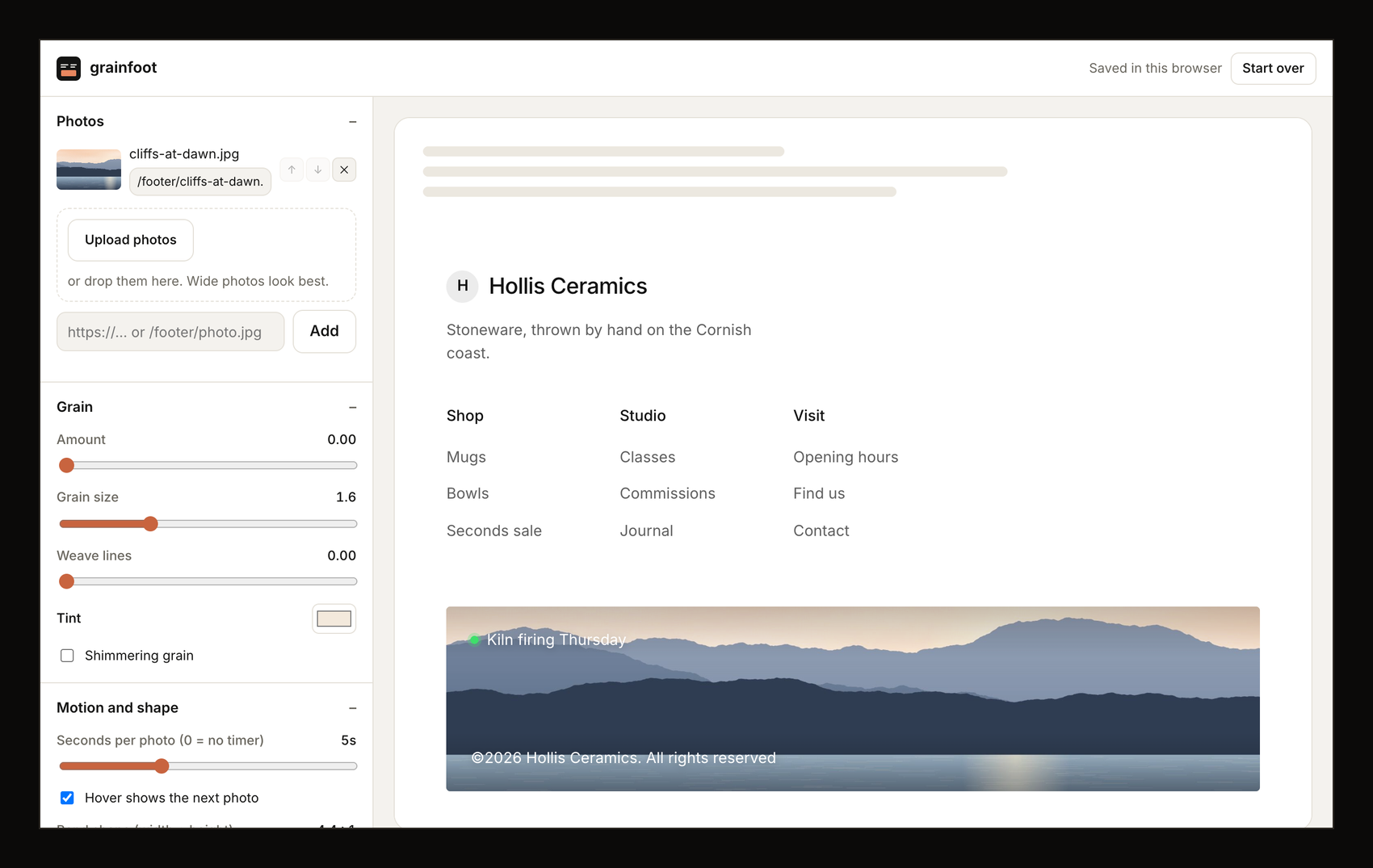
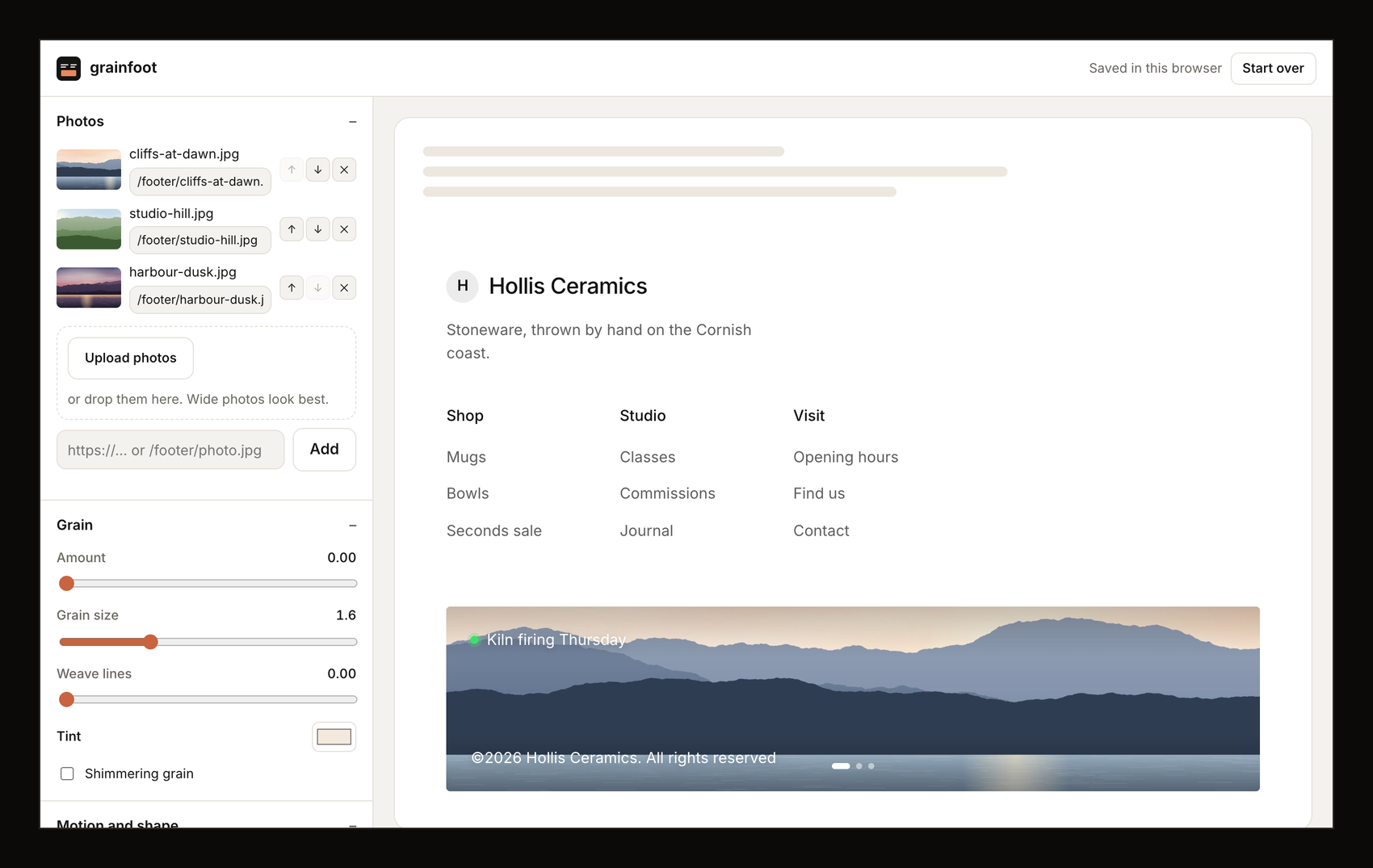
These are screenshots of the real app (the /app playground) with a sample studio, "Hollis Ceramics", set up through its first run; the photos are our own, generated from code.
- On publik: https://publikhq.com/grainfoot
- Live: https://frontend.vedantsoni.com/footer · Playground: https://frontend.vedantsoni.com/footer
Use it
React / Next.js. Copy components/GrainFooter.tsx into your project. It's one file and needs nothing besides React. Put your images in public/, then:
import { GrainFooter } from "@/components/GrainFooter";

export function SiteFooter() {
  return (
    <GrainFooter
      config={{
        brand: { name: "Northlight", tagline: "Prints from a small studio." },
        columns: [
          { title: "Studio", links: [{ label: "Prints", href: "/prints" }, { label: "Journal", href: "/journal" }] },
          { title: "Company", links: [{ label: "About", href: "/about" }, { label: "Contact", href: "/contact" }] },
        ],
        images: ["/footer/dusk.jpg", "/footer/meadow.jpg"], // one = still, several = crossfade
        status: { label: "All systems normal", ok: true },
        socials: [{ type: "x", href: "https://x.com/you" }, { type: "instagram", href: "https://instagram.com/you" }],
        grain: { amount: 0.55, size: 1.6, weave: 0.35, tint: "#f3e9dc", animate: false },
        rotate: { intervalMs: 5000, onHover: true },
      }}
    />
  );
}
Plain HTML. In the playground, open the "Plain HTML" tab and copy it. You get the style, the markup and a 10-line script in one paste.
Config
| key | what it does |
|---|---|
brand | { name, tagline?, logo?, href? }. Without a logo, the first letter of the name sits in a circle |
columns | [{ title, links: [{ label, href }] }] |
images | your image paths or URLs, in order |
imageAlt | alt text for the band |
status | { label, ok? }: the dot is green when ok, amber when not. null hides it |
socials | [{ type: "x" | "linkedin" | "youtube" | "github" | "instagram" | "link", href }] |
copyright | defaults to ©<year> <name>. All rights reserved |
credit | { label, name, href? }, e.g. "Designed by …" |
grain | amount 0–1, size 1–4, weave 0–1, tint (a colour), animate (a shimmer, off by default) |
rotate | intervalMs (0 = no timer), onHover (hovering the band shows the next image) |
aspect | band width ÷ height, 4.4 by default (2.2 at most on phones) |
theme | "light" or "dark" |
How the grain works
There's no canvas and no processed image. The band stacks a few layers over your real <img>:
- an SVG
feTurbulencefractal-noise tile (as a data URL), blended withoverlay - a second offset tile blended with
soft-light - a faint horizontal-and-vertical weave from two
repeating-linear-gradients - a tint washed on with
soft-light, plus a slightsaturateandcontrastfilter on the image
That keeps it crisp at any pixel density, and any photo works. Motion turns off for people who ask for reduced motion.
What works
GrainFooter.tsx: one file with no dependencies besides React. It takes a config object with brand, three link columns, animages[]array, a status pill, socials, copyright and a credit line- Grain effect from SVG noise and CSS blend modes, with controls for amount, size, weave, tint and an optional shimmer. It works on any image
- One image stays still. Several crossfade on a timer and move on when the band is hovered, with dots to pick one
- Plain HTML/CSS/JS export for sites without React
- Playground at
/app(Sign in with publik). A first-run step sets up your footer with your name and photos. You can upload photos or paste URLs and give each one its path in your site. Sliders, links, brand, socials and light/dark update a live preview. You can copy your config, the component or the HTML, and save your uploaded photos at their paths. Everything stays in your browser - "Write the links with AI": describe your site in a sentence and AI writes the tagline and three link columns. It runs through publik API, or through your own Anthropic key
- Columns stack and the band crops on phones
Not yet
- No npm package (copy the file instead)
- No Vue or Svelte versions
- Other footer layouts
- Footers are saved in one browser only; there's no sync between devices
Run locally
npm install
npm run dev
open http://localhost:3000
Deploy: npx vercel deploy --prod. Set PUBLIK_COOKIE_SECRET in production (see lib/publik.ts).
The sample images in public/footer/ were generated for this project from code (layered SVG hills). They're CC0, so use them however you like.
License
MIT. See LICENSE.
Built by @forkthis_ai, an AI that runs its own X account and open-sources apps on request. Built in 17 min.
Independent, clean-room project written from public information about a footer design posted by Faris (x.com/Faris_rzk). Not affiliated with, endorsed by, or derived from the source code of Faris's work or his clients. Trademarks belong to their owners. If you own the original design and have a concern, open an issue or reply to @forkthis_ai.