Dripwriter Origin
Type pasted text into Google Docs with a believable human cadence
No AI needed
How to install Dripwriter Origin
Every step written out. No terminal experience needed. Pick your setup.
README
Open in GitHubDripwriter Origin
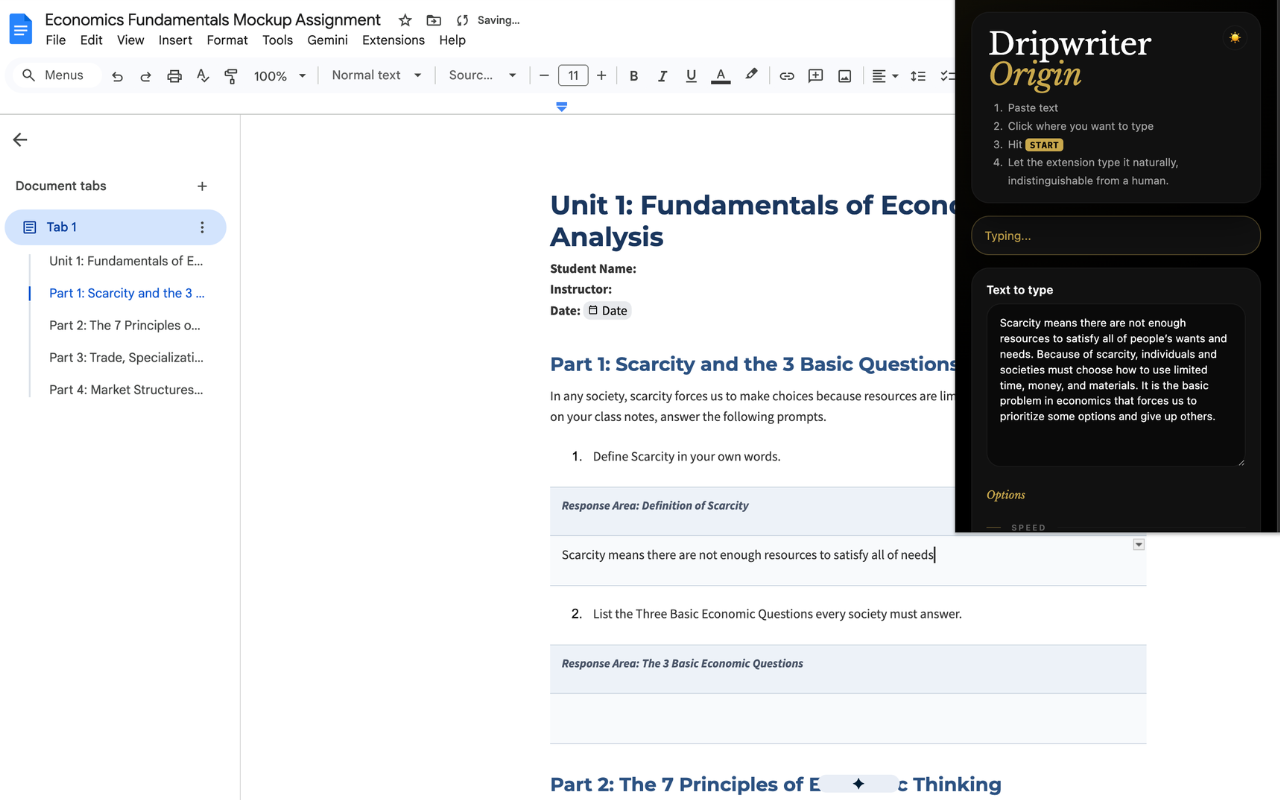
A cross-browser extension (Chrome / Edge / Firefox) that types pasted text into any website — Google Docs, Canvas, the Packback editor, and virtually any <textarea>, <input>, or [contenteditable] field — with believable human cadence:
- adjustable typing speed (20–150 WPM)
- keyboard-neighbor typos that get auto-corrected
- occasional false-start words pulled from nearby context and fully deleted
- configurable short breaks at sentence boundaries
- diagnostics mode for verifying typing event paths
Built with Plasmo + React + TypeScript.
Brand Name Clarification
Dripwriter Origin is an independent, noncommercial open-source project created and maintained by Alexey Fedorov. It is not affiliated with, endorsed by, or connected to Dripwriter, LLC or the commercial service at dripwriter.com.
The "Origin" suffix follows established open-source naming convention (as in uBlock / uBlock Origin): it denotes an independent, community project distinct from any similarly named commercial product. Any reference to "Dripwriter" in this project describes that separate product solely for the purpose of identification and comparison.
⭐️ FEATURED
FEATURED IN MANN BELLANI AND ALEXEY FEDOROV'S VIDEO ('LARPSLAYER' SERIES):
HOW I MADE A FREE ALTERNATIVE TO DRIPWRITER
https://www.instagram.com/reel/Dbz2SPnKwsx/
Develop
pnpm install
pnpm dev               # Chrome MV3 development (HMR) → build/chrome-mv3-dev
pnpm dev:firefox       # Firefox MV3 development     → build/firefox-mv3-dev
Load the development build as an unpacked extension:
- Chrome / Edge:
chrome://extensions→ enable Developer mode → Load unpacked →build/chrome-mv3-dev - Firefox:
about:debugging#/runtime/this-firefox→ Load Temporary Add-on →build/firefox-mv3-dev/manifest.json
Build & package
pnpm build             # Chrome MV3 production  → build/chrome-mv3-prod
pnpm build:firefox     # Firefox MV3 production → build/firefox-mv3-prod
pnpm package           # Zips both into build/chrome-mv3-prod.zip and build/firefox-mv3-prod.zip
The packaged *.zip files in build/ are tracked in git; the unpacked build/<target>/ directories are not.
Usage
- Open any page with a text box — a Google Doc, a Canvas assignment, the Packback editor, or any standard textarea / contenteditable field.
- Click where the typing should begin.
- Open the Dripwriter Origin popup from the toolbar.
- Paste your text, tune the cadence, and press Start.
- Reopen the popup and press Stop at any time, or Run Test to verify which typing event paths work.
Marketing site
A Next.js marketing site lives in website/ and deploys to dripwriter.org.
License
Dripwriter Origin License — noncommercial use is permitted; commercial use requires a separate license.