ReelDeck
Write, voice, edit and post short vertical videos locally from your browser.
AI: publik API or your key
publik verified: the founder reviewed this exact version for malware and approved it
by  @cyberneel
Where ReelDeck’s AI runs, and what it costs
Prices are for one typical use: one request of about 1,500 words sent and 375 words back. A higher quality score is better.
On your computer
Not checked yet: publik has not read whether ReelDeck can run its AI on your computer.
publik API
- Price
- $0.0010 per use, $1.00 per 1,000 usespublik-fast, the level ReelDeck uses most
- Quality
- GLM-5.3 Flash: 42
- Setup
- Built in. No key to paste; link your publik account and start the 7-day free trial to try it.
Your own key
- Price
- $0.0006 per use, $0.55 per 1,000 usesGLM-5.3 Flash at OpenRouter’s list price, before its fee for buying usage
- Quality
- GLM-5.3 Flash: 42
- Setup
- Open a provider account, add a card, paste the key into ReelDeck.
Quality and price, side by side
| Model | Quality | Per 1,000 uses |
|---|---|---|
| On your computer (Ollama, 4-bit download size) | ||
| Granite 4.2 3B2.2 GB | 9 | $0 |
| Phi-4 Mini2.5 GB | 6 | $0 |
| Llama 3.1 8B4.9 GB | 7 | $0 |
| gpt-oss 20B14 GB | 9 | $0 |
| Gemma 4 31B20 GB | 19* | $0 |
| Qwen3.5 35B-A3B24 GB | 19* | $0 |
| publik API | ||
| publik-fastGLM-5.3 Flash · ReelDeck | 42 | $1.00 |
| publik-balancedMiMo-V2.6-Pro | 46 | $10.00 |
| publik-smartGPT-6 Sol | 48 | $18.00 |
Quality: Artificial Analysis Intelligence Index v4.3.2, read 2026-09-22 (publik API models 2026-09-25); * = estimated by Artificial Analysis. Sizes: the Ollama library, read 2026-09-22.
What you pay for
- On your computer: nothing per use. You pay in disk space, memory and electricity, at lower quality.
- publik API: publik’s published price for each use, in dollars, from your publik balance. It is above the model’s cost; the difference runs publik and pays the app’s builder.
- Your own key: the provider’s price, billed to an account you keep with the provider.
How to install ReelDeck
Every step written out. No terminal experience needed. Pick your setup.
README
Open in GitHubReelDeck
A local studio for short vertical videos. Write the script, voice it, cut it, mix it and post it to Instagram, from one browser tab, with your footage staying on your computer.
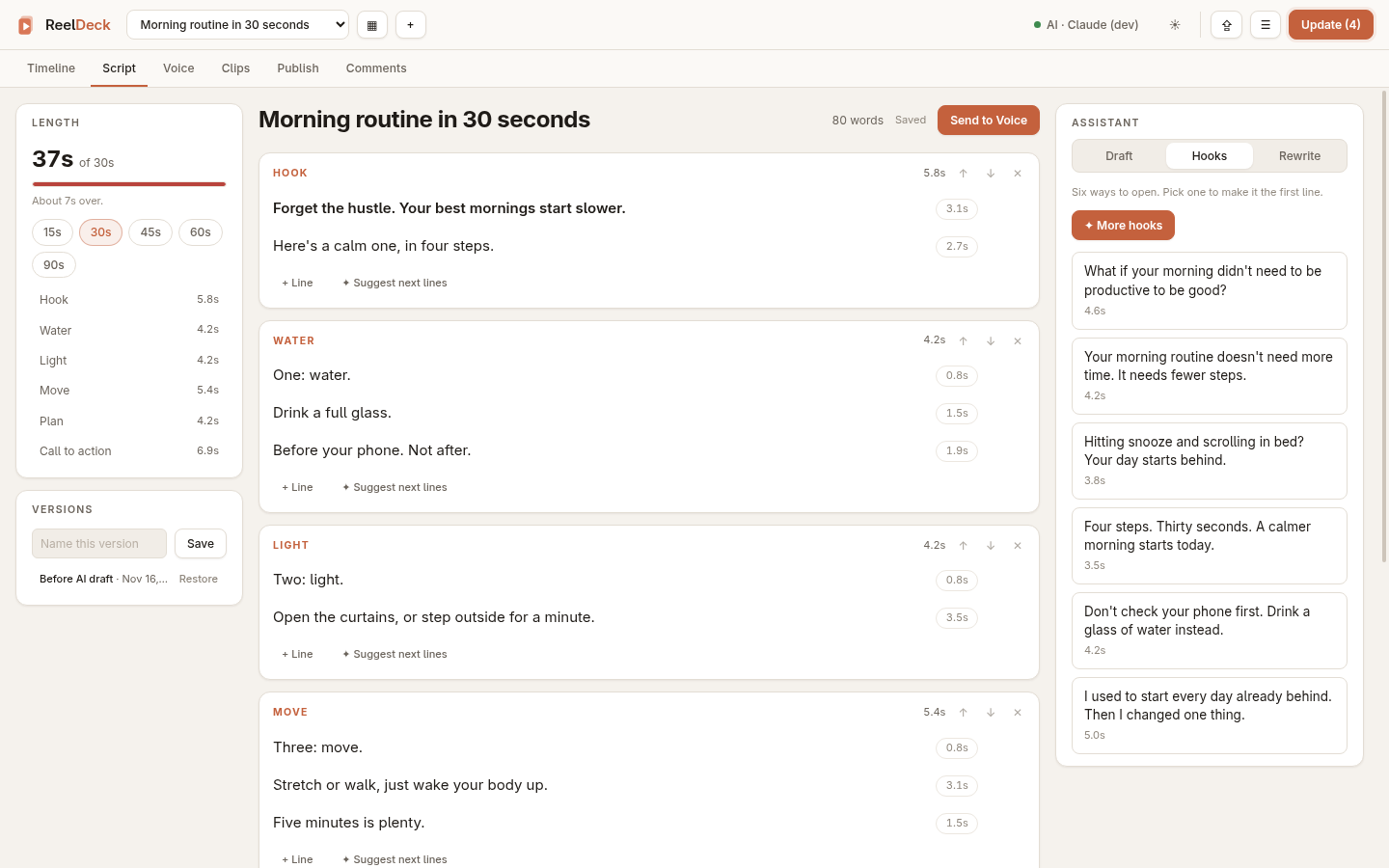
- Script. Write in beats and lines against a target length (15 to 90 s). Each line shows how long it takes to say. Save named versions and restore them. The assistant drafts a script from a one-line brief, suggests hooks, rewrites a line, and proposes the next lines of a beat. Send to Voice turns the script into the voiceover.
- Voice. Render each line with a TTS server, or record your own takes
(also from a phone, at
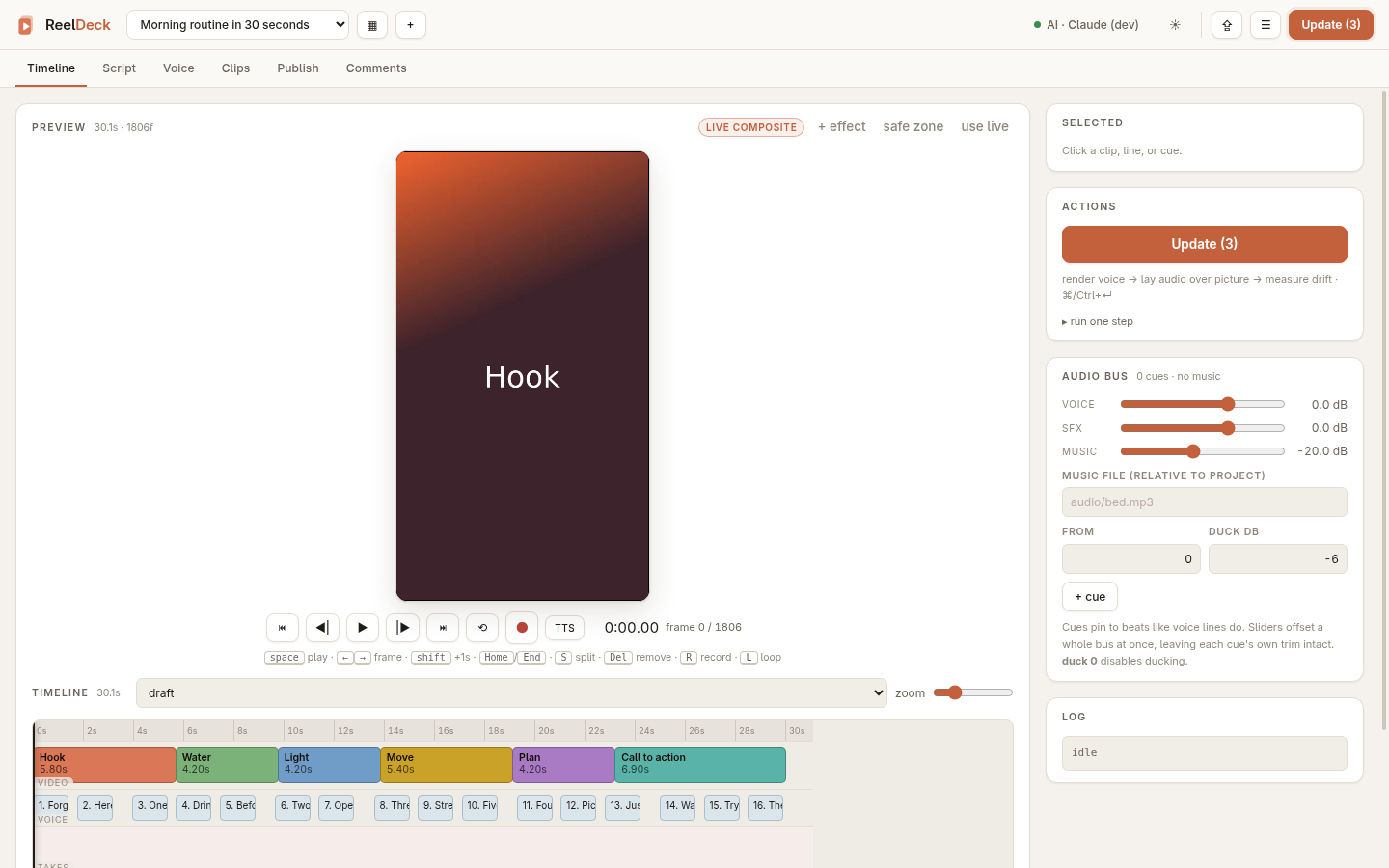
/master). Takes are cleaned up and lined up to the picture. - Timeline. Drag, trim and reorder clips. A live composited preview, crossfades, sound effects and a music bed with ducking. Update re-renders only what changed.
- Clips. Clips the project can generate from its own templates, plus a library of footage you can drop in.
- Agent. Say what the reel needs ("tighten the cut to the voiceover", "make the clips the requests ask for") and it proposes concrete changes: voiceover lines, cuts and trims on the timeline, and new HTML clips built from the project's own templates. Tick the ones you want and apply; Update renders them.
- Publish. Exactly what Instagram will receive for each reel, and a queue that posts it at a time you pick. Trial reels and "also share to feed" are supported; trials post through Instagram Login, a second token pasted in the same box. Without a token it is a dry run and nothing leaves your computer.
- Comments. Unanswered comments across recent reels, each with a public reply and a DM ready to send.
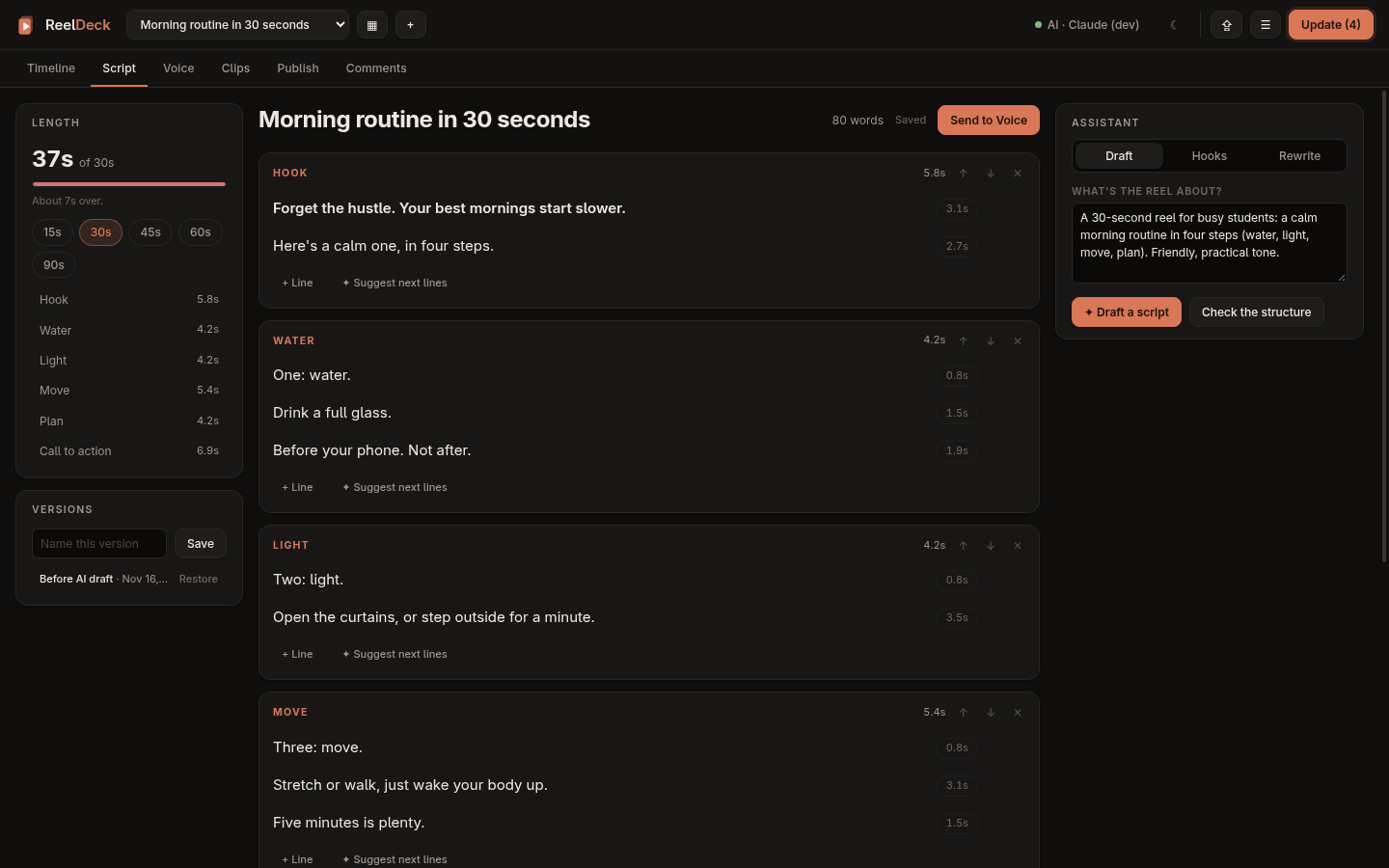
Light and dark themes, and a layout that works on a phone.
 |  |
 |  |
AI
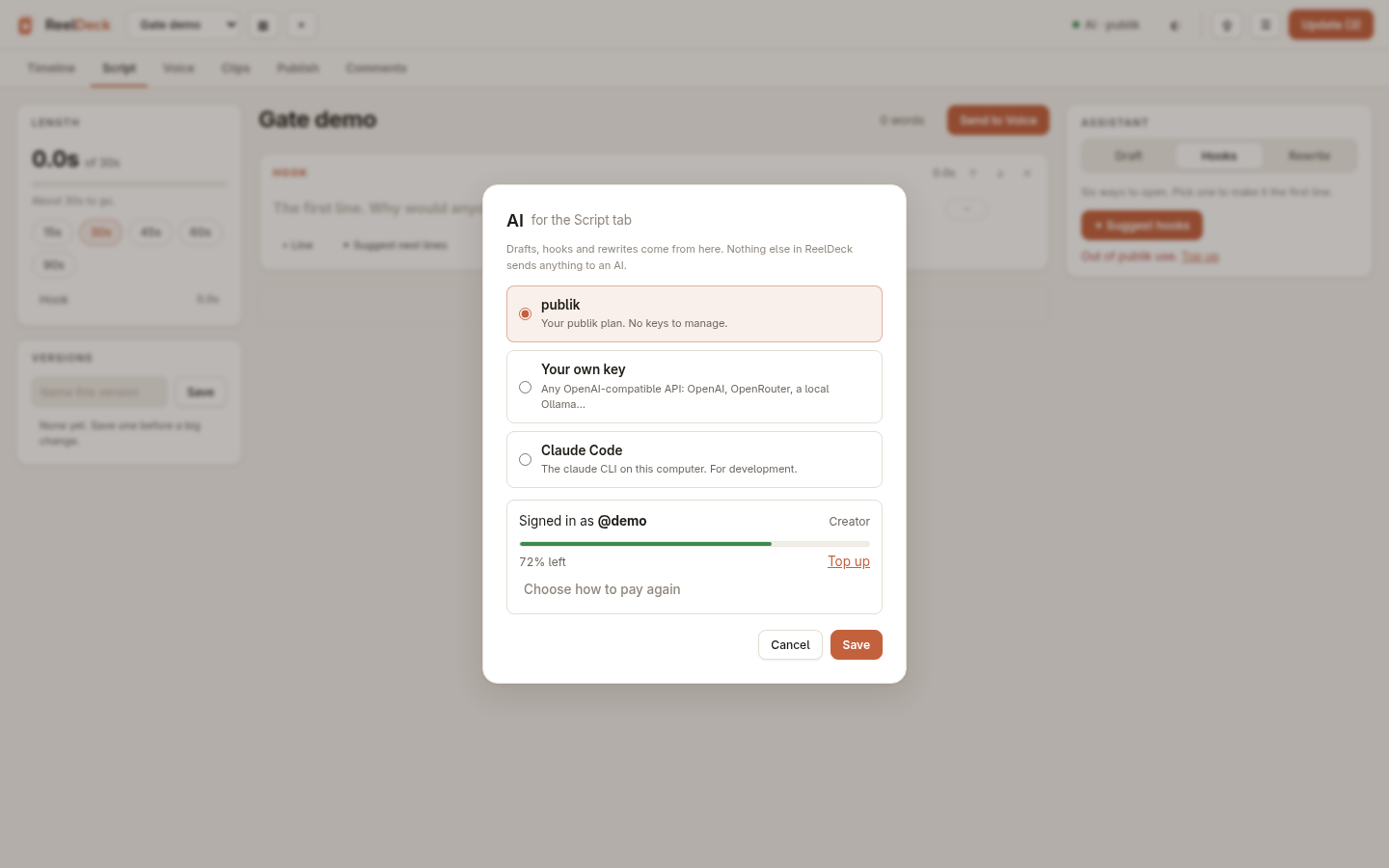
The Script tab's assistant and the Agent tab are the only parts of ReelDeck
that talk to an AI. Pick where they go in AI settings (the AI button,
top right):
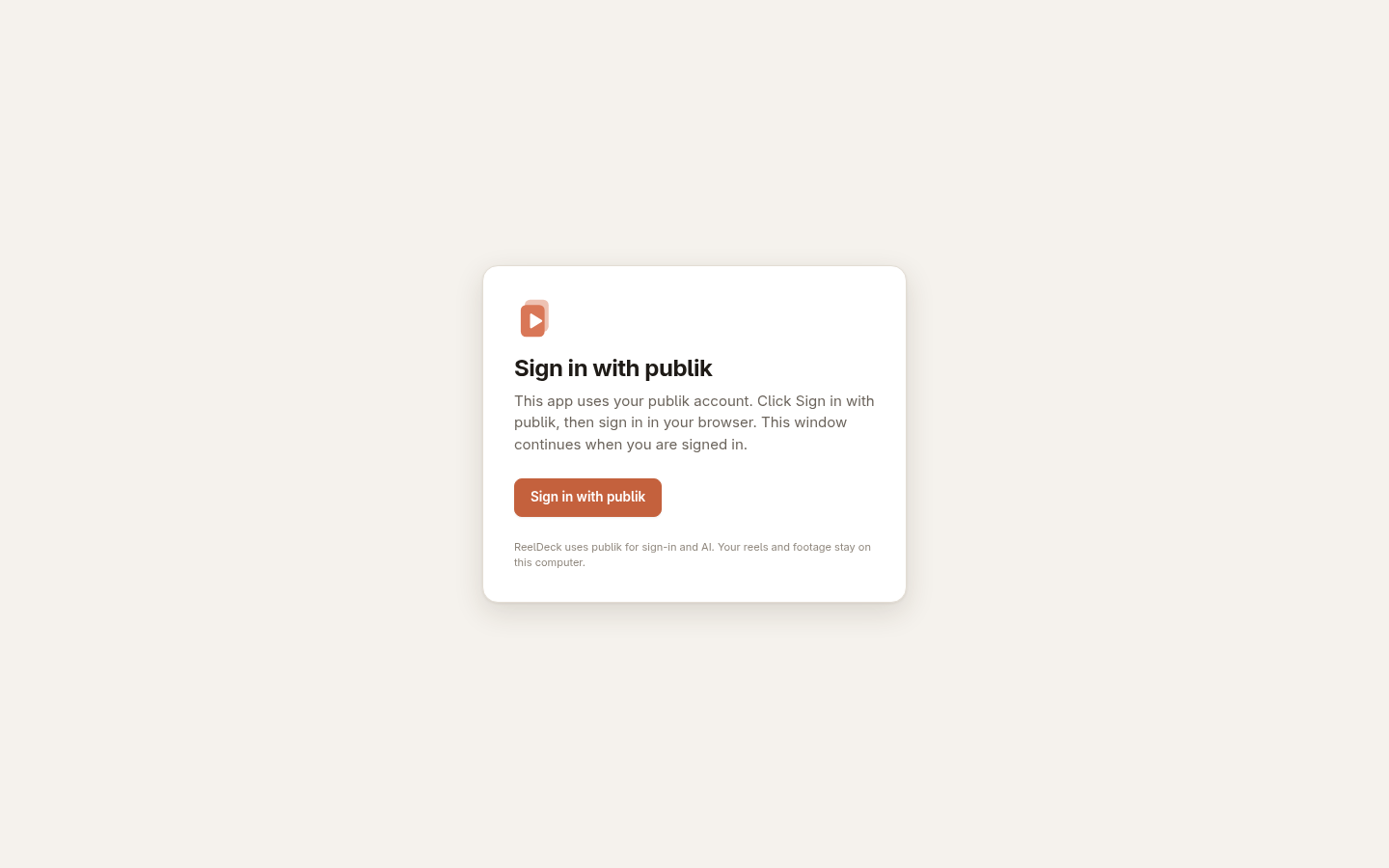
- publik. Release builds open with Sign in with publik. Sign in, pick a plan, and the assistant runs on it, with no keys to manage. When the plan runs out, the assistant links you to top up.
- Your own key. Any OpenAI-compatible API: OpenAI, OpenRouter, a local
Ollama. Kept in
~/.config/reeldeck/ai.json(mode 600). The browser never sees it. - Claude Code. The
claudeCLI on this computer, for development.
A build with no publik app token (a source checkout, or REELDECK_PUBLIK=off)
skips the sign-in screen and offers the other two.
Paste a Meta access token into the Publish tab once. ReelDeck exchanges it for
a Page token that doesn't expire and keeps it in
~/.config/reeldeck/instagram.json (mode 600). It is sent only to Meta, in a
header. Covers are served to Meta for a few minutes through a
cloudflared quick tunnel when
cloudflared is installed. Without it, a frame of the video is the cover.
publish_mcp.py exposes the same queue to an MCP client, so an agent can
draft and schedule posts that show up in the tab.
Configuration
| Variable | Default | What it does |
|---|---|---|
REELDECK_PORT | 8810 | Port to listen on |
REELDECK_HOST | localhost + tailnet | Bind address. Docker sets 0.0.0.0 |
REELDECK_PROJECTS | ../reeldeck-projects | Where new reels are created |
REELDECK_DATA | the checkout | Project registry and caches |
REELDECK_TTS_URL | http://127.0.0.1:7860 | TTS server for the Voice tab |
REELDECK_PUBLIK | on | off skips Sign in with publik |
PUBLIK_API_KEY | Use this publik key instead of signing in | |
DO_NOT_TRACK | 1 turns off publik's usage telemetry (also PUBLIK_TELEMETRY=off) |
From Docker, a TTS server running on the host is at
http://host.docker.internal:7860.
Privacy
Reels, footage, recordings and scripts stay on your computer. Data leaves it only when you use a feature that needs it to:
- The assistant sends the script text you're working on to the AI you chose.
- Publishing sends the reel, cover and caption to Meta.
- With publik on, the publik SDK sends usage events tagged with a random
install id, the app version and the OS.
DO_NOT_TRACK=1turns that off.
Development
Each module checks itself against fakes, with no network or accounts needed:
python3 pipeline.py demo && python3 publish.py && python3 publish_mcp.py --check \
  && python3 ai.py && python3 agent.py && python3 scripts.py && python3 delivery.py && python3 test_takes.py
The frontend is plain ES modules with no build step. Edit and reload.
Releases
VERSION holds the version, as MAJOR.MINOR.PATCH. To release, bump it,
commit, and push a matching tag:
echo 0.2.0 > VERSION && git commit -am "Release 0.2.0" && git tag v0.2.0 && git push --follow-tags
The release workflow then publishes ghcr.io/cyberneel/reeldeck:0.2.0,
:0.2 and :latest for amd64 and arm64, and creates a GitHub release with
generated notes. It writes the PUBLIK_APP_TOKEN repository secret into the
image. Without that secret, the release builds without Sign in with publik.