PlantGPT
The regenerative AI chat, run entirely on your own machine — no cloud, no account, no cost
AI runs on your computer
Where PlantGPT’s AI runs, and what it costs
Prices are for one typical use: one request of about 1,500 words sent and 375 words back. A higher quality score is better.
On your computer
- Price
- Free per use. Your computer does the work.
- Runs with
- Ollama
- Memory
- Llama 3.1 8B is a 4.9 GB download at 4-bit. gpt-oss 20B runs on systems with as little as 16GB memory. Faster with Apple silicon or a graphics card.
- Quality
- Llama 3.1 8B: 7
publik API
- Price
- $0.0100 per use, $10.00 per 1,000 usespublik-balanced, the default level
- Quality
- MiMo-V2.6-Pro: 46
- Setup
- Not built into PlantGPT yet. A publik API key works wherever PlantGPT takes an OpenAI-compatible address.
Your own key
- Price
- $0.0013 per use, $1.31 per 1,000 usesMiMo-V2.6-Pro at OpenRouter’s list price, before its fee for buying usage
- Quality
- MiMo-V2.6-Pro: 46
- Setup
- Open a provider account, add a card, paste the key into PlantGPT.
Quality and price, side by side
| Model | Quality | Per 1,000 uses |
|---|---|---|
| On your computer (Ollama, 4-bit download size) | ||
| Granite 4.2 3B2.2 GB | 9 | $0 |
| Phi-4 Mini2.5 GB | 6 | $0 |
| Llama 3.1 8B4.9 GB | 7 | $0 |
| gpt-oss 20B14 GB | 9 | $0 |
| Gemma 4 31B20 GB | 19* | $0 |
| Qwen3.5 35B-A3B24 GB | 19* | $0 |
| publik API | ||
| publik-fastGLM-5.3 Flash | 42 | $1.00 |
| publik-balancedMiMo-V2.6-Pro · PlantGPT | 46 | $10.00 |
| publik-smartGPT-6 Sol | 48 | $18.00 |
Quality: Artificial Analysis Intelligence Index v4.3.2, read 2026-09-22 (publik API models 2026-09-25); * = estimated by Artificial Analysis. Sizes: the Ollama library, read 2026-09-22.
What you pay for
- On your computer: nothing per use. You pay in disk space, memory and electricity, at lower quality.
- publik API: publik’s published price for each use, in dollars, from your publik balance. It is above the model’s cost; the difference runs publik and pays the app’s builder.
- Your own key: the provider’s price, billed to an account you keep with the provider.
How to install PlantGPT
Every step written out. No terminal experience needed. Pick your setup.
README
Open in GitHubPlantGPT
Pixel-parity desktop clone of ecogpt.com ("Regenerative AI") built with Tauri v2 + React + Vite — except it's 100% local and free: inference runs through Ollama on your own machine. No accounts, no keys, no cloud, no ads, no analytics, no cost.
What's cloned (and what's upgraded)
| Area | Parity | Notes |
|---|---|---|
| Sidebar, empty state, input pill, tools menu | ✅ pixel-matched | tokens extracted from the real site (UI-SPEC.md) |
| Chat thread (user bubbles / plain assistant text, action row) | ✅ | |
| Impact drawer (isometric field, trees/CO2/H2O/light, badges, About/Friends/Rankings) | ✅ | stats computed locally, 1 tree per 100 messages |
| Search chats modal (⌘K), chat history, rename/delete | ✅ | |
| Projects | ✅ upgraded | real site gates them behind login; here they work locally |
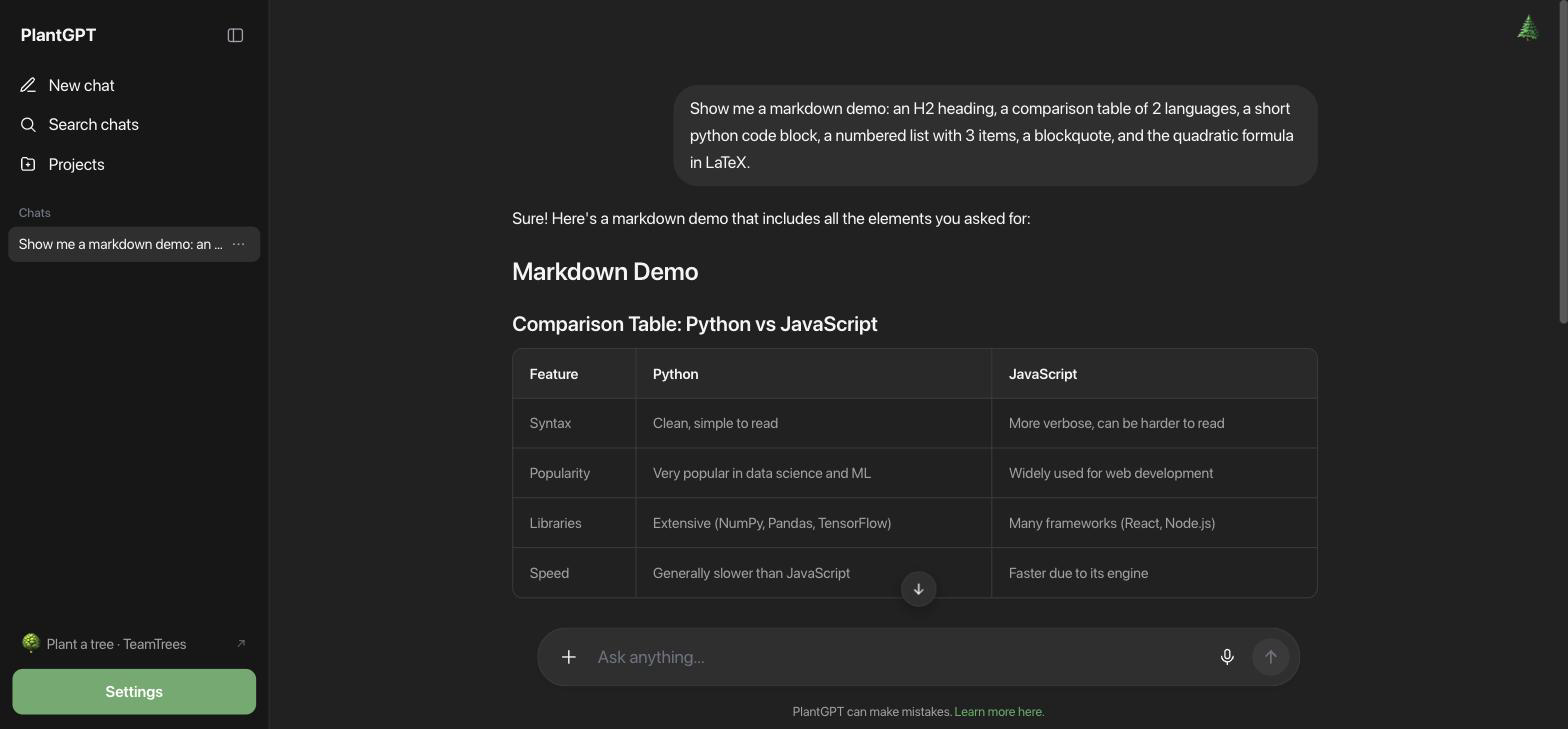
| Markdown rendering | ⬆️ better than the original | real headings, numbered lists, green blockquotes, code blocks with language header + copy + syntax highlighting, KaTeX math, rounded tables |
| Web search | ⬆️ free + local | DuckDuckGo HTML results fetched natively and fed as context |
| Study mode | ⬆️ unlocked | tutoring system prompt (login-gated upstream) |
| Login/ads/analytics | ❌ intentionally dropped | replaced by a Settings modal (model, theme, username) |
Develop
npm install
npm run tauri dev
Build
npm run tauri build
# → src-tauri/target/release/bundle/macos/PlantGPT.app (+ .dmg)
Keyboard
⌘K— search chats⌘J— new chatEntersend ·Shift+Enternewline