Nut AI
Point your camera at a meal — honest calorie ranges, no key to paste
AI: publik API or your key
Where Nut AI’s AI runs, and what it costs
Prices are for one typical use: one request of about 1,500 words sent and 375 words back. A higher quality score is better.
On your computer
Nut AI has no option to run its AI on your computer.
publik API
- Price
- $0.0100 per use, $10.00 per 1,000 usespublik-balanced, the level Nut AI uses most
- Quality
- MiMo-V2.6-Pro: 46
- Setup
- Built in. No key to paste; linking your publik account gives $0.05 of free use, once.
Your own key
- Price
- $0.0013 per use, $1.31 per 1,000 usesMiMo-V2.6-Pro at OpenRouter’s list price, before its fee for buying usage
- Quality
- MiMo-V2.6-Pro: 46
- Setup
- Open a provider account, add a card, paste the key into Nut AI.
Quality and price, side by side
| Model | Quality | Per 1,000 uses |
|---|---|---|
| On your computer (Ollama, 4-bit download size) | ||
| Granite 4.2 3B2.2 GB | 9 | $0 |
| Phi-4 Mini2.5 GB | 6 | $0 |
| Llama 3.1 8B4.9 GB | 7 | $0 |
| gpt-oss 20B14 GB | 9 | $0 |
| Gemma 4 31B20 GB | 19* | $0 |
| Qwen3.5 35B-A3B24 GB | 19* | $0 |
| publik API | ||
| publik-fastGLM-5.3 Flash | 42 | $1.00 |
| publik-balancedMiMo-V2.6-Pro · Nut AI | 46 | $10.00 |
| publik-smartGPT-6 Sol | 48 | $18.00 |
Quality: Artificial Analysis Intelligence Index v4.3.2, read 2026-09-22 (publik API models 2026-09-25); * = estimated by Artificial Analysis. Sizes: the Ollama library, read 2026-09-22.
What you pay for
- On your computer: nothing per use. You pay in disk space, memory and electricity, at lower quality.
- publik API: publik’s published price for each use, in dollars, from your publik balance. It is above the model’s cost; the difference runs publik and pays the app’s builder.
- Your own key: the provider’s price, billed to an account you keep with the provider.
How to install Nut AI
Every step written out. No terminal experience needed. Pick your setup.
README
Open in GitHubNut AI
An open-source AI photo calorie tracker that never shows a number it cannot justify.
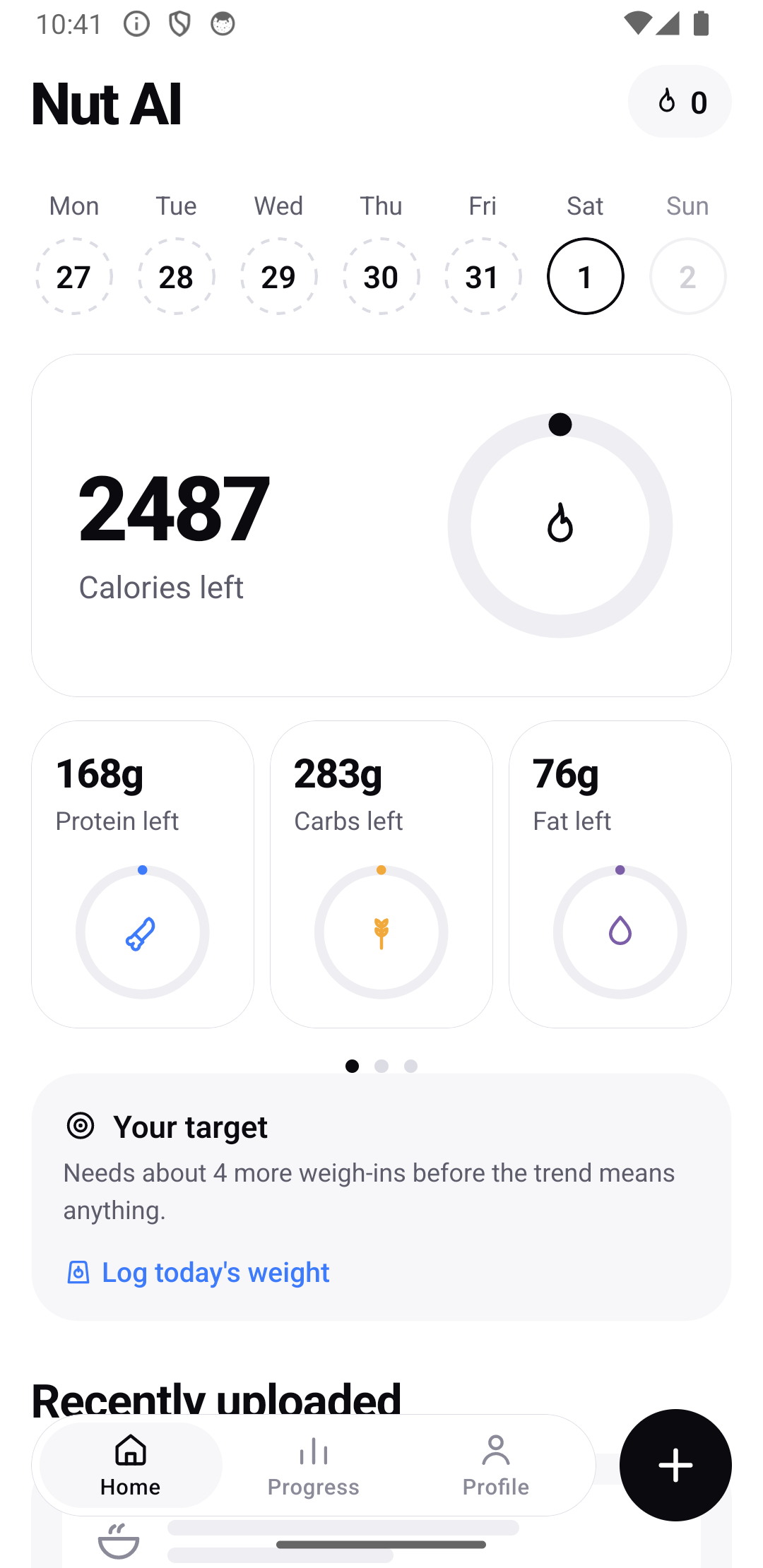
Point your camera at a meal and get calories and macros — with an honest uncertainty range, the assumptions it made shown as editable chips, and a correction flow that recomputes everything locally and instantly. No subscription, no paywall, no account, no server.
Status: alpha. The full loop works on iPhone and Android — scan, review, correct, log, track. On-device inference and the published accuracy numbers are still ahead. Expect sharp edges.
What works today
- Photo scans with your own AI key: the model identifies components (a burger comes back as patty, bun, and toppings — never one blob), the deterministic engine does every number, and each row shows its uncertainty band and where its data came from.
- Four camera modes — food photo, barcode (bundled-database hits cost nothing and never touch a model), nutrition label (transcribes the printed panel, refuses to guess a missing serving weight), and receipt (reads the line items, then fetches each item's published nutrition with the merchant as the brand).
- Web lookup for branded and restaurant food: when the local database misses — or a logo in frame names a brand — one search against the provider's own tool transcribes the published nutrition facts, source URL attached. Menu ambiguity comes back as options that each carry their own macros, so answering "which sandwich?" is instant and free.
- Fix Result: describe what's wrong in a sentence; only what you mention changes.
- A health score with a published formula — fixed arithmetic over what you logged, reasons shown on tap, never an "AI" number.
- Exercise logging where Run and Weight lifting use MET × your body weight × minutes (no model), Describe is the one AI-estimated path and says so, and Manual is your number verbatim.
- Adaptive targets that re-derive from your weigh-in trend, with hand-set targets always respected.
- Export / import: one JSON file with everything; restore it from the first onboarding screen on a new phone. Your API key never travels in it.
Why this exists
Photo calorie trackers converged on a bad pattern: show one confident number, hide the uncertainty, and paywall the correction. The number is a guess — portion estimation alone carries 26–37%+ MAPE across every published model — and presenting a guess as a fact is the actual product failure.
Nut AI is built around one rule:
The inference model never owns a number the user sees.
The model is a perception device. It answers what foods are here, what form are they in, how big relative to what else is in frame, what reference objects are visible, what could I not see. Then:
- Grams come from a deterministic reconciliation ladder — packaged label, discrete count, your personal prior, reference-object geometry, standard portion, and only last the model's own estimate. When the top two sources disagree by more than 35%, that becomes a question, not a blend.
- Nutrition comes from a real database row, snapshotted at log time and immutable thereafter.
- Totals are arithmetic.
- Confidence comes from measured per-category error against a kitchen-scale-weighed golden set — not from asking the model how sure it is.
Every consequence of that rule is a feature: corrections are free and offline, historical logs never silently change, and the two worst bugs in this product category become structurally impossible.
Two ways to run it
Chosen during onboarding, changeable any time, and presented neutrally:
- Bring your own key — your own Anthropic / OpenAI / Google key. Your photo goes to the provider you named and nowhere else. Typically well under a cent per scan.
- On-device — free, private, works on a plane. Accuracy is unproven and will be measured and published before it ships as a default.
Either way, barcode scanning, label OCR, text search, manual entry and the entire correction flow work offline with no key at all.
What we deliberately do not clone
No paywalled shutter button. No social feed. No streak-restore purchase. No opaque "AI health score". No red numbers for missed goals — red is reserved for safety warnings, never for food or bodies.
Repository layout
apps/mobile/      the Expo app — the ONLY package with React Native imports
packages/         pure TypeScript, importable under plain Node:
  core-schema     Zod source of truth for every payload shape
  gram-engine     the reconciliation ladder, densities, yields, oil absorption
  resolver        food name → database row (FTS5 candidates + six-signal scoring)
  totals          recompute, macro reconciliation, rounding
  confidence      measured bands, structural widening, per-meal quadrature
  repair          the question bank and expected-value gating
  goals           BMR/TDEE/macros, EWMA trend, adaptive TDEE
  prompt          system prompt, few-shots, prompt versioning
  db-adapter      one interface, two impls: expo-sqlite | better-sqlite3
  clamp           the deterministic sanity clamp
eval/             accuracy harness — imports the real engine, runs under Node
packages/* must stay React-Native-free. This is enforced by npm run check:node-purity, which
both scans for forbidden imports and actually imports every package under bare Node. It is not a style
rule: the accuracy harness has to run the real gram engine and resolver against the golden set. If
those become RN-only, the harness can only score raw model output — which measures the wrong thing,
because most of the accuracy lives between the model and the number.
Your data stays yours
- Everything lives in a local SQLite database on the phone. App updates never touch it, on either platform. The only thing that deletes it is you: "Start over" in Profile, or uninstalling the app.
- Export data in Profile writes one JSON file with every meal, weight, workout, goal and setting. Restore from a backup on the first onboarding screen (or Import in Profile) brings it all back — that is the move-to-a-new-phone path.
- Your API key is the one thing a backup never contains: keys live in the OS Keychain/Keystore, out-of-band from your data, and are never written to any file. Re-enter the key once after a restore. The same goes for the publik API key this phone minted: a restored backup remembers that you chose publik, and Profile → AI provider → Connect mints a fresh one for the new phone.
Development
Requires Node ≥ 20.19.
npm install
npm run check        # lint + typecheck + tests + node-purity
Expo Go is not a supported development mode. The camera, SQLite, Keychain key storage, HealthKit,
and file export/import all require a compiled app — build with Xcode or expo run:android as shown
above.
Licensing
Application code is AGPL-3.0-or-later, with a GNU AGPL §7 additional permission allowing
distribution through app stores — see LICENSE. Without that grant, App Store distribution
would conflict with the AGPL.
The bundled nutrition database is a separate work under separate terms (CC0, ODbL, CC BY 4.0, OGL
v3.0 depending on the source) — see THIRD-PARTY-DATA.md. Data licenses and code licenses are legally
independent; neither discharges the other.
Medical disclaimer
Nut AI's estimates are AI-generated approximations and may not be accurate. Nut AI is not a medical device and does not diagnose, treat, cure, or prevent any medical condition. It is not a substitute for professional nutritional or medical guidance — consult a registered dietitian or healthcare provider for personalized advice.