HAT
Your entire day, reconstructed. Locally. Privately. Yours.
not yet reviewed by publik
by 
How to install HAT
Every step written out, for people who have never opened a terminal. Pick the setup you have.
README
Open in GitHub
Heuristic Activity Tracker
Your entire day, reconstructed. Locally. Privately. Yours.










Privacy Policy · Terms of Service · Report a Bug · Request a Feature
What is HAT?
HAT is an Android app that answers a question most people dismiss asking: where did my day actually go?
It does this by watching your app usage — something Android already tracks in the background — and inverting it. Every minute you weren't on your phone becomes a labeled block of time called a gap. You can leave those gaps empty, or fill them in: Sleeping, Working, Reading, At the gym. Over time, you end up with a complete picture of how you spend both your screen time and your offline time.
There are no accounts. No servers. No cloud sync. HAT has no internet permission at all — it can't send your data anywhere even if it wanted to. Everything lives in a local SQLite database on your device. You own it completely.
This is the full source code.
Table of Contents
- How It Works
- Features
- Screenshots
- Architecture
- The Heuristic Engine
- Data Model
- Privacy & Security
- Building from Source
- Tech Stack
- Project Structure
- Acknowledgments
- FAQ
- License
How It Works
Most screen-time trackers just count how long you used each app. HAT does that too, but it also asks a harder question: what were you doing when you weren't on your phone?
Android's UsageStatsManager gives every app access to a log of when apps were opened, paused, resumed, and closed. HAT reads this log to build a complete minute-by-minute timeline for any day. When there's a continuous block of time with no app activity, that becomes a gap — an unaccounted period waiting to be labeled.
The flow looks like this:
Android OS Events → UsageStatsEngine → HeuristicEngine → UI Timeline
                     (Interval Math)           │
                                               ├─> Ghost Isolation (Keyguard Bracket)
                                               ├─> Gap Detection (Subtractive Matrix)
                                               ├─> Session Clustering (Tolerance Merge)
                                               └─> Chart Bucketing (Hourly/Daily)
When you label a gap (say, "Sleeping" from 11 PM to 7 AM), that label gets stored in the local database alongside its timestamp and duration. It shows up in the offline timeline alongside your app usage. The two streams — digital and physical — are rendered together on the dashboard.
Nothing runs in the background unless you explicitly enable the archive worker. The app queries the OS fresh every time you open it.
Features
Core Tracking
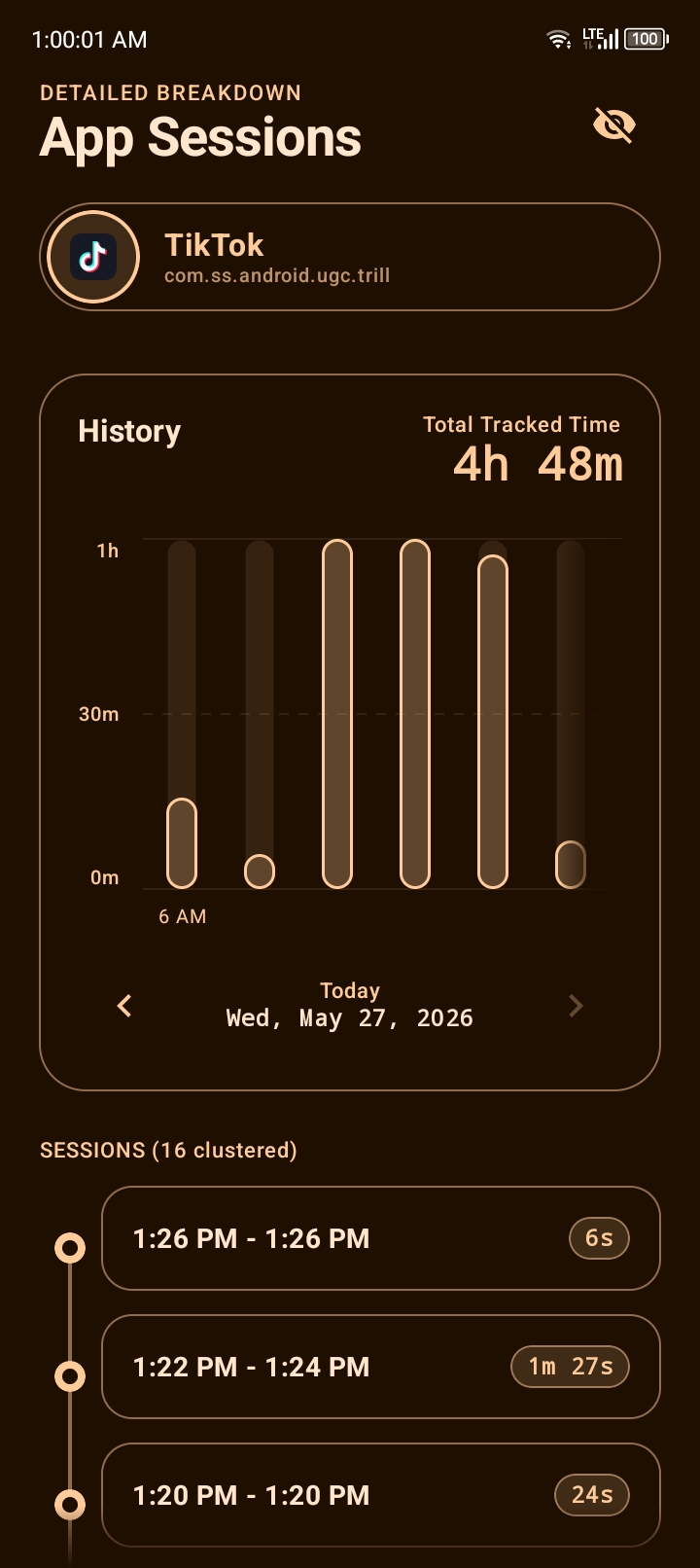
App Usage Timeline — See exactly which apps you used and for how long, down to the session level. Each app entry can be drilled into to view individual session clusters: when you opened it, when you closed it, and how long each session lasted.
Stacked Bars: Some bars in the chart can be tapped, while doing so it will instantly split the visual graph and isolate the exact ratio of screen time to offline gaps for that hour.
Bi-Directional Highlighting: Long-pressing a gap or app card automatically scrolls the chart to that exact block of time and highlights it. Long-pressing a bar in the chart auto-scrolls to the timeline below it and highlights the cards in that timeframe.
In App Calendar: Tap the date navigator below the chart to leap across months of data instantly.
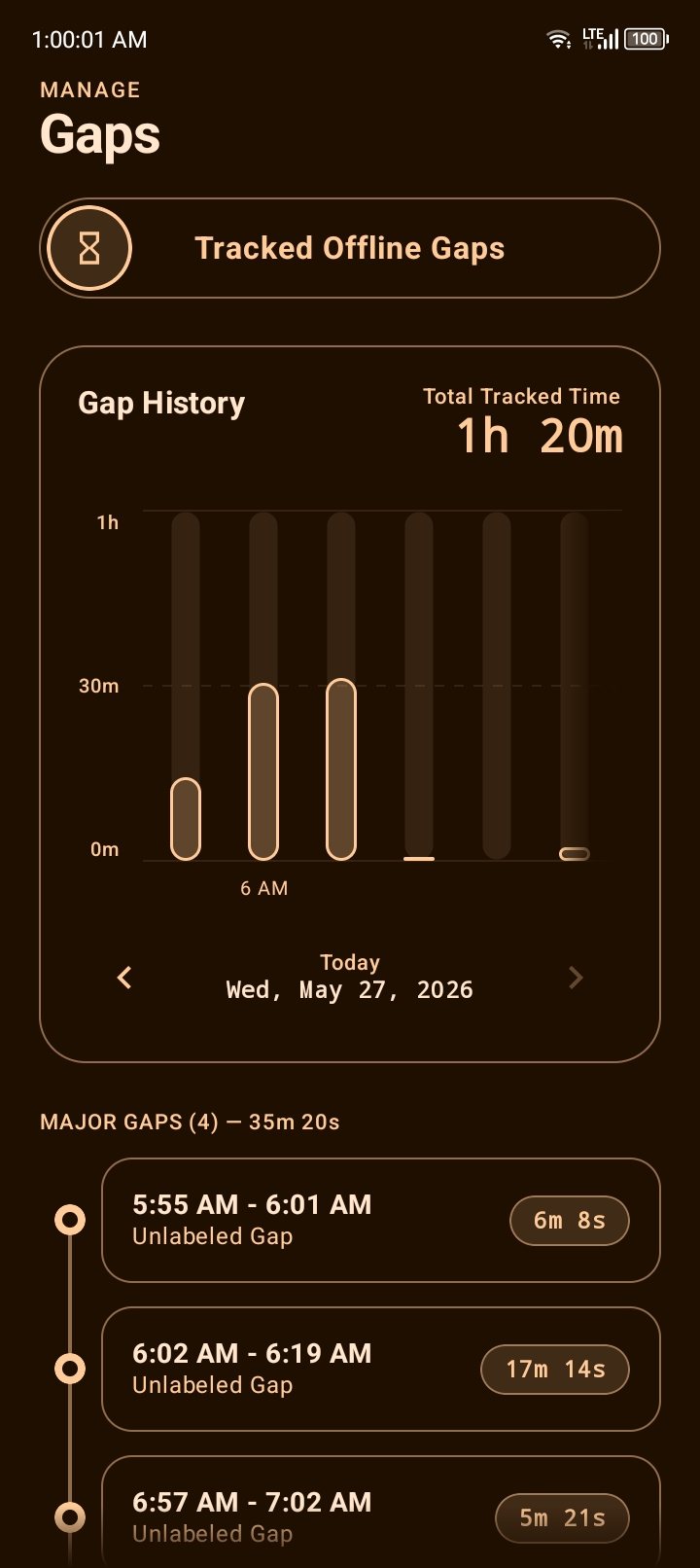
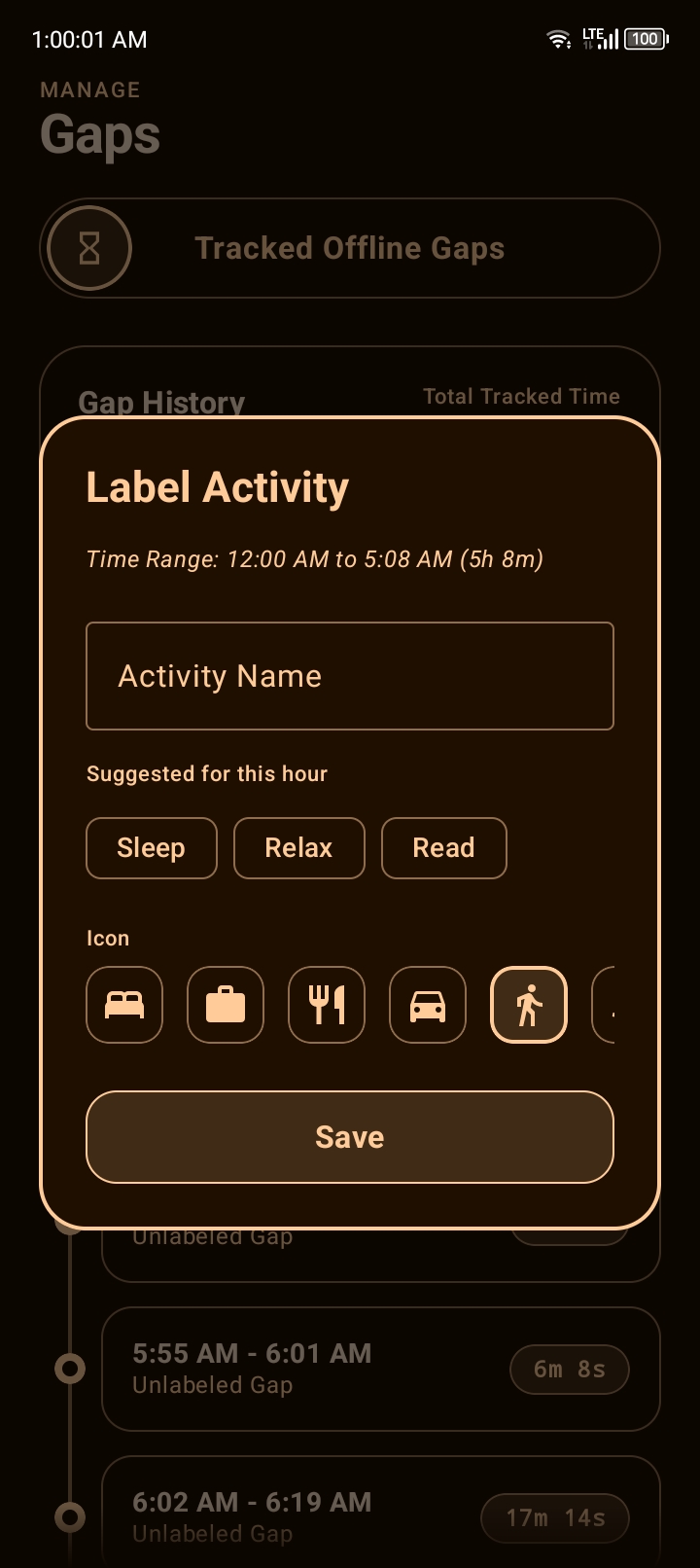
Offline Gap Labeling — When you weren't on your phone, HAT shows you that gap and lets you label it. You can name it anything, pick an icon, and the entry is permanently stored in your timeline.
Day / Week / Month Views — Switch between granularities without losing your place. The interactive chart at the top of each screen adjusts to show hourly buckets (day view) or daily buckets (week and month views). Tapping a bar on the chart scrolls the list to the matching sessions.
Batch Gap Operations — Long-press multiple gaps to select them, then label the entire batch at once. Useful for recurring activities like "Commute" that appear across dozens of short blocks throughout the week.
Smart Suggestions: When you tap to label a gap, HAT probabilistically suggests your most likely habits based on the current hour of the day.
Export & Integrations
Daily Markdown Summary — Easily copy a clean, text-based daily summary of your app usage and offline gaps straight to your clipboard. Perfect for pasting into Obsidian, Notion, or personal LLM assistants for custom analysis.
Master Vault (Backup & Restore) — Your entire local database — app usage history, offline logs, hidden apps, dismissed sessions — can be exported as a single encrypted .zip file called the Master Vault. The file is protected with an HMAC-SHA256 signature to prevent corruption.
Ghost Session Detection
Sometimes your screen stays on for hours in a single app — your phone was playing music, running a background process, or simply left idle with a map open. HAT detects these "ghost sessions" by looking for app activity that happened while the screen was not interactively engaged (no keyguard unlock, no user-facing events).
When a ghost session is detected, HAT surfaces it and asks you what happened:
- Dismiss — Mark it as legitimate app usage and remove it from the gap list
- Label — Convert it into an offline activity (e.g., the screen was on in Spotify while you were
Running)
Dismissed ghost sessions are stored and can be restored later from the Dismissed Sessions panel.
History Archiving
Android only retains usage event data for a limited window (typically a few weeks, varying by device and OS version). HAT includes a background ArchiveSyncWorker that silently wakes up on a configurable schedule to read and store your usage history before the OS permanently deletes it.
The archive sync:
- Runs only when battery is not low
- Processes up to 5 days per execution to stay lightweight
- Merges with live OS data so the timeline is always continuous
Dynamic Theme Engine
HAT supports two theme modes:
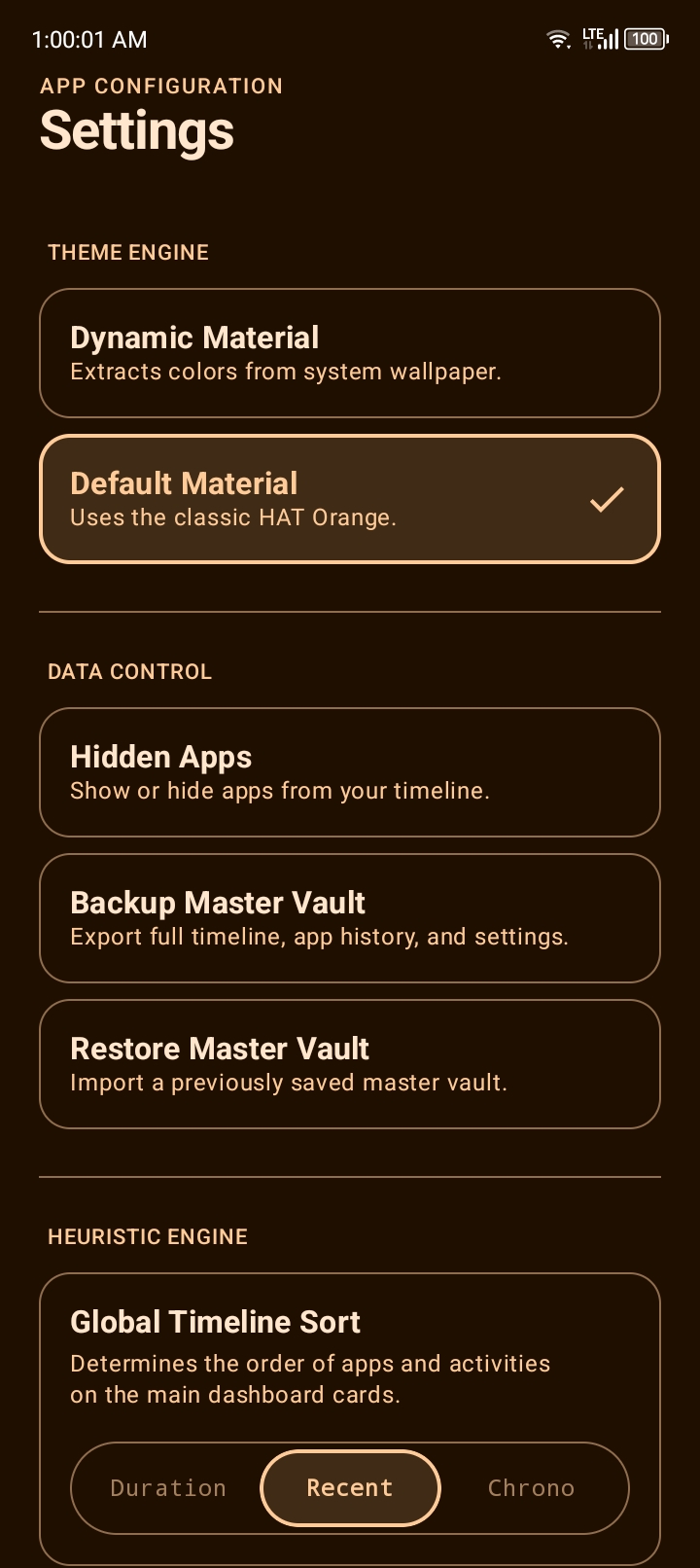
- Dynamic Material (Material You) — On Android 12+, the theme derives its colors from your wallpaper using Android's system dynamic color. The entire app — backgrounds, borders, icons, text — adapts to your phone's accent color.
- Static Default — A classic deep orange palette (
#FFB878) if you prefer a consistent look or are on Android 11 or earlier.
On devices below Android 12, the dynamic mode falls back to a monochromatic palette generated from the wallpaper's dominant color via a custom HSL extraction routine.
Heuristic Engine Configuration
The Settings screen exposes several tunable parameters that control how the heuristic engine processes your data:
| Setting | What it does |
|---|---|
| Global Timeline Sort | Order items by total duration, most recent activity, or chronological first-use |
| Idle App Detection | Flag an app as a "Suspicious Idle Session" if it stays on screen without interaction for N minutes |
| Background History Sync | How often the archive worker runs (Off / 2h / 6h / custom) |
| Actionable Gap Minimum | Minimum gap duration to show in the labeling list (filters out bathroom breaks, quick transitions) |
| Session Merge Tolerance | If you switch apps and come back within N minutes, HAT merges those into one session |
Developer Diagnostics (Easter Egg)
Power users can unlock a hidden Developer Mode directly from the UI: Tap the "HAT Dashboard" header text 5 times.
This unlocks the hidden DiagnosticsScreen, allowing you to bypass the OS history retention limit flag, export raw calculated JSON event matrices, dump local crash logs, and manually clear all telemetry.
Hidden Apps
Any app can be hidden from the dashboard. Hidden apps are excluded from usage calculations entirely — they won't appear in the timeline, won't count toward total screen time, and won't generate gaps. You can restore them from the Hidden Apps screen under Settings.
This is useful for system apps, launchers, and anything else that shows up in usage stats but isn't meaningful to your day.
Crash Recovery
HAT has a custom crash handler. If the app encounters an unhandled exception, it writes a detailed crash log — including device information, a breadcrumb trail of the last 50 logged events, and a full stack trace — then launches a CrashRecoveryActivity instead of showing the generic Android crash dialog.
From the recovery screen you can export crash logs and diagnostic events, initiate a catastrophic "Factory Reset Engine" data nuke, or simply safely restart the app.
Screenshots
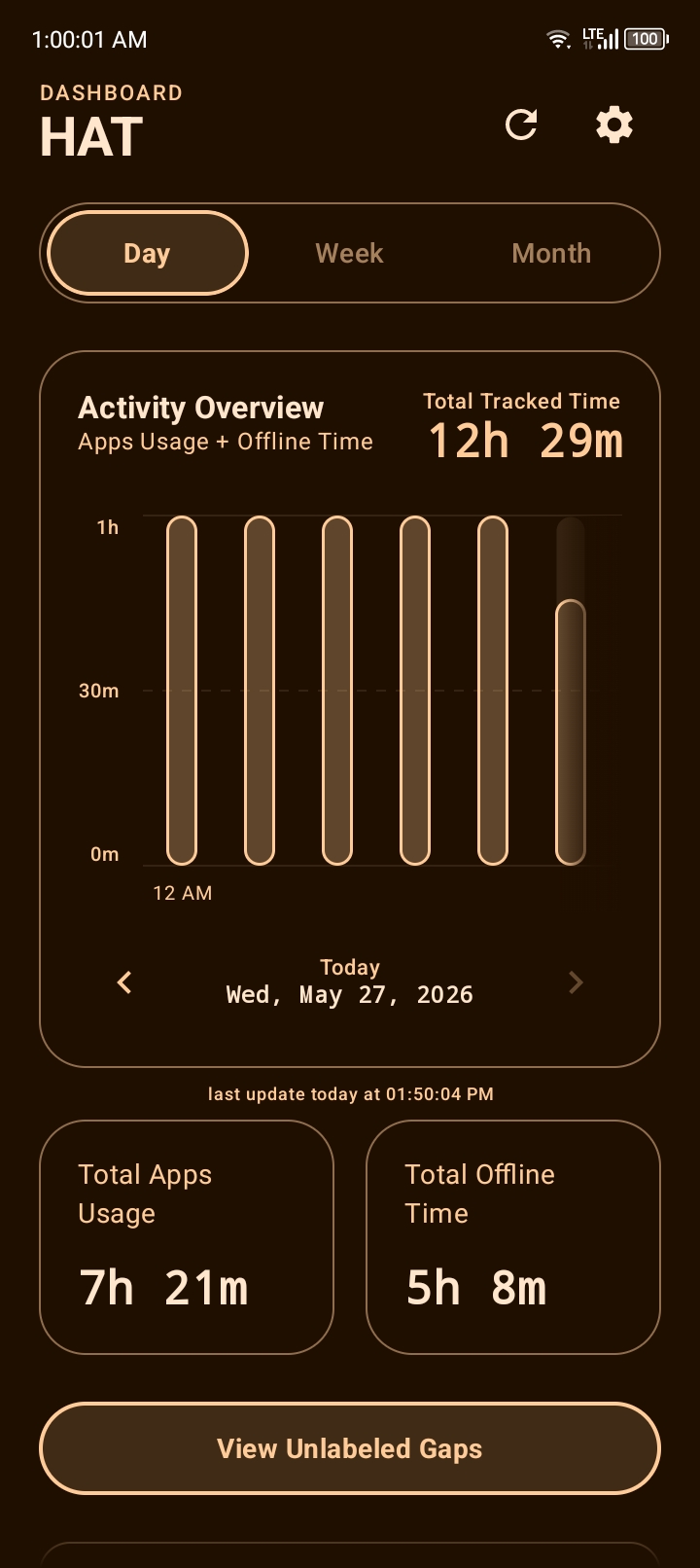
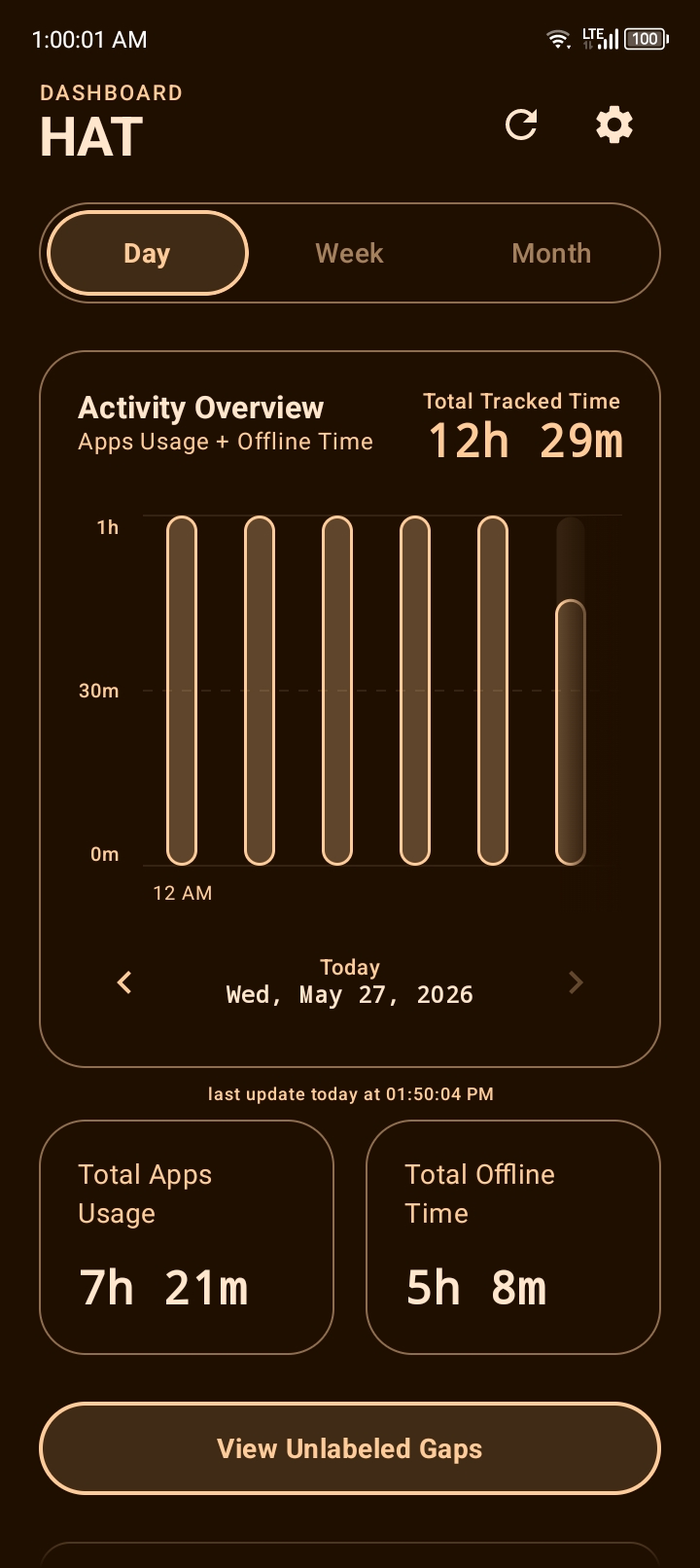
Screenshots available in
fastlane/metadata/android/en-US/images/phoneScreenshots/
 |  |  |  |  |
Architecture
HAT uses MVVM with Jetpack Compose. A few of the design decisions are non-obvious enough to be worth documenting here.
Layer Overview
+-----------------------------------------------------+
|                      UI Layer                       |
|  Compose Screens -> ViewModels -> StateFlows        |
+-----------------------------------------------------+
|                    Domain Layer                     |
|  HeuristicEngine - pure computation, no I/O         |
+-----------------------------------------------------+
|                     Data Layer                      |
|  ActivityRepository - coordinates all data access   |
|    |-- UsageStatsEngine (OS events, live)           |
|    |-- OfflineStorage (SQLite + DataStore)          |
|    `-- VaultSecurity (export/import)                |
+-----------------------------------------------------+
|                    Worker Layer                     |
|  ArchiveSyncWorker (WorkManager, periodic)          |
+-----------------------------------------------------+
Key Design Decisions
No background service. HAT never runs a foreground service or long-lived background process. Querying UsageStatsManager at app-open time is fast enough (milliseconds for most date ranges), and the archive worker handles the rare case where historical data would otherwise be lost.
Interval-based computation. Rather than storing pre-computed totals, HAT stores raw time intervals (start ms → end ms) and computes everything — durations, totals, chart data, gap detection — at query time. This makes retrospective recalculation free. If you change settings (like session clustering tolerance), your entire history is immediately recalculated without any migration.
Layered cache. ActivityRepository maintains an in-memory interval cache keyed on the queried time window. Cache hits skip both the SQLite query and the OS query. The cache is invalidated on a 5-minute TTL or when data-mutating operations are performed (vault restore, hiding apps, etc.).
Coroutine-aware interval math. All interval set operations — merging, subtracting, slicing into time buckets — yield periodically using kotlinx.coroutines.yield(). This prevents UI jank on large date ranges without requiring explicit threading annotations throughout the computation code.
Semaphore-gated icon loading. App icons are loaded concurrently but capped at 4 simultaneous loads via a Semaphore, with results cached in an LruCache. Preventing unbounded parallelism matters on mid-range devices that struggle with icon loading spikes during list renders.
The Heuristic Engine
HeuristicEngine is the core computation layer. It takes raw interval data and produces everything the UI needs: sorted app usage lists, gap lists, chart data, session clusters, and ghost detection results.
Gap Detection
Total day window [00:00 → 24:00]
  minus  app usage intervals
  minus  offline activity intervals
  minus  hidden app intervals
  minus  filtered ghost intervals
  ──────────────────────────────
= Unlabeled gaps
The subtraction is done with subtractIntervals() in UsageStatsEngine, which handles partial overlaps correctly — a gap that partially overlaps with an app session gets trimmed, not removed entirely.
Ghost Session Detection
Ghost detection works by correlating screen-interactive events (SCREEN_INTERACTIVE, KEYGUARD_HIDDEN) with app activity events (ACTIVITY_RESUMED, ACTIVITY_PAUSED). An interval of app activity that occurred entirely without a preceding KEYGUARD_HIDDEN event is mathematically isolated as a ghost candidate — the app was "on" but no human was actually present to unlock the glass.
The ghostTimeTriggerMins setting controls the minimum duration a ghost interval must reach before HAT surfaces it. Short ghost intervals — like a 45-second screen-on while playing music or receiving a notification in your pocket — are cleanly discarded by the math.
Session Clustering
Raw OS events produce many tiny intervals for apps with frequent pause/resume cycles (especially social media, messaging apps). The sessionClusteringMins setting merges adjacent intervals that are separated by less than the threshold. A 1-minute gap between Instagram sessions becomes one continuous session instead of two.
This cuts the session list noise significantly and produces more meaningful duration numbers.
Smart Suggestions
When you label a gap, HAT suggests activity names based on your history. The suggestion ranking is distance-weighted: activities you labeled at similar times of day in the past 30 days get higher scores. A 3am gap will suggest "Sleep" and "Reading". A 9am gap might suggest "Commute" and "Work".
If your database is completely fresh, the engine falls back to a time-aware array, automatically suggesting highly probable activities based on the current hour of the day until it gathers enough data to map your personal routine.
Data Model
SQLite Tables
HAT uses a single hat_heuristic.db database with Write-Ahead Logging enabled.
offline_activities — Stores user-created offline log entries.
| Column | Type | Description |
|---|---|---|
id | INTEGER PK | Row identifier |
title | TEXT | Activity name (e.g., "Sleeping") |
duration | INTEGER | Duration in milliseconds |
timestamp | INTEGER | Start time in Unix ms |
icon_name | TEXT | Icon key (e.g., "Sleep", "Walk", "Work") |
archived_app_usage — Stores historical app usage intervals saved by the archive worker before the OS purges them.
| Column | Type | Description |
|---|---|---|
id | INTEGER PK AUTOINCREMENT | |
package_name | TEXT | App package identifier |
start_millis | INTEGER | Session start in Unix ms |
end_millis | INTEGER | Session end in Unix ms |
A unique index on (package_name, start_millis, end_millis) prevents duplicate archive entries.
ignored_sessions — Records dismissed ghost sessions so they don't resurface.
ack_ghosts — Records acknowledged ghost sessions (same schema as ignored_sessions, different semantic: these were actively confirmed as intentional app usage).
DataStore (Preferences)
Settings and hidden app lists are stored in Jetpack DataStore as JSON-serialized Kotlin data classes:
UserSettings— All tunable engine parameters and theme preferencesSet<String>of hidden package names
Vault Format
The exported .zip contains three entries:
preferences.json— SerializedCombinedPreferences(settings + hidden apps + ignored sessions + acknowledged ghosts)database.db— Raw SQLite filesignature.txt— Base64-encoded HMAC-SHA256 of the concatenated bytes of the above two files
Privacy & Security
HAT's privacy posture is structural, not policy-based.
No internet permission. AndroidManifest.xml does not declare INTERNET or ACCESS_NETWORK_STATE. The OS enforces this — the app cannot make network requests regardless of what any code tries to do.
No analytics, no crash reporting service. Crashes are logged to a local file. Diagnostic events are written to a local file. Nothing is transmitted.
Usage Access is the only sensitive permission. PACKAGE_USAGE_STATS is required to read app activity from UsageStatsManager. This is the entire permission surface. HAT does not request contacts, location, camera, microphone, notifications, or any other sensitive Android permission.
All data is local. The SQLite database lives in the app's private internal storage (context.getDatabasePath()). The DataStore preferences live in context.dataStore. Neither is accessible to other apps without root.
Vault integrity checking. Exported vaults are HMAC-signed. A modified or corrupted vault file will fail verification on import with an explicit error, rather than silently importing bad data.
History limit transparency. When querying historical data that predates Android's retention window, HAT explicitly tells you that the data is unavailable rather than silently showing zeros or missing time. The bypassHistoryLimit flag lets you opt into querying beyond the estimated retention boundary if you're curious.
Tech Stack
| Component | Library |
|---|---|
| UI Framework | Jetpack Compose (BOM) |
| Navigation | Navigation Compose |
| Architecture | MVVM + StateFlow |
| Async | Kotlin Coroutines |
| Local DB | SQLite (via SQLiteOpenHelper) |
| Preferences | Jetpack DataStore Preferences |
| Background Jobs | WorkManager |
| Serialization | kotlinx.serialization |
| Theme | Material 3 + Dynamic Color |
| Usage Data | Android UsageStatsManager |
| Vault Security | HmacSHA256 (javax.crypto) |
| Crash Handler | Custom (no third-party SDK) |
No third-party analytics, ad SDKs, or remote config libraries are used.
Project Structure
app/src/main/kotlin/andromedvn/heuristic/activity/tracker/
│
├── MainActivity.kt                  # Entry point, navigation host, splash routing
├── CrashRecoveryActivity.kt         # Post-crash UI and log export
│
├── worker/
│   ├── ArchiveSyncWorker.kt         # CoroutineWorker for background history archiving
│   └── WorkerScheduler.kt           # WorkManager setup and cancellation
│
├── domain/
│   └── HeuristicEngine.kt           # Core computation: gaps, sessions, charts, ghosts
│
├── data/
│   ├── ActivityModels.kt            # Data classes and sealed interfaces for the whole app
│   ├── ActivityRepository.kt        # Coordinates OS, archive, and offline data sources
│   ├── HatDatabaseHelper.kt         # SQLiteOpenHelper, schema, index management
│   └── OfflineStorage.kt            # DataStore + SQLite CRUD, vault merge logic
│
├── viewmodel/
│   ├── DashboardViewModel.kt        # Dashboard state: date nav, gap ops, ghost management
│   └── ActivityDetailsViewModel.kt  # Per-app or per-activity detail state
│
├── ui/
│   ├── screens/
│   │   ├── DashboardScreen.kt       # Main timeline + app + offline activity lists
│   │   ├── ActivityDetailsScreen.kt # Drill-down session view for apps or offline items
│   │   ├── LabelGapsScreen.kt       # Unaccounted gap labeling interface
│   │   ├── PermissionScreen.kt      # System capability & access gating
│   │   ├── OfflineStatsScreen.kt    # Dedicated analytics for offline logs
│   │   ├── SettingsScreen.kt        # Engine config, vault, hidden apps, about
│   │   ├── HatSplashScreen.kt       # Animated splash with custom HAT logo drawing
│   │   ├── HiddenAppsScreen.kt      # Manage hidden package list
│   │   └── DiagnosticsScreen.kt     # Developer Easter Egg UI
│   ├── components/
│   │   ├── Charts.kt                # Interactive scrollable bar chart component
│   │   └── CommonComponents.kt      # Shared UI blocks
│   └── theme/
│       ├── Theme.kt                 # MaterialTheme setup, dynamic color generation
│       ├── Color.kt                 # Static color palette (light + dark)
│       └── Type.kt                  # Typography scale (sans-serif + monospace pairing)
│
└── utils/
    ├── UsageStatsEngine.kt          # Raw OS event parsing, interval math
    ├── HeuristicQuotes.kt           # Context-aware tip text for the chart tooltip
    ├── VaultSecurity.kt             # HMAC-signed zip export/import
    ├── AppIconLoader.kt             # Semaphore-gated icon loading with LruCache
    ├── HatLogger.kt                 # Breadcrumb logger + crash handler + file logging
    ├── WallpaperColorExtractor.kt   # Dominant color extraction for dynamic theming
    ├── TimeUtils.kt                 # Duration formatting (ms → "2h 14m", etc.)
    └── PermissionUtils.kt           # Usage stats permission check
Acknowledgments
Special thanks to Atharok's Screen Time for pioneering the open-source offline gap-tracking concept. Their initial architecture heavily inspired the Subtractive Reality Matrix used within the HAT engine.
Contributing
HAT is a personal project released as free software under the AGPL-3.0 license. Contributions are welcome.
Bug Reports
Open an issue with:
- Android version and device model
- Steps to reproduce
- What you expected to happen vs. what actually happened
- A crash log if available (Settings → Diagnostics → Export Crash Logs)
Pull Requests
Before submitting a PR:
- Check that the new code doesn't add any new internet permissions or third-party SDKs
- Make sure it compiles against API 34 with minSdk 26
- If you're adding a new setting, consider how it interacts with the vault merge logic (settings are serialized via
CombinedPreferences— adding a new field requires it to be@Serializableand have a sensible default for old vaults that don't include it)
FAQ
Does this drain my battery?
No. HAT has no background service. It queries UsageStatsManager when you open the app, which takes a few hundred milliseconds at most. The optional archive worker runs on a configurable schedule (default: every 12 hours) and is constrained to only run when the battery is not low.
Why can't I see data from before I installed HAT?
Android's UsageStatsManager only retains event data for a limited period — typically between 2 weeks and a few months, depending on your device and OS version. Data older than that is permanently deleted by the OS. HAT's archive worker saves usage data before this window closes, but it can only save data that was still available when it first ran. If you installed HAT recently, older history is unrecoverable.
Can I use this on a custom ROM or degoogled phone?
Yes, with a caveat. The UsageStatsManager is part of AOSP, so it works on most custom ROMs. The dynamic color theme (ThemeType.DYNAMIC) requires Android 12's dynamic color system, which may not be present on some custom ROMs. If it's missing, HAT automatically falls back to the static orange theme.
Why SQLite instead of Room?
SQLite directly via SQLiteOpenHelper gives explicit control over transaction batching, which matters for the vault merge operation (merging thousands of archived intervals in a single transaction with periodic yielding). Room adds abstraction that would complicate this. The schema is simple enough that Room's benefits don't outweigh the added indirection.
Can I export my data to CSV or JSON?
Yes. HAT contains a hidden Developer Diagnostics screen. By tapping the "HAT Dashboard" header on the main screen 5 times, you can unlock Developer Mode and export a "Total Unbounded Matrix" — a complete JSON dump of your computed intervals. You can also export diagnostic logs and crash stack traces from here.
Is this available on F-Droid?
Not yet. The AGPL-3.0 license and zero-dependency approach make it a natural fit. Submission is currently pending.
Who built this?
andromedvn — built entirely on-device using ACS (Android Code Studio).
License
HAT - Heuristic Activity Tracker
Copyright (C) 2026 andromedvn

This program is free software: you can redistribute it and/or modify
it under the terms of the GNU Affero General Public License as published by
the Free Software Foundation, either version 3 of the License, or
(at your option) any later version.

This program is distributed in the hope that it will be useful,
but WITHOUT ANY WARRANTY; without even the implied warranty of
MERCHANTABILITY or FITNESS FOR A PARTICULAR PURPOSE. See the
GNU Affero General Public License for more details.

You should have received a copy of the GNU Affero General Public License
along with this program. If not, see <https://www.gnu.org/licenses/>.
See LICENSE for the full text.