DreamUp
Daily affirmations, focus tasks, and mindset audio to achieve your dream life.
not yet reviewed by publik
How to install DreamUp
Every step written out, for people who have never opened a terminal. Pick the setup you have.
README
Open in GitHub
DreamUp
A local-first, privacy-respecting desktop application and web app for goal tracking, affirmations, and structured daily reflection.





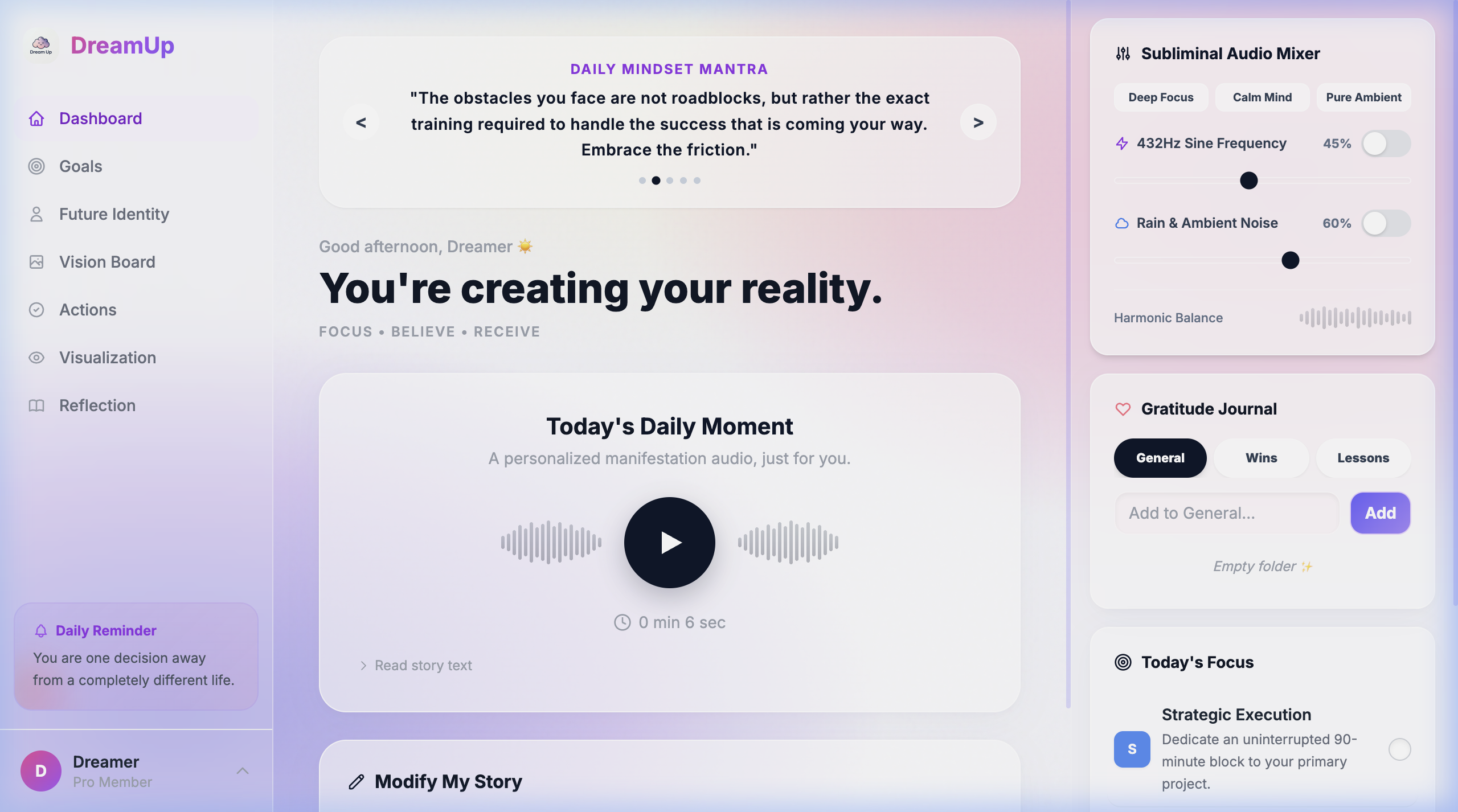
Table of contents
- Quick start
- How to run the app
- First-time setup guide
- How to open and close the app
- API key configuration
- Key features
- Building standalone installers
- Troubleshooting
- Tech stack
- Contributing
- License
How to run the app
Option A: Web browser mode (localhost)
Run DreamUp directly in Chrome, Safari, Firefox, or Edge without installing Rust:
-
Clone the repository:
git clone https://github.com/Jemycan/DreamUp.git cd DreamUp -
Install dependencies:
npm install -
Start the development server:
npm run dev -
Open in your browser: Navigate to http://localhost:1420. All features including audio synthesis, affirmations, daily focus, and reflections function locally in your browser.
Option B: Native desktop app (Tauri v2)
Run DreamUp as a native desktop application with local SQLite database storage.
1. System prerequisites
- Node.js: v18.0 or higher
- Rust & Cargo: v1.77 or higher (
curl --proto '=https' --tlsv1.2 -sSf https://sh.rustup.rs | sh) - Build tools:
- macOS:
xcode-select --install - Linux:
sudo apt update && sudo apt install -y build-essential curl wget file libssl-dev libgtk-3-dev libwebkit2gtk-4.1-dev libayatana-appindicator3-dev librsvg2-dev libasound2-dev - Windows: Visual Studio C++ Build Tools
- macOS:
2. Run the desktop app
npm run tauri dev
First-time setup guide
When you launch DreamUp for the first time, an onboarding wizard guides you through setting up your profile:
- Current reality: Enter your current mood and any challenges you are working through.
- Future vision: Define your primary goal, visualization details, and how you want to feel.
- People and time horizons: Outline your short-term, mid-term, and long-term milestones along with supportive friends and family.
- Blockers: Identify any habits, beliefs, or obstacles you want to overcome.
- Connect your Gemini key: Paste your free Gemini API key to enable AI stories, focus items, and affirmations.
- Dashboard access: Click Enter My Future Reality to land on your personalized dashboard.
How to open and close the app
Opening the app
- Browser mode: In your terminal, run
npm run devand open http://localhost:1420. - Desktop mode (development): In your terminal, run
npm run tauri dev. - Installed desktop app: Once built via
npm run tauri build, double-click the DreamUp icon in your macOSApplicationsfolder or Windows Start Menu.
Closing and stopping the app
- Desktop window: Close the window using
Command + Q(macOS),Alt + F4(Windows), or click the window's close button. - Terminal server: In the terminal window where the app was started, press
Ctrl + Cto stop the background process. - Browser tab: Close the browser tab or window.
API key configuration
DreamUp uses Google's Gemini API (gemini-3.6-flash) for generating personalized stories, affirmations, and focus plans. The application uses a Bring-Your-Own-Key model and does not use any central proxy servers.
Getting a free API key:
- Open Google AI Studio.
- Sign in with your Google account.
- Select Get API key and click Create API key.
- Copy your key.
Where the key is stored:
- Desktop mode: Saved on your local disk at
~/.dreamup_api_key. - Browser mode: Saved in browser
localStorage. - All goal data, reflections, and living profile facts remain strictly on your local computer (
app_data.db). No telemetry or analytics are collected.
Key features
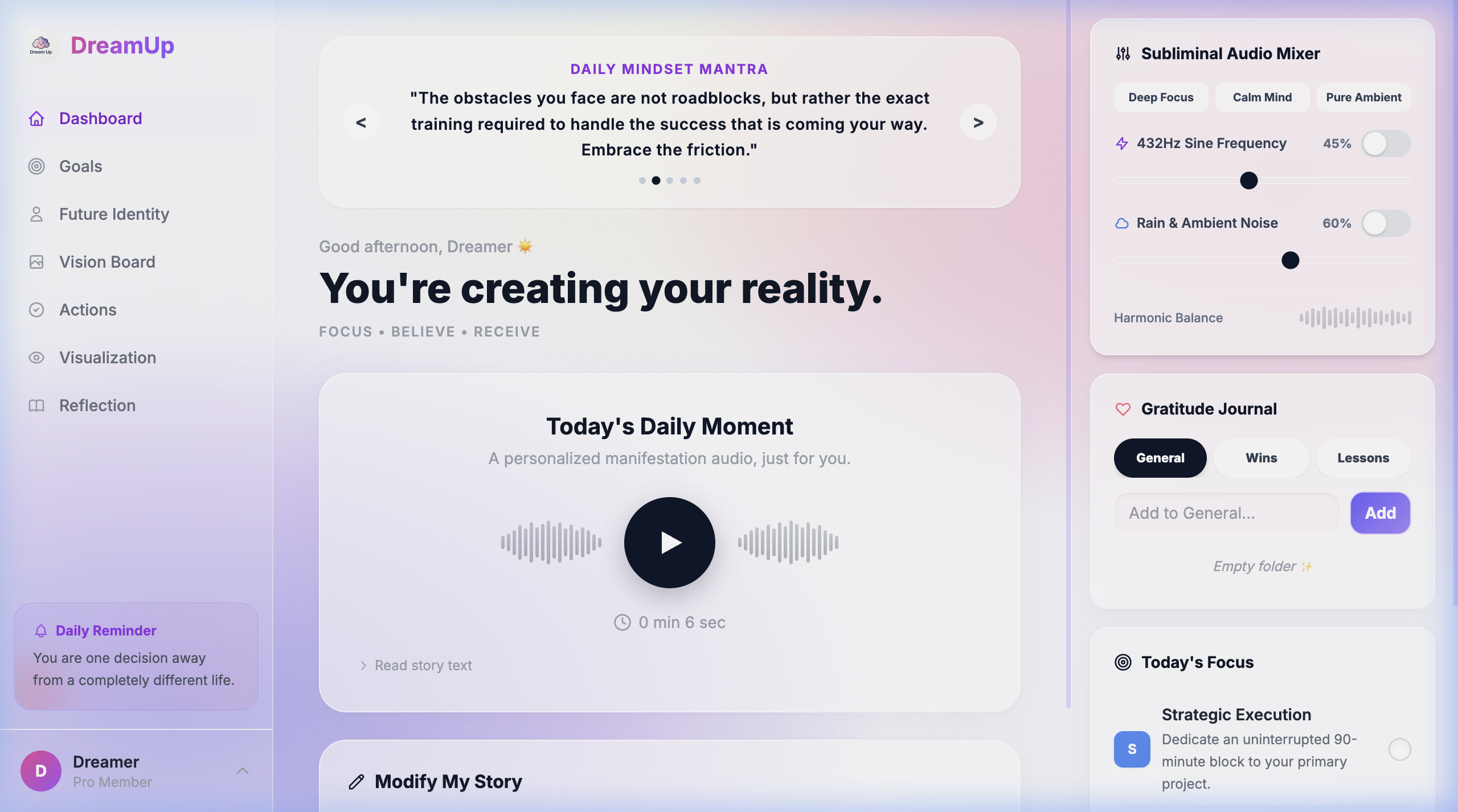
- Living profile: Onboarding flow captures your current situation, blockers, target feelings, and goals across short-term, mid-term, and long-term horizons.
- Affirmations system:
- Isolated categories for Career, Academics, Wealth, Health, Relationships, and Confidence.
- Manual affirmation writing, saving, and deletion. User-written affirmations are preserved when regenerating cards.
- Interactive flashcard viewer with keyboard navigation and auto-advance mode.
- Daily manifestation story and audio: Produces a 500-word first-person narrative reflecting your goals, with built-in text-to-speech audio and live prompt revision.
- 432 Hz sound engine and ambient rain: Built-in background audio mixer featuring 432 Hz frequency tones and looped ambient rain.
- Today's focus: Generates three daily high-impact actions, each broken down into three concrete subtasks.
- Gratitude journal and reflections: Local note-taking tool with custom folder categorization.
- Vision board: Image board with automatic broken-image fallbacks.
Building standalone installers
To build an executable installer package:
npm run tauri build
Compiled packages are written to src-tauri/target/release/bundle/:
| Platform | Output format | Output path |
|---|---|---|
| macOS | .dmg, .app | src-tauri/target/release/bundle/dmg/ |
| Windows | .msi, .exe | src-tauri/target/release/bundle/msi/ |
| Linux | .deb, .AppImage | src-tauri/target/release/bundle/deb/ |
Troubleshooting
- API 404 or model error: Verify your Gemini API key is active in Google AI Studio. The default model is set to
gemini-3.6-flash. - Linux audio packages: Ensure
libasound2-devis installed viasudo apt install libasound2-dev. - Reset local desktop data:
- macOS:
rm ~/Library/Application\ Support/tauri-app/app_data.db - Linux:
rm ~/.local/share/tauri-app/app_data.db - Windows:
del %APPDATA%\tauri-app\app_data.db
- macOS:
- Reset browser data: Clear site data for
http://localhost:1420in your browser settings.
Tech stack
- Frontend: React 19, TypeScript, Vite, Tailwind CSS
- Desktop core: Tauri v2, Rust
- Database: SQLite via
rusqlite(desktop) /localStorage(browser) - Audio engine: Rodio, Symphonia (desktop) / Web Audio API (browser)
- AI integration: Google Gemini API (
gemini-3.6-flash)
Contributing
Contributions and pull requests are welcome.
- Fork the repository
- Create a branch:
git checkout -b feature/your-feature-name - Commit your changes:
git commit -m 'feat: add description' - Push to branch:
git push origin feature/your-feature-name - Open a Pull Request
License
This project is licensed under the MIT License. See the LICENSE file for details.