BioCase
Desktop app for practicing clinical reasoning. Work through patient cases step…
AI: publik API or your key
publik verified: the founder reviewed this exact version for malware and approved it
by 
Where BioCase’s AI runs, and what it costs
Prices are for one typical use: one request of about 1,500 words sent and 375 words back. A higher quality score is better.
On your computer
Not checked yet: publik has not read whether BioCase can run its AI on your computer.
publik API
- Price
- $0.0100 per use, $10.00 per 1,000 usespublik-balanced, the default level
- Quality
- MiMo-V2.6-Pro: 46
- Setup
- Built in. No key to paste; linking your publik account gives $0.05 of free use, once.
Your own key
- Price
- $0.0013 per use, $1.31 per 1,000 usesMiMo-V2.6-Pro at OpenRouter’s list price, before its fee for buying usage
- Quality
- MiMo-V2.6-Pro: 46
- Setup
- Open a provider account, add a card, paste the key into BioCase.
Quality and price, side by side
| Model | Quality | Per 1,000 uses |
|---|---|---|
| On your computer (Ollama, 4-bit download size) | ||
| Granite 4.2 3B2.2 GB | 9 | $0 |
| Phi-4 Mini2.5 GB | 6 | $0 |
| Llama 3.1 8B4.9 GB | 7 | $0 |
| gpt-oss 20B14 GB | 9 | $0 |
| Gemma 4 31B20 GB | 19* | $0 |
| Qwen3.5 35B-A3B24 GB | 19* | $0 |
| publik API | ||
| publik-fastGLM-5.3 Flash | 42 | $1.00 |
| publik-balancedMiMo-V2.6-Pro · BioCase | 46 | $10.00 |
| publik-smartGPT-6 Sol | 48 | $18.00 |
Quality: Artificial Analysis Intelligence Index v4.3.2, read 2026-09-22 (publik API models 2026-09-25); * = estimated by Artificial Analysis. Sizes: the Ollama library, read 2026-09-22.
What you pay for
- On your computer: nothing per use. You pay in disk space, memory and electricity, at lower quality.
- publik API: publik’s published price for each use, in dollars, from your publik balance. It is above the model’s cost; the difference runs publik and pays the app’s builder.
- Your own key: the provider’s price, billed to an account you keep with the provider.
How to install BioCase
Every step written out. No terminal experience needed. Pick your setup.
README
Open in GitHubBioCase
Desktop clinical reasoning simulator. Practice diagnosing patients through interactive cases with history-taking, physical exam, labs, and structured debriefs.
Features
- Interactive patient cases — ask questions, order exams, review labs, and reach a diagnosis
- AI-powered patient responses — NVIDIA NIM generates natural patient dialogue in real time
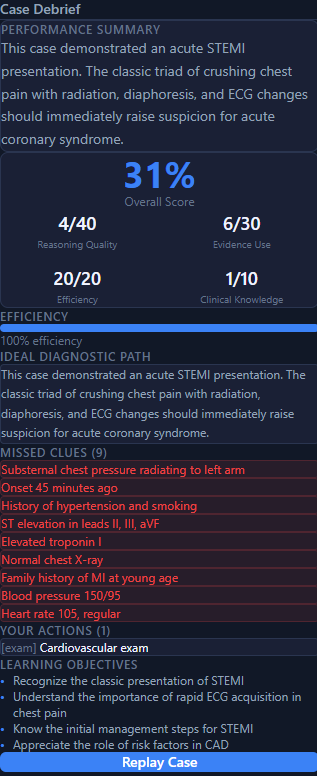
- Scoring & debrief — get scored on reasoning quality, efficiency, evidence use, and clinical knowledge
- Custom case upload — teachers can upload TXT, MD, or PDF files; AI extracts structured case data
- Case editor — review and edit extracted cases before saving
- Progress tracking — attempts saved locally, best scores shown per case
Screenshots
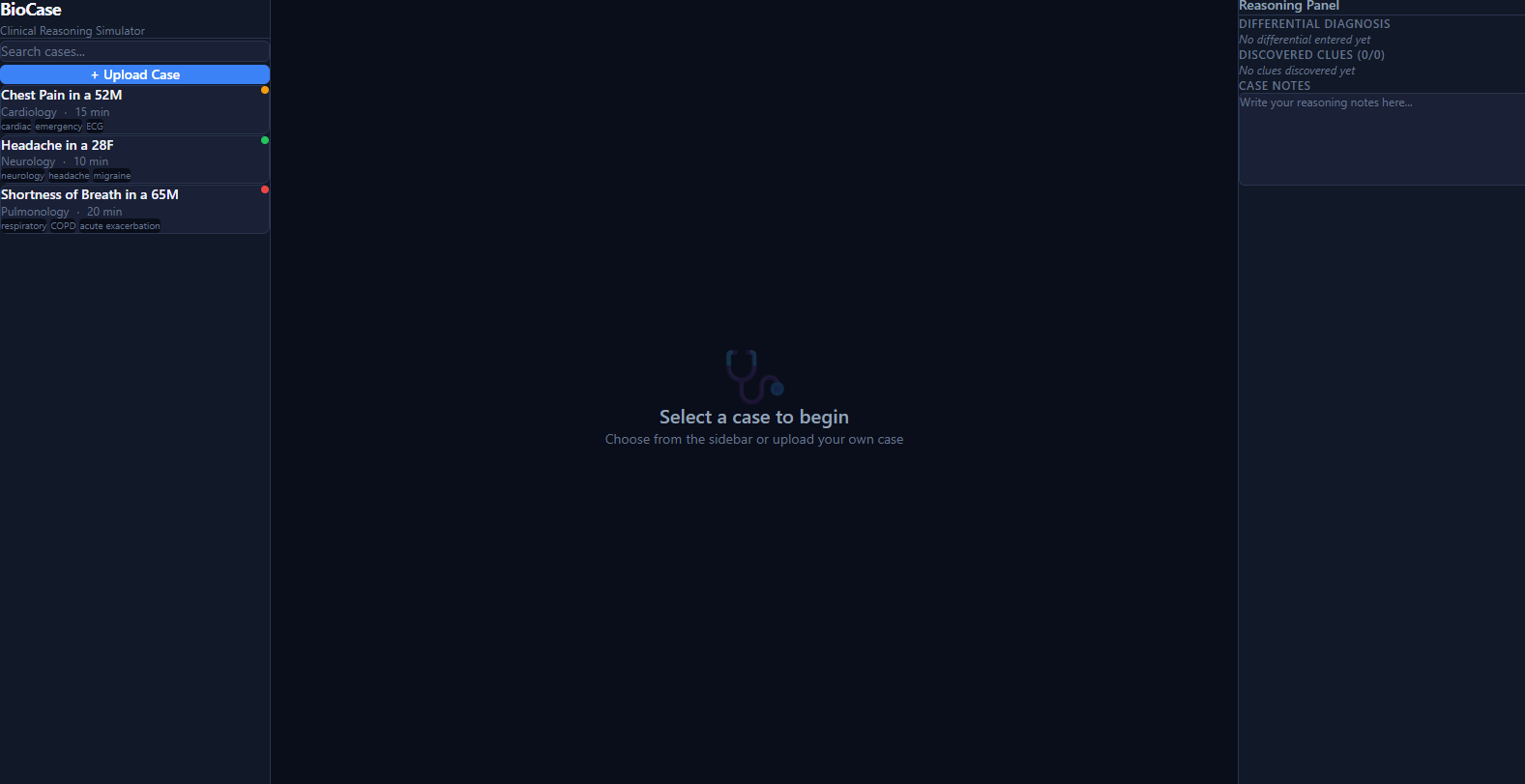
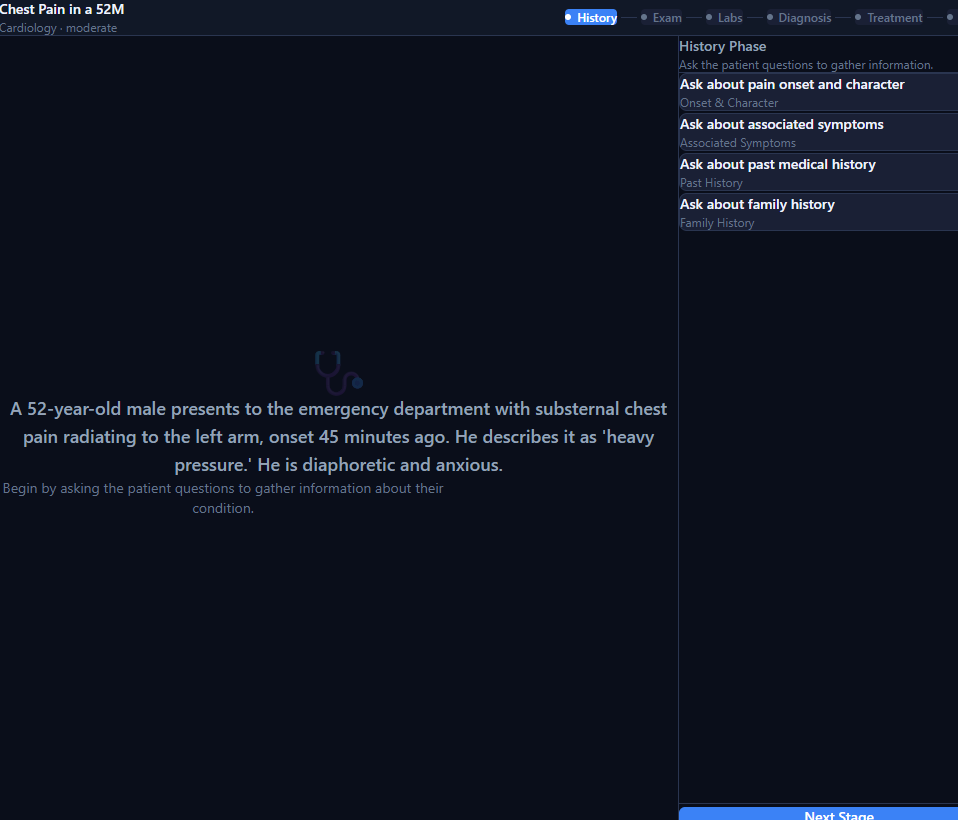
| Case Selection | Patient Interaction | Debrief |
|---|---|---|
|  |  |
Tech Stack
| Layer | Technology |
|---|---|
| Desktop shell | Tauri 2 (Rust) |
| UI | React 19, TypeScript, Tailwind CSS 4 |
| State | Zustand |
| AI | NVIDIA NIM (nemotron-super-49b-v1.5) |
| PDF parsing | pdf-parse |
| Storage | localStorage |
Project Structure
biocase/
├── src/
│   ├── components/          # UI components
│   │   ├── ActionPanel.tsx      # Stage-specific actions
│   │   ├── CaseEditor.tsx       # Form editor for custom cases
│   │   ├── CaseList.tsx         # Sidebar case browser
│   │   ├── CaseUploadModal.tsx  # File upload → AI extraction
│   │   ├── DebriefPanel.tsx     # Score & feedback display
│   │   ├── PatientResponse.tsx  # Patient conversation view
│   │   ├── ReasoningPanel.tsx   # Differential, clues, notes
│   │   └── StageIndicator.tsx   # Progress bar
│   ├── features/
│   │   ├── case/seedCases.ts    # Built-in case definitions
│   │   └── engine/CaseEngine.ts # Case state machine
│   ├── lib/
│   │   ├── caseExtractor.ts     # NIM-based case extraction
│   │   ├── fileParser.ts        # TXT/MD/PDF file reading
│   │   ├── nim.ts               # NVIDIA NIM API client
│   │   └── persistence.ts       # localStorage CRUD
│   ├── stores/caseStore.ts      # Zustand state management
│   └── types/case.ts            # TypeScript type definitions
├── src-tauri/               # Tauri (Rust) desktop shell
├── PRD.md                   # Product requirements
└── PLAN.md                  # Build plan
How It Works
- Select a case from the sidebar (3 built-in cases or your own custom uploads)
- Investigate — move through history, exam, and labs stages by clicking actions
- Diagnose — select your working diagnosis from the differential
- Treat — choose your management plan
- Debrief — review your score, missed clues, and AI-generated feedback
Custom Cases
Teachers can upload case files for students to practice:
- Click "+ Upload Case" in the sidebar
- Drop a
.txt,.md, or.pdffile containing a clinical case description - AI extracts structured data (diagnosis, clues, actions, scoring rubric)
- Review and edit the extracted case in the form editor
- Save — the case appears in the sidebar with a CUSTOM badge
License
MIT — see LICENSE.txt