Nutcracker
The networking agent that finds who to coffee chat with — and never sees your rolodex
AI runs online
Where Nutcracker’s AI runs, and what it costs
Prices are for one typical use: one request of about 1,500 words sent and 375 words back. A higher quality score is better.
On your computer
Nutcracker has no option to run its AI on your computer.
publik API
- Price
- $0.0100 per use, $10.00 per 1,000 usespublik-balanced, the default level
- Quality
- MiMo-V2.6-Pro: 46
- Setup
- Not built into Nutcracker yet. A publik API key works wherever Nutcracker takes an OpenAI-compatible address.
Your own key
- Price
- $0.0013 per use, $1.31 per 1,000 usesMiMo-V2.6-Pro at OpenRouter’s list price, before its fee for buying usage
- Quality
- MiMo-V2.6-Pro: 46
- Setup
- Open a provider account, add a card, paste the key into Nutcracker.
Quality and price, side by side
| Model | Quality | Per 1,000 uses |
|---|---|---|
| On your computer (Ollama, 4-bit download size) | ||
| Granite 4.2 3B2.2 GB | 9 | $0 |
| Phi-4 Mini2.5 GB | 6 | $0 |
| Llama 3.1 8B4.9 GB | 7 | $0 |
| gpt-oss 20B14 GB | 9 | $0 |
| Gemma 4 31B20 GB | 19* | $0 |
| Qwen3.5 35B-A3B24 GB | 19* | $0 |
| publik API | ||
| publik-fastGLM-5.3 Flash | 42 | $1.00 |
| publik-balancedMiMo-V2.6-Pro · Nutcracker | 46 | $10.00 |
| publik-smartGPT-6 Sol | 48 | $18.00 |
Quality: Artificial Analysis Intelligence Index v4.3.2, read 2026-09-22 (publik API models 2026-09-25); * = estimated by Artificial Analysis. Sizes: the Ollama library, read 2026-09-22.
What you pay for
- On your computer: nothing per use. You pay in disk space, memory and electricity, at lower quality.
- publik API: publik’s published price for each use, in dollars, from your publik balance. It is above the model’s cost; the difference runs publik and pays the app’s builder.
- Your own key: the provider’s price, billed to an account you keep with the provider.
How to install Nutcracker
Every step written out. No terminal experience needed. Pick your setup.
README
Open in GitHub🥜 Nutcracker
The open-source networking agent — find who to coffee chat with, and never upload your rolodex.
A free, local-first alternative to Walnut AI (invite-only). No invite, no account, no cloud: your contacts live in your browser and nowhere else.
What it does
Nutcracker turns the LinkedIn data you already own into a working networking agent:
- Coffee Chat Radar — a ranked answer to "who should I grab coffee with this week?": dormant strong ties you've let go quiet, plus goal-relevant people you can reach through a warm intro. Every item comes with a drafted message.
- Second-degree discovery via graph pooling — LinkedIn's export only contains your connections. Swap
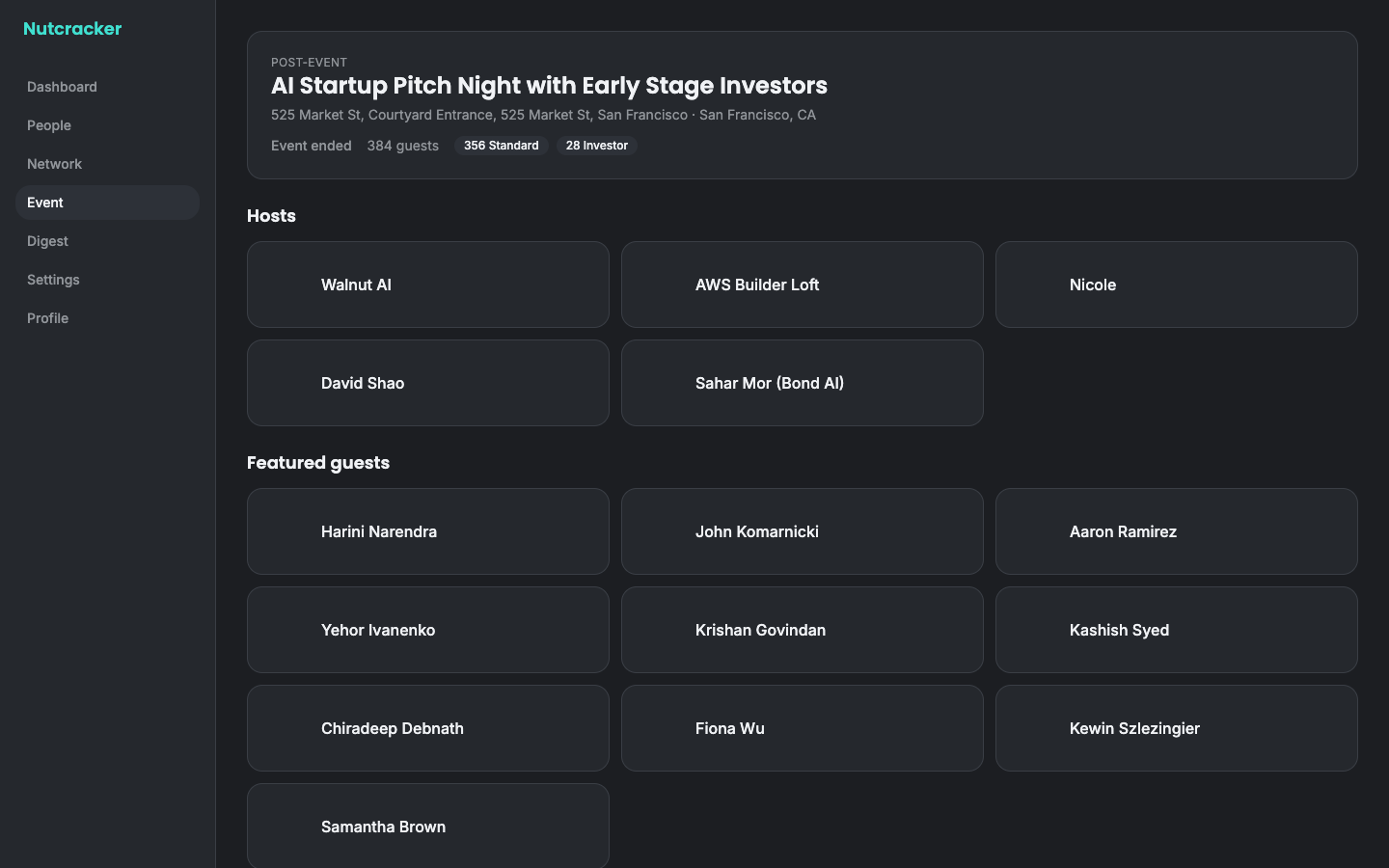
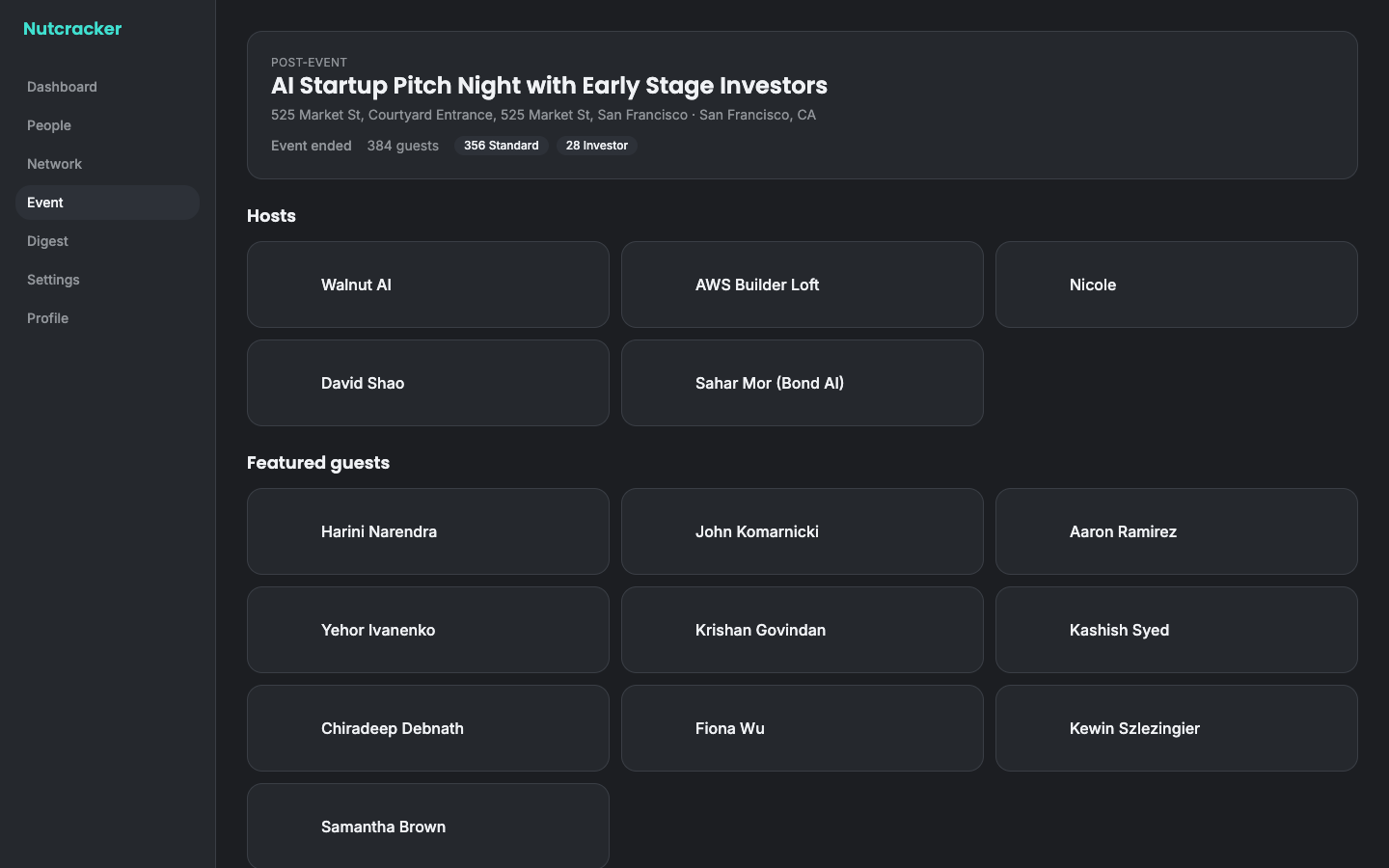
Connections.csvfiles with a few friends or teammates and Nutcracker unions the graphs locally: real "you can reach Alice via Bob" paths, no platform in the middle. - Event matching (Luma) — point it at a Luma event and it maps the room: hosts and featured guests cross-referenced against your network for warm paths, a ranked "who to meet" list, openers, and a game plan. It ships with a real event baked in — AI Startup Pitch Night (hosted by Walnut AI themselves), 384 guests, 28 investors — fully browsable offline.
- Post-event mode — once the event ends, the same screen flips to "who did you meet?": log names, get follow-up drafts before the connection goes cold.
- Profile diagnosis & weekly digest — feedback on your headline/about, and a digest of who to reconnect with.
Privacy is the architecture, not a promise
- All data lives in your browser's IndexedDB. There is no server, no account, no telemetry, and no database anywhere.
- The only optional network calls are (1) your own AI key to the provider you choose, and (2) public Luma event JSON through a tiny stateless proxy — never your contacts.
- Export everything as JSON or erase everything, one click each, in Settings.
The AGPL-3.0 license keeps it that way: anyone who hosts a modified Nutcracker must publish their changes.
Get your LinkedIn data (~10 minutes, one time)
- LinkedIn → Settings & Privacy → Data privacy → Get a copy of your data
- Pick Connections, request the archive
- LinkedIn emails you a CSV (usually within ~10 minutes)
- Drop
Connections.csvinto Nutcracker's onboarding — parsing happens in your browser
Graph pooling: ask a friend to do the same and import their CSV under their name on the Network screen. That's a real second-degree graph, built from data each of you legitimately owns. (Nutcracker never scrapes LinkedIn — imports only.)
Bring your own AI (optional)
Every feature works without a key using deterministic heuristics. A key makes the drafts and game plans much better.
| Provider | What to paste | Notes |
|---|---|---|
| Anthropic | API key from console.anthropic.com | Called directly from your browser |
| Anthropic (Claude subscription) | Token from claude setup-token | Uses your Claude Code subscription — no API billing |
| OpenAI | API key from platform.openai.com | Called directly from your browser |
Keys are stored locally in your browser and sent only to the provider you chose.
Run it
Hosted: open the web app — https://blueturboguy07.github.io/nutcracker/
Local:
git clone https://github.com/Blueturboguy07/nutcracker
cd nutcracker
npm install
npm run dev
npm run dev also proxies live Luma event fetches (the hosted static build falls back to the baked-in event snapshot and paste-import, which work fully offline). Deploying to Vercel enables the live Luma proxy in production via api/luma.ts.
Tech notes
- Vite + React 18 + TypeScript, Tailwind v4, Dexie (IndexedDB), Zustand, PapaParse
- 205 tests (
npm test), typed end to end - One serverless function (
api/luma.ts) that proxies only public event JSON, with the static-hosting fallback treated as a first-class path
License & disclaimers
AGPL-3.0. Not affiliated with, endorsed by, or connected to Walnut AI, LinkedIn, or Luma. Import only data you have the right to use, and be a normal human being about outreach — the drafts are starting points, not spam ammunition.